


+2


This is the apps for Windows 11 that I would recommend to anyone who just got a PC !
The same list for https://alternativeto.net/software/mac-os/ : https://alternativeto.net/list/29658/my-macos-setup/ https://alternativeto.net/software/linux-kernel/about/ (GUI apps only) : https://alternativeto.net/list/29661/my-linux-setup/

This is really handy if you setup a new Windows machine at it lets you install many software at once without to have to go to every website!
Worth mentioning :  UniGetUI
If you are a more advanced user not afraid of terminal check :
 Chocolatey


I prefer to use this instead of the default File Explorer because it has tabs! Windows 11 File Explorer now has that features built-in, but Files still has many great features!
Worth mentioning :
 Explorer++ For nostaligics
 Double Commander For nerds
 OneCommander For nerds with better UI


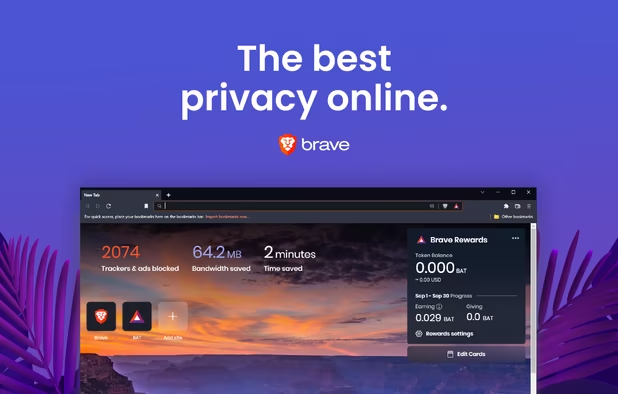
A nice chromium browser with ads and trackers blocked out of the box! Please don't use their cryptocrap and disable sponsored background.
Worth mentioning :
 Vivaldi (install
  uBlock Origin )


Another great privacy browser but based on firefox which is the last free option facing Google's monopoly on web technologies.
 Mozilla Firefox (install uBlock Origin )
 Zen Browser Arc Browser but open source and based on Firefox


I prefer this one over the default  Microsoft Photos
Worth mentioning :
 nomacs
 qView minimal af
 opti
opti
 IrfanView Customizable af


A modern video player built for Windows, way better than  Movies & TV
Worth mentioning :
 VLC Media Player The king
 MPC-QT
 MPV-EASY Player


If like my you use multiple browsers daily this one will be useful. Set it as your browser by default and when clicking on a link it will prompt which browser you want to open.


This will replace pop-up in Windows (such as sound, spotify mini-player, etc...) with more modern looking ones that are in line with Fluent Design introduced with Windows 11!


If you read ePUB on your PC I would recommend you this one.
For manga lovers check :  HakuNeko
Worth mentioning :
 Thorium Reader AudioBooks also supported !
 YACReader Comics focused
 calibre


A free PDF reader if you need advanced features ! It will probably try to install McAffe or other stuff SAY NO!!!
Worth mentioning :
 PDFsam Basic features on free tier
 SumatraPDF Open source


The better Windows Store support for WinGet, Scoop, Chocolatery, npm, pip, PowerShell and .NET Tools


If you game on PC you know, it's the monopoly plateform
 GOG GALAXY DRM-free games so you own them for real.
 Epic Games Store They gives free games every week, and 88% goes to the game editor/dev
 EA App If you suck
 Ubisoft Connect some games require that shit...
 Battle.net Necessary for Activizion Blizzard games
 itch.io BE CAREFUL TO DOWNLOAD TRUSTED GAMES BECAUSE SOME UNKNOWN SHITS ARE VIRUSES!!!


To test games before buying them. I AM NOT RESPONSIBLE FOR ANY COPYRIGHT INFRIGMENT OR PC INFECTION
Worth mentioning :  Hydra Launcher

If you want to emulate retro games this one is gold when you know how to use it ! Internet have tons of tutorials so you can master it !
If you want standalone emulators :
GBC :  SameBoy
GBA :
SameBoy
GBA :  mGBA
NDS :
mGBA
NDS :  melonDS
3DS :
melonDS
3DS :  Azahar
Gamecube and Wii :
Azahar
Gamecube and Wii :  Dolphin Emulator
WiiU :
Dolphin Emulator
WiiU :  Cemu
Switch :
Cemu
Switch :  Ryubing (Ryujinx GreemDev)
PSP :  PPSSPP
PSVita :
PPSSPP
PSVita :  Vita3K
PlayStation :
Vita3K
PlayStation :  DuckStation
PS2 :
DuckStation
PS2 :  PCSX2
PS3 :
PCSX2
PS3 :  RPCS3
PS4 :
RPCS3
PS4 :  ShadPS4 EXPERIMENTAL don't expect much of it for now !
Xbox (OG) :  Cxbx-Reloaded
Xbox 360 :
Cxbx-Reloaded
Xbox 360 :  Xenia +
  Xenia Manager
Master System :  Mame
Saturn :
Mame
Saturn :  Yaba Sanshiro 2
DreamCast :
Yaba Sanshiro 2
DreamCast :  Flycast
For more check :


On PC you have too many choices for game launchers. Put all your 3rd-parties libraries (Steam, gog, Ubisoft Connect, etc...) in one single beautiful place !
GOG GALAXY can do it too but Playnite seems to work more seemlessly
Worth mentioning :  Gavilya


Microsoft dropped support for  Windows Subsystem for Android but you can still use it to install Android APKs with this open source build that is still maintain and support both Magisk and GApps.

## These emulators are all somewhat shady to different degrees ! Use them with caution and use debloating guide if available. Prefer options listed above !
Windows 11 have some android app support but if you're on 10 this might be nice if you want android games on your PC !
Debloat guide : https://gist.github.com/TameemS/72c4b92131977aced56e727d51599a48
Worth mentioning :
 BlueStacks
 MuMuPlayer
 GameLoop
 LDPlayer Debloat guide : https://gist.github.com/TameemS/894cdb8adae1d6042a5f21c4e80bcd9e/


If your friends game on PC, they probably use this one to communicate !
Worth mentioning :
 Stoat Chat
 TeamSpeak
 Steam
Steam
 Mumble For LAN (UI isn't great but it's a technical gem)


If you use a dedicated GPU this tool is really nice even if you don't have an MSI graphic card. It shows video card stats (temp, GPU usage, etc...). Allows overclocking, controlling of fans, etc... Enable RivaTuner to perform benchmark and see how your CPU and GPU performs, if there is any bottlenecks or anything


A benchmark tool to better understand your bottlenecks similar to RivaTuner inside MSI Afterburner.
It is based on Intel's PresentMon


For NVidia GPUs only!
It let you customize your drivers and NVidia related software, so it allow you to uninstall things you don't need/want !
Worth mentioning :  TinyNvidiaUpdateChecker


For AMD GPUs only! An open source tool that has less impact on your performance and give you everything you need to tweak your GPU settings a bit and updating your drivers without all the bloat that the official Adrenaline tool offers.


If you have RGB on your gaming RIG this helps you manage them for any constructor like Razer, AORUS, ASUS, MSI, etc...


A great modmanager and mod downloader with multiple profiles and amazing features
Worth mentioning :
 Mod Organizer 2 More suited for Bethesda games
 Vortex Peviously known as Nexus Mod Manager


To use Dualshock (PS4 controller) or DualSense (PS5 controller) on PC and make it appear like a xbox controller (for GamePass games or non-Steam games)


Now that we have 65"+ TV, 4K resolution we don't have split-screen gaming anymore, this fix it at least on Windows and in some games.


If you're a VR gamer and want to experience better framerate this mod let you use FSR upscalling in your VR library. It does not looks as good as native but in some scenario it can offer a better overall experience !
There is a GUI name OpenVR FSR App avilable here https://github.com/tappi287/openvr_fsr_app


If you do photography this is useful for photo editing !
Worth mentioning :
 OM Workspace You need a OLYMPUS camera serial number to download but this can be easily found online
 Polarr


If you want to do pixel art this one is gold !
Worth mentioning :
 LibreSprite
 Piskel also in WebApp


If you want to create font and make typography !
Worth mentioning :
 FontForge 100% free
 Glyphr Studio simpler


Free lightweight 8-bit voxel art editor and interactive path tracing renderer.
Worth mentioning :  Goxel
Goxel


For 3D render and 3D animation. Nice UI, powerful tool and awesome community !
Worth mentioning :  Blockbench Widely used for Minecraft modeling but it's easy, fast and fun to use but still gives impressive results !


Comments
First of all A great list that you have made here! I love it! I have minor implementation that I want to add. I agree that Nox App Player is a good alternative than the Bluestacks. Just to inform that Nox is running under a Chinese company named Noxgroup. I am not a software engineer but after using BlueStacks for a while, the Nox really looks and interacts the same as an older version of Bluestacks. (Considering it as IP theft,) And if Nox player is sending telemetry to the company servers makes me doubt on how safe the data is stored to the eyes from CCP. So for now I use the WSA (Windows Subsystem for Android) https://github.com/microsoft/WSA
Yeah, honestly Android emulation on Android always has been quite shady I will consider removing Nox. Note that WSA support has been drop from Microsoft recently, I've recently added to AlternativeTo an app called WSABuilds which is an open source build that is still maintained. Once it is approved I'll add it to the list as the main Android Emulation option. I might keep Nox App Player but will add this guide to debloat it : https://gist.github.com/TameemS/72c4b92131977aced56e727d51599a48
Thanks for this comment ! 🫡
I would like to recommend sumatraPDF. Small, fast and can open almost any file type be it pdf, epub etc.
You can add SimpleWall, it's the most intuitive and lightweight manual firewall i've come across. It gives peace of mind knowing that apps you installed can't phone home all the time without permission
https://www.henrypp.org/product/simplewall
Source: https://github.com/henrypp/simplewall
SimpleWall is on the list for some time now, just click on "Load more apps" ;)
Very good list! I have some suggestions of my own.
Speccy - For a detailed log of your hardware and system specs
TreeSize Free - For knowing what folder is taking up how much space
snap2html - You can create an interactive html file that lists all your folders on your computer and their content. (Useful if you have multiple external hard disks and you're not sure which stuff is on what disc. This way you will save having to plug the disc and searching it.)
PotPlayer - Like VLC but it can also play flash games, plus it has better interface
Resilio Sync - Sync files between devices. It also has an android and mac version and its very easy to set up.
Bulk Rename Utility - As the name suggests it can rename items in bulk. Useful when you're renaming hundreds of files. UI is a bit messy but it has almost everything you might need,
JetBrains Pycharm Community - Python IDE. Very good and its free.
Hi I have some suggestions.
Instead of ShutUp10++ or others use: WPD
and
Instead of ShareX:
WPD
and
Instead of ShareX:  Flameshot
Never heard of WPD, while it looks super basic it also looks like a nice easy option. I know Flameshot, might give an honorable mention, cuz in my opinion ShareX is far superior.
I'm so happy you mentioned Obsidian, FireAlpaca, and Mod Organizer 2! I love those apps
How do you use files as the default app?