Office & Productivity Page 28 of 416

All apps in Office & Productivity category. Use the filters below to narrow down your search. 
Copy a direct link to this comment to your clipboard
  1. Habit Builder icon
     7 likes

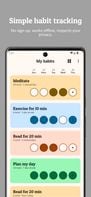
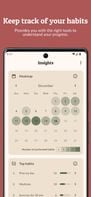
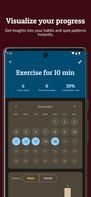
    Habit Builder is a simple, beautiful app that provides you with the right tools to keep track of your habits and understand your progress. The app is free, open source, and respects your privacy by storing everything on-device.

    Habit Builder screenshot 1
    Habit Builder screenshot 2
    Habit Builder screenshot 3
    43 alternatives
  2. Zoho Writer icon
     58 likes

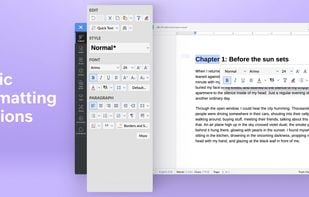
    Cloud-based word processor featuring AI-powered assistant, editing tools, document publishing, e-signatures, mobile apps, and MS Word compatibility.

    • Word Processor
    • Free PersonalProprietary
    • Mac
    • Windows
    • Linux
    • Online
    • Android
    • iPhone
    • Chrome OS
    • Android Tablet
    • iPad
    • Google Chrome
    Zoho Writer screenshot 1
  3. Smart Mindmap icon
     3 likes

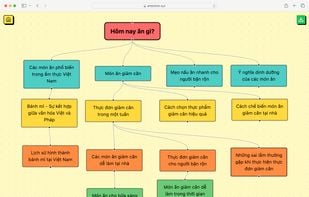
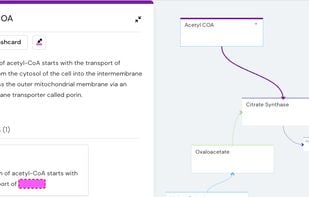
    AI-powered software for swift mind mapping, presenting ideas in organized, visually appealing formats, perfect for structured thinking and brainstorming.

    Smart Mindmap screenshot 1
    17 alternatives
  4. OfficeSuite  icon
     36 likes

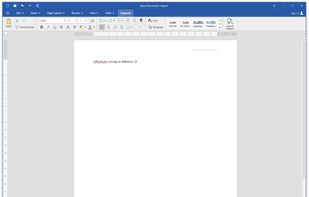
    OfficeSuite is a cross-platform office suite for Windows PC, Android, and iOS. It has powerful modules for DOCUMENTS, SPREADSHEETS, PRESENTATIONS, and PDF files.

    OfficeSuite is compatible with Microsoft Word, Excel, PowerPoint and Adobe PDF files.

    • Word Processor
    • FreemiumProprietary
    • Windows
    • Android
    • iPhone
    • Chrome OS
    • Android Tablet
    • iPad
    • Apple Watch
    • Kindle Fire
    OfficeSuite Documents running on Windows 10
    36 alternatives
  5. Redbooth icon
     89 likes

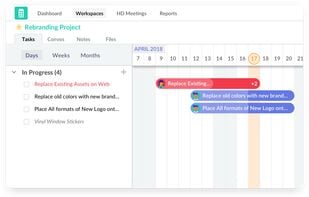
    Redbooth (formerly Teambox), the cloud-based company redefining collaboration and business communications. Easily organize teams and projects to ensure visibility and accountability, enabling your team to get more accomplished.

    Redbooth screenshot 1
    184 alternatives
  6. Zettel Notes icon
     8 likes

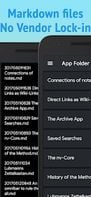
    Zettel notes provides seamless private zettelkasten and markdown note taking experience with synchronization. It is provided free of cost, without ads and with no hidden permissions. No user data is collected.

    • Note-taking Tool
    • FreeProprietary
    • Android
    • Android Tablet
    • F-Droid
    • LineageOS
    • CyanogenMod
    No vendor lock in . Work with plain markdown fiels.
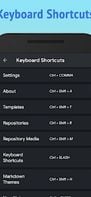
    Customizable keyboard shortcuts.
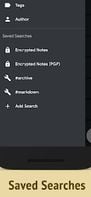
    Saved searches.
    28 alternatives
  7. Flowkeeper icon
     12 likes

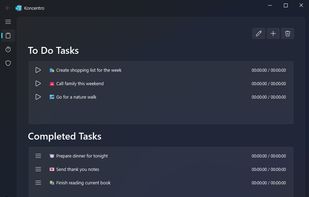
    Designed for power users, it enhances focus using the Pomodoro Technique. It's open-source, enables task tracking, continuous improvement, and timesheet exports.

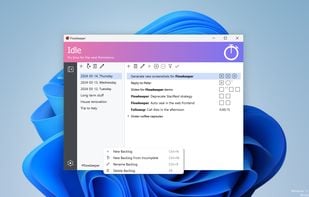
    Main window on Windows 11
    43 alternatives
  8. Traverse icon
     11 likes

    Traverse is the only app combining mind maps, notes and flashcards, so you can master complex topics and never forget anything again. With visual notes to see the big picture and spaced repetition to review at the optimal time.

    Mind maps, notes and flashcards in one
    27 alternatives
  9. nb icon
     6 likes

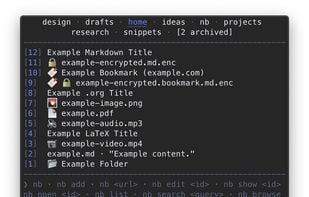
    CLI and local web plain text note-taking, bookmarking, and archiving with linking, tagging, filtering, search, Git versioning & syncing, Pandoc conversion, + more, in a single portable script.

    nb creates notes in text-based formats like Markdown, Org, LaTeX, and AsciiDoc, can work with files in any format, can import and export notes to many document formats, and can create private, password-protected encrypted notes and bookmarks.
    11 alternatives
  10. NeoOffice icon
     47 likes

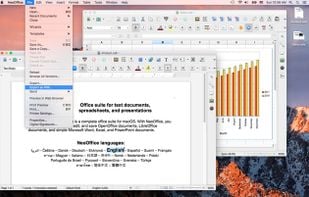
    NeoOffice is an office suite for Mac that is based on OpenOffice and LibreOffice. With NeoOffice, you can view, edit, and save OpenOffice documents, LibreOffice documents, and simple Microsoft Word, Excel, and PowerPoint documents.
    NeoOffice screenshot 1
    50 alternatives
  11. Shift Browser icon
     40 likes

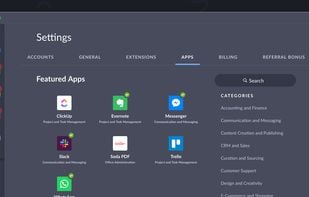
    Combines web applications, simplifies Google and Microsoft account access, reduces tab clutter, supports email management, and integrates extensions.

    Add all of your favorite apps, and access them right inside Shift!
    34 alternatives
    3.8
    Good13 reviews
  12. Drafts icon
     31 likes

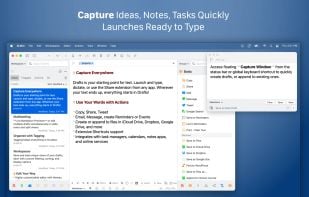
    Drafts is where text starts. Quickly capture text and send it almost anywhere!

    Drafts turns text into action with almost limitless possibilities – it’s a quick notebook, handy editor, and writing automation tool, all in one. Capture all of your text in Drafts and send it to othe.

    Drafts screenshot 1
    61 alternatives
    4.7
    Excellent6 reviews
  13. Twake icon
     26 likes

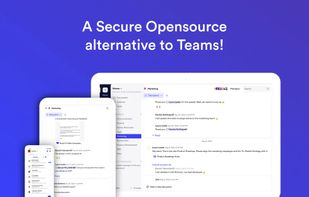
    Twake is a real-time teamwork platform. It is a suite of collaborative tools that includes the specificities of some bestsellers (Slack, Trello, Google Drive...). We provide professional messaging, storage space, online collaborative editors (Words, Excel, PowerPoint), task...

    Twake screenshot 1
    126 alternatives
  14. Linear icon
     9 likes

    Optimize your software project management with efficient task, sprint, and bug tracking for high-performance teams with offline access.

    Linear screenshot 1
    93 alternatives
  15. Safe Eyes Linux icon
     26 likes

    SafeEyes is an application that tries to protect your eyes from eye strain (asthenopia) by reminding you to take breaks while you're working long hours at the computer. It was created as a free and open source Linux alternative for EyeLeo, a Windows-only app.

    Safe Eyes Linux screenshot 1
    32 alternatives
  16. Better Stacks icon
     5 likes

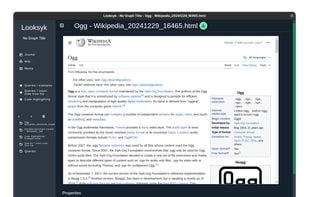
    Stacks is a digital workspace platform designed to help you organize your online content, such as links, notes, and media, in a calm and efficient manner. Powered by AI agents, Stacks offers personalized discovery and instant recall of information, making it ideal for creators...

    Better Stacks screenshot 1
    8 alternatives
  17. Fostie icon
     3 likes

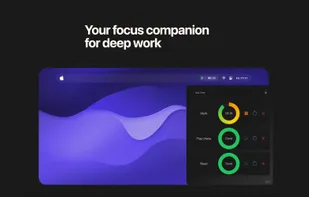
    This isn’t just another timer app. It’s a simple, elegant, and powerful tool that lives in your menu bar—always there when you need it, never in your way. Set custom timers. Name them. Save them. Start, pause, reset, and remove with a single click. No distractions.

    Fostie screenshot 1
    42 alternatives