


MobiOffice
38 likes
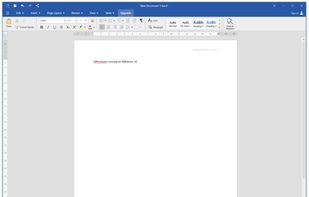
MobiOffice is a cross-platform office suite for Windows PC, Mac, Android, and iOS. It has powerful modules for DOCUMENTS, SPREADSHEETS, PRESENTATIONS, and PDF files.
MobiOffice is compatible with Microsoft Word, Excel, PowerPoint and Adobe PDF files.

Cost / License
- Freemium (Subscription)
- Proprietary
Application typeApplication types
 EU
EUPlatforms
- Windows
- Android
- iPhone
- Chrome OS
- Android Tablet
- iPad
- Apple Watch
- Kindle Fire
- HUAWEI AppGallery
- Windows Phone
- Mac


Features


Highlights All activities
MobiOffice News & Activities
Recent News
No news, maybe you know any news worth sharing?
Share a News Tip
Recent activities
 Paul added MobiOffice as alternative to ElixirOffice
- Julmik updated MobiOffice
 Klaus Vonstein added MobiOffice as alternative to OpenDocument Reader
 Juliano Souza added MobiOffice as alternative to GenOffice
 Fabiano Braga added MobiOffice as alternative to OfficeClone
 nickpismenkov added MobiOffice as alternative to InjOffice
 cel added MobiOffice as alternative to Fossify Documents
 Julmik added MobiOffice as alternative to ZIZIYI Office
 krauq added MobiOffice as alternative to Universal File Opener
 junghoon-lee added MobiOffice as alternative to Thinkfree Office


Developed by
 MobiSystems
 Licensing
Proprietary and Freemium product.Pricing
Subscription ranging between $4 and $25 per month + free version with limited functionality.Alternatives
47 alternatives listedBadge
Get an embeddable badge for MobiOfficeSupported Languages
AlternativeTo Categories
Office & Productivity, File Sharing, Remote Work & EducationApple AppStore
- Updated
- 4.71 avg rating


Core, Development & Services
A list with 807 apps by AmileyaRyver without a description.


Chrome os apps
A list with 9 apps by bedsteler20 without a description.




Comments and Reviews
The app itself is amazing. But the they are trying to get as much money out of extra payments for this and that. For example: You get MobiPDF for 41€ a year. But this is only Android version. The Windows Version will cost you extra. Or another example: Tehy let you buy a lifetime license of their software. But not for every platform. Only for Windows. Android Lifetime license is NOT included, it will cost you extra again. Very questionable price transparency.
It is one of the working alternatives to (or clones of) Microsoft 365, made in EU. It has scaling issues like many third-party apps on Windows, but the usability is pretty solid, considering it is free and the company background is comparably trustworthy.