System & Hardware for Windows

All apps in System & Hardware for Windows category. Use the filters below to narrow down your search. 
Copy a direct link to this comment to your clipboard
  1. TestDisk icon
     390 likes

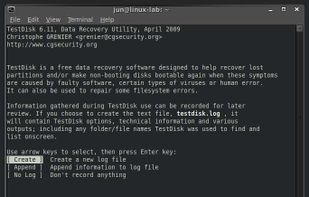
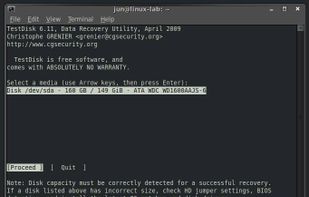
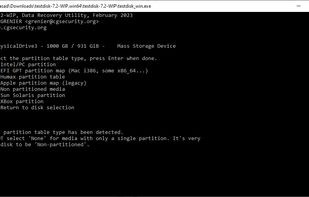
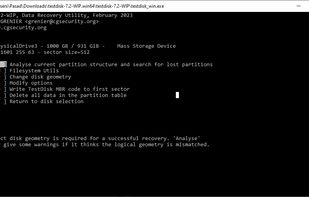
    Free command-line tool for recovering lost partitions, repairing non-booting disks, supporting multiple file systems and converting disks to basic format.

    Starting TestDisk
    144 alternatives
    4.8
    Excellent17 reviews
  2. Podman icon
     57 likes

    Podman is a daemon-less container runtime for managing containers, pods, and container images. It is intended as a counterpart to CRI-O, to provide low-level debugging not available through the CRI interface used by Kubernetes.

    • FreeOpen Source
    • Mac
    • Windows
    • Linux
    • Red Hat
    Manage containers. Part 1 of 3. Supported engines and orchestrators include Podman, Docker, Lima, kind, Red Hat OpenShift, Red Hat OpenShift Developer Sandbox.
    11 alternatives
  3. TrafficMonitor icon
     62 likes

    TrafficMonitor is a network monitoring suspension window software in Windows. It can display the current network speed, CPU and memory usage. It also support the functions of display in the taskbar, change skin and historical traffic statistics.

    Taskbar No activity
    55 alternatives
    4.5
    Excellent12 reviews
  4. Nvidia App icon
     24 likes

    The NVIDIA app updates your PC with the latest drivers and technology, optimizes games and applications through a unified GPU control center, provides recording tools via in-game overlay, and highlights the latest NVIDIA tools and software.

    Nvidia App screenshot 1
    22 alternatives
  5. Twinkle Tray icon
     43 likes

    Twinkle Tray enables brightness control on external displays in Windows 10 & 11. Even th Windows is capable of adjusting the backlight on most monitors, it doesn't support external monitors natively.

    Twinkle Tray screenshot 1
    28 alternatives
    4.4
    Very Good9 reviews
  6. Dual Monitor Tools is a software package for Windows users with dual or multiple monitor setups.

    All the tools are open source and free, and each tool is independent so you only need to install or run what you want.

    • FreeOpen Source
    • Windows
    Dual Monitor Tools screenshot 1
    18 alternatives
  7. VacuumTube icon
     6 likes

    VacuumTube is an unofficial wrapper of YouTube Leanback (the console and Smart TV version of YouTube) for the desktop, with a built-in adblocker and minor enhancements.

    VacuumTube screenshot 1
    56 alternatives
  8. Cura icon
     35 likes

    Cura aims to be a end solution for personal 3D printing with RepRap based machines. It is tuned toward the Ultimaker, but can be used on any RepRap based design.

    Cura screenshot 1
    26 alternatives
  9. Quick CPU icon
     8 likes

    Quick CPU is a program that was designed to fine-tune and monitor important CPU and System parameters such as CPU Temperature (Package and Core Temp), CPU Performance, Power, Voltage, Current, Core Parking, Frequency Scaling, System Memory, Turbo Boost, C-States, Speed Shift...

    • FreeProprietary
    • Windows
    Quick CPU screenshot 1
    3 alternatives
  10. Bambu Studio icon
     4 likes

    Bambu Studio is an open-source, cutting-edge, feature-rich slicing software. It contains project-based workflows, systematically optimized slicing algorithms, and an easy-to-use graphical interface, bringing users an incredibly smooth printing experience.

    Bambu Studio screenshot 1
    17 alternatives
  11. MatterControl icon
     23 likes

    MatterControl is a free, open source app that lets you organize and manage your 3D prints. It's designed to help you get the most out of your 3D printer - making it easy to track, preview, and print your 3D parts.

    MatterControl screenshot 1
    27 alternatives
  12. Creality Print is a self-developed Fused deposition modeling slicing software produced by Creality. It’s a practical and easy-to-use tool that can help you remote control and monitor your 3D printer and help print directly from your computer.

    Creality Print screenshot 1
    27 alternatives
  13. Zentimo offers you an innovative approach to manage your USB & eSATA drives. While it solves many external drive related problems in Windows, it also gives more control on your devices and just makes working with external drives fun & pleasure.

    Main
    10 alternatives