




Weylus
20 likes
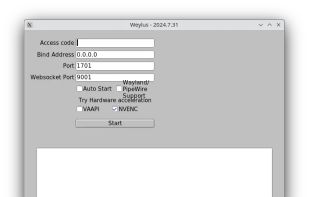
Transforms tablets or smartphones into graphic tablets or touchscreens for computers, enabling mouse control, screen mirroring, hardware video encoding, keyboard input, stylus support with pressure and tilt on Linux, multi-touch, window capture, and use as a second screen.

Cost / License
- Free
- Open Source
Application type
Platforms
- Mac
- Windows
- Linux
- Flathub
- Flatpak

Features
Weylus News & Activities
Highlights All activities
Recent News
No news, maybe you know any news worth sharing?
Share a News Tip
Recent activities
 ssssaaaa added Weylus as alternative to OpenDisplay
 Stephen-Lovino added Weylus as alternative to BetterCast Display
 Sharif added Weylus as alternative to EasySwitch
- Danilo Venom updated Weylus
 Danilo Venom added Weylus as alternative to Side Screen
- diagnoses1824 liked Weylus
- miau liked Weylus
 lemonxah added Weylus as alternative to Drawing Tablet
- paranoiddownloader liked Weylus


Weylus information
Developed by
H-M-HLicensing
Open Source and Free product.Written in
Alternatives
22 alternatives listedBadge
Get an embeddable badge for WeylusSupported Languages

AlternativeTo Categories
System & Hardware, Remote Work & Education, Network & Admin, Video & MoviesGitHub repository
- 9,647 Stars
- 405 Forks
- 167 Open Issues
- Updated


Featured in Lists


Powerful Open Source Creative Softwares
Ever wondering about free great open source software to start your idea? Here's a list for you to get started.
Also mentions several rarely known and newer software as well!
Please note that almost none of these alternatives are 1-to-1 replacement with exact some features. Most of these software might have entirely different scope of project.
Notable event: Libre Graphics Meeting, annual meeting on Free/Libre and Open Source software for graphics.
https://www.libregraphicsmeeting.org
Cover image by David Revoy (CC-BY 4.0) https://www.davidrevoy.com/article1061/cmyk-support-in-inkscape-could-be-a-game-changer-for-professional-print-designers
Comments and Reviews
it works as stated but there could be room for improvement as this is the only app that allows your smartphone to use as pen tablet for free
It has a lot more feature than the others. I use it on Linux and an iPad, the app would allows me to see any open window or the entire desktop, and it also allow me to control it using the Apple pencil and the iPad touch screen.
The only time the app is not work so well is when I try to control an app on another virtual desktop. PS: The shared photos of the app don't do it justice at all.