




EasySwitch
3 likes
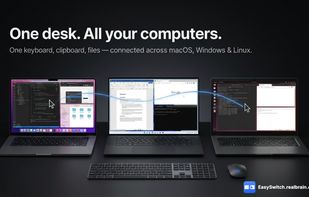
Turn your Mac, Windows, and Linux computers into one seamless workspace with shared keyboard, mouse, clipboard, file transfer, and virtual displays.

Cost / License
- Free Personal
- Proprietary
Application typeApplication types
Platforms
- Mac
- Windows
- Linux



Features
Highlights All activities
EasySwitch News & Activities
Recent activities
 Boyd Edmondson added EasySwitch as alternative to DisplaySwitcher
 brharrow added EasySwitch as alternative to Omninput
 Vega-Wallet added EasySwitch as alternative to DeskFlower
 Paul added EasySwitch as alternative to Magic Switch
 DeskStitch added EasySwitch as alternative to DeskStitch
 Sharif added EasySwitch as alternative to Deskreen, Mirror Hall, Side Screen, MacDisplay and 1 more
 romanabramenko added EasySwitch as alternative to LinkFlick
- Sharif updated EasySwitch
- swdsharif liked EasySwitch


Developed by
realbrain.cc/sharifLicensing
Proprietary and Free Personal product.Pricing
One time purchase (perpetual license) ranging between $49 and $179.Alternatives
43 alternatives listedBadge
Get an embeddable badge for EasySwitchSupported Languages


No comments or reviews, maybe you want to be first?