





LinkFlick
Like
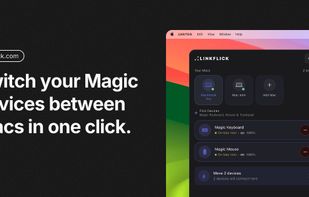
LinkFlick is a macOS menu bar app that moves your Magic Keyboard, Magic Mouse and Magic Trackpad between Macs over Bluetooth — with one click, a hotkey, Siri or Shortcuts. No more unpairing and re-pairing in System Settings.

Cost / License
- Pay once
- Proprietary
Application typeApplication types
Platforms
- Mac


Features
Highlights All activities
LinkFlick News & Activities
Recent activities
- romanabramenko added LinkFlick
- romanabramenko updated LinkFlick
- romanabramenko updated LinkFlick
 Paul added LinkFlick as alternative to Magic Switch
 romanabramenko added LinkFlick as alternative to Apple Universal Control, Synergy, Barrier, Input Leap and 3 more


Developed by
 Roman Abramenko
 Licensing
Proprietary and Commercial product.Pricing
One time purchase (perpetual license) ranging between $15 and $20.Alternatives
9 alternatives listedBadge
Get an embeddable badge for LinkFlickSupported Languages


No comments or reviews, maybe you want to be first?