





Magic Switch
Like
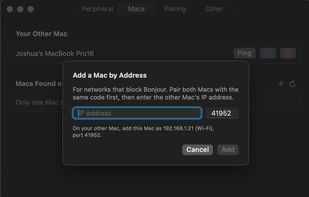
Magic Switch is a simple macOS menu bar utility that lets you quickly (and securely) switch Magic Keyboard, Magic Trackpad, Magic Mouse, and other Bluetooth peripherals between Macs with one click.

Cost / License
- Free
- Open Source (GPL-3.0)
Application typeApplication types
 EU
EUPlatforms
- Mac
- Homebrew


Features
Magic Switch News & Activities
Highlights All activities
Recent activities
 Paul added Magic Switch as alternative to Synergy, Barrier, Input Leap, Multiplicity and 21 more
- Paul added Magic Switch

Magic Switch information
Developed by
 Joshua Rogers
 Licensing
Open Source (GPL-3.0) and Free product.Written in
Alternatives
25 alternatives listedBadge
Get an embeddable badge for Magic SwitchSupported Languages

AlternativeTo Category
OS & UtilitiesGitHub repository
- 139 Stars
- 13 Forks
- 3 Open Issues
- Updated


No comments or reviews, maybe you want to be first?