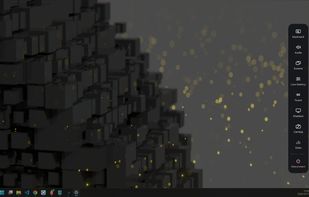
PrismDesk turns an Android tablet or phone into a genuine extra monitor for a Windows 11 PC. The Windows app installs a virtual display driver, so Windows sees a real second display with its own resolution, not a mirrored window. It streams that display to the Android app over your local network, either over Wi-Fi or through a USB tethering cable.
What it does:
• Extend your desktop onto the device, or mirror a screen you already have
• Pen pressure, tilt and rotation arrive as real Windows pen input, so drawing apps see a pen, not a mouse
• Touch and keyboard input go back to the PC, and PC audio plays on the device
• H.264 or H.265; set the resolution, refresh rate and frame rate yourself or leave them on automatic
• Reconnects by itself after Wi-Fi drops, and is waiting again after the PC restarts
• Encrypted by default: TLS 1.3 for control and input, AES-256-GCM for video, audio and camera, with certificate pinning
• No account, no advertising or analytics SDKs, no cloud relay: your screen stays on your own network
Free and Pro:
The free edition has no time limit and needs no account: one device, SDR, pen and touch, and audio. PrismDesk Pro is a one-time purchase (no subscription, one key for three PCs) that adds HDR10, up to four devices at once, the device camera as a Windows webcam, and an input-device mode that turns the tablet into a pen tablet with shortcut keys for a screen the PC already has.
Requirements: Windows 11 64-bit (build 22000 or later; Windows 10 is not supported), Android 8.0 or later, and both devices on the same local network. It does not work over the internet.






 async0x4c


No comments or reviews, maybe you want to be first?