





OpenDisplay
1 like
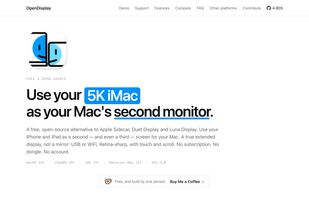
Free, open-source Sidecar/Duet alternative — use your iPhone or iPad as a true second monitor for your Mac over USB or WiFi. Low latency H.264, Retina HiDPI, touch input.

Cost / License
- Free
- Open Source (GPL-3.0)
Application typeApplication types
Platforms
- Mac
- iPhone
- iPad


Features
Highlights All activities
OpenDisplay News & Activities
Recent activities
 ssssaaaa added OpenDisplay as alternative to MacDisplay, Yam Display, TwomonUSB, Tab Display and 22 more
 ssssaaaa added OpenDisplay as alternative to Duet Display
- ssssaaaa updated OpenDisplay
- ssssaaaa added Extended display as a feature to OpenDisplay
- ssssaaaa added Ad-free as a feature to OpenDisplay
- ssssaaaa liked OpenDisplay
 SwiftinHK added OpenDisplay as alternative to TouchNow
- tutifruti added OpenDisplay


Developed by
Philip PoloczekLicensing
Open Source (GPL-3.0) and Free product.Written in
Alternatives
24 alternatives listedBadge
Get an embeddable badge for OpenDisplaySupported Languages

AlternativeTo Categories
Network & Admin, System & Hardware, Remote Work & EducationApple AppStore
- Updated
- 4.88 avg rating
GitHub repository
- 5,162 Stars
- 343 Forks
- 157 Open Issues
- Updated


No comments or reviews, maybe you want to be first?