


CPU-Z
724 likes
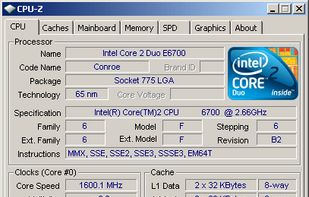
Freeware system profiler detecting CPU, RAM, and chipset details for Windows and Android. It operates offline, ad-free, and is more detailed than Windows XP hardware tools. Portable with no installation or registration required, ideal for hardware monitoring.

Cost / License
- Free
- Proprietary
Application typeApplication types
 EU
EUPlatforms
- Windows
- Android
- PortableApps.com


Features
Highlights All activities
CPU-Z News & Activities
Recent News
- Mauricio B. Holguin published news article about HWMonitor

Recent activities





The Windows setup for everyone (with freeware only) Will make Windows suck less
This is the apps for Windows 11 that I would recommend to anyone who just got a PC !
The same list for
macOS :
Linux kernel (GUI apps only) :


Open/Free soft must have
Must have


Core, Development & Services
A list with 807 apps by AmileyaRyver without a description.
Official Links

Install from the command line
winget install -e --id CPUID.CPU-Z
Developed by
 CPUID
CPUID Licensing
Proprietary and Free product.Rating
Average rating of 3.6Alternatives
85 alternatives listedBadge
Get an embeddable badge for CPU-ZSupported Languages


Comments and Reviews
Great app to gather details on CPU.
Con: No CPU temperature No minimized data display (e.g. in systray) Error 5 on startup
promotes scam DriverFix software
SPAM/MALWARE
The app works but has affiliates that have malware, the app links you to their malwared app when you select update bios.
More detaisl: http://www.tomsguide.com/forum/id-2422936/biosagentplus-safe.html
I can undersantd advertising on Android but this is one of those apps that runs super loud video popup ads
It's great tiny tools that gives the required info about CPU and motherboard and RAM