


Dual Monitor Tools
42 likes
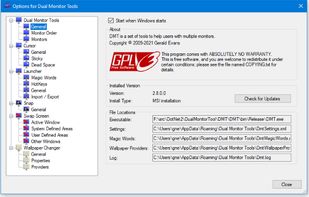
Dual Monitor Tools is a software package for Windows users with dual or multiple monitor setups.
All the tools are open source and free, and each tool is independent so you only need to install or run what you want.

Cost / License
- Free
- Open Source
Platforms
- Windows


Features
Dual Monitor Tools News & Activities
Highlights All activities
Recent News
No news, maybe you know any news worth sharing?
Share a News Tip
Recent activities
 Monitile added Dual Monitor Tools as alternative to Monitile
 creahive added Dual Monitor Tools as alternative to MultiTaskbar
- Robin_P liked Dual Monitor Tools
- konstantin shæv liked Dual Monitor Tools
- Awful Ugly liked Dual Monitor Tools
- mIKEtHEn00B liked Dual Monitor Tools
 Korye-Creations added Dual Monitor Tools as alternative to Multi-Slides
 jacobmpanackal added Dual Monitor Tools as alternative to FlowSwitch
- Soybean Alien liked Dual Monitor Tools
 Joe Evitts added Dual Monitor Tools as alternative to Taskblade


Featured in Lists



Surviving Windows
A list with 46 apps by rabbit5 without a description.


Programs to Watch
A list with 12 apps by wchjr56 without a description.



Philoo's List
A list with 40 apps by philoobox without a description.
What is Dual Monitor Tools?
Dual Monitor Tools information
Developed by
 Gerald Evans
 Licensing
Open Source and Free product.Rating
Average rating of 4.8Alternatives
25 alternatives listedBadge
Get an embeddable badge for Dual Monitor ToolsSupported Languages


Comments and Reviews
With this you can lock your mouse on any screen and move to another only after press special button. No more awkward aiming on scroll and other near-side elements and buttons. I absolutely love it!
So light you don't even notice works fast and has a install only what you need type installation. Portable option as well as actively updated. Wish I had found this sooner for managing multiple monitor setups.
Nice lightweight software that helps you create hotkeys to do things like switching the mouse from one monitor to the next. I couldn't find a way to create one using this software to switch active window from one monitor to the other however.
Does what I want it too; I got irritated of having to turn off monitors in W10 til I found this. I like the hot keys for cursor to go back to primary screen and keep the mouse in bound of primary monitor that I'm using.
Unfortunately, this collection lacks the ability to extend the start bar into your additional monitor