Screen Dimmers

All apps in Screen Dimmers category. Use the filters below to narrow down your search. 
Copy a direct link to this comment to your clipboard
  1. Redshift icon
     258 likes

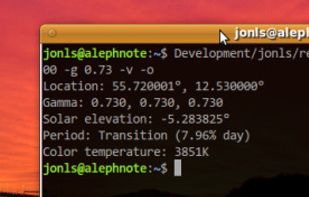
    Redshift adjusts the color temperature according to the position of the sun. A different color temperature is set during night and daytime.

    Cost / License

    • Free
    • Open Source

    Application type

    Since

    • Since 2010

    Alerts

    • Discontinued

    Platforms

    • Windows
    • Mac
    • Linux
    • BSD
    • DK flagDenmark
    • European Union flagEU
    Redshift screenshot 1
    52 alternatives
  2. Twinkle Tray icon
     51 likes

    Twinkle Tray enables brightness control on external displays in Windows 10 & 11. Even th Windows is capable of adjusting the backlight on most monitors, it doesn't support external monitors natively.

    Cost / License

    • Free
    • Open Source (MIT)

    Application type

    Since

    • Since 2020 (updated Nov 2026)

    GitHub

    • GitHub stars: 9.4k

    Platforms

    • Windows
    • US flagUnited States
    Twinkle Tray screenshot 1
    42 alternatives
    4.3
    Very Good6 ratings
  3. Loook icon
     15 likes

    Helps reduce eye strain with gentle reminders to blink, correct posture, hydrate, and take screen breaks while working or studying on devices.

    Cost / License

    • Freemium (Pay once or Subscription)
    • Proprietary

    Application type

    Since

    • Since 2025

    Platforms

    • Mac
    • CH flagSwitzerland
    Loook screenshot 1
    Loook screenshot 2
    63 alternatives
  4. Red Moon icon
     55 likes

    The app is free on F-Droid and on GitHub but you can buy it on the Google Play Store to support the developer.

    Cost / License

    Application type

    Since

    • Since 2016 (updated May 2026)

    GitHub

    • GitHub stars: 745

    Platforms

    • Android
    • F-Droid
    • Global
    Red Moon screenshot 1
    Red Moon screenshot 2
    +4
    Red Moon screenshot 3
    40 alternatives
  5. Solace icon
     8 likes

    Adapts Mac appearance to weather, light, and solar position, with intelligent mode switching, dynamic wallpapers, and privacy-focused automatic adjustments.

    Cost / License

    • Pay once
    • Proprietary

    Application type

    Since

    • Since 2026

    Platforms

    • Mac
    • GB flagUnited Kingdom
    Solace screenshot 1
    Solace screenshot 2
    Solace screenshot 3
    Solace screenshot 4
    114 alternatives
  6. Dimly icon
     8 likes

    Open-source lightweight macOS menu bar tool offering brightness, blackout, and sleep control for external monitors, with DDC/CI hardware fallback and custom profiles.

    Cost / License

    • Free
    • Open Source (MIT)

    Application type

    Since

    • Since 2026 (updated Nov 2026)

    GitHub

    • GitHub stars: 29

    Platforms

    • Mac
    • IE flagIreland
    • European Union flagEU
    Compact Mode
    Simple Mode
    Simple Mode Minimized
  7. Monitorian icon
     18 likes

    Monitorian is a Windows desktop tool to adjust the brightness of multiple monitors with ease.

    Cost / License

    • Free
    • Open Source (MIT)

    Application type

    Since

    • Since 2019 (updated Nov 2026)

    GitHub

    • GitHub stars: 4.8k

    Platforms

    • Windows
    • JP flagJapan
    Monitorian screenshot 1
    36 alternatives
    3.8
  8. Dimmer icon
     29 likes

    Adjust the brightness of all monitors, screens and displays.

    Cost / License

    • Free
    • Proprietary

    Application type

    Since

    • Since 2012

    Platforms

    • Windows
    • PT flagPortugal
    • European Union flagEU
    Dimmer screenshot 1
    2.0.0.b8
    75 alternatives
  9. BlinkMore icon
     3 likes

    BlinkMoreFree is an open source macOS menu bar application that helps reduce eye strain by fading your screen when you stare at it for too long without blinking. Using automated eye-tracking and customized settings to encourage you to blink more.

    Cost / License

    • Freemium (Pay once)
    • Open Source (MIT)

    Application type

    Since

    • Since 2025 (updated Nov 2025)

    GitHub

    • GitHub stars: 95

    Platforms

    • Mac
    BlinkMore screenshot 1
    13 alternatives
  10. Brightintosh icon
     4 likes

    BrightIntosh is lightweight, works system-wide, has optional launch-at-login functionality and includes a global hotkey to toggle the extra brightness.

    Cost / License

    Application type

    Since

    • Since 2024 (updated Nov 2026)

    GitHub

    • GitHub stars: 566

    Platforms

    • Mac
    Brightintosh screenshot 1
    Brightintosh screenshot 2
    Brightintosh screenshot 3
    39 alternatives
  11. CareUEyes icon
     10 likes

    CareUEyes is a very simple but useful program when it is about your eye care. The program comes with a very simple and clean interface and needs to technical knowledge. Even a novice computer user can download and use it easily.

    Cost / License

    • Pay once or Subscription
    • Proprietary

    Application type

    Since

    • Since 2017

    Platforms

    • Windows
    Display controls
    Timer
    59 alternatives
  12. DisplayBuddy icon
     2 likes

    DisplayBuddy lets you control external displays connected to your Mac right from your menu bar! No need to touch your clunky monitor buttons!

    Cost / License

    • Pay once
    • Proprietary

    Application type

    Since

    • Since 2021

    Platforms

    • Mac
    DisplayBuddy screenshot 1
    DisplayBuddy screenshot 2
    DisplayBuddy screenshot 3
    +3
    DisplayBuddy screenshot 4
    28 alternatives
  13. Desktop Dimmer icon
     17 likes

    Enable darker-than-dark dimming for internal and external screens.

    Cost / License

    Application type

    Since

    • Since 2017 (updated Jan 2023)

    Alerts

    • Discontinued

    GitHub

    • GitHub stars: 402

    Platforms

    • Windows
    • Mac
    • Linux
    • Global
    Desktop Dimmer For Windows
    Desktop Dimmer For Mac OS
    51 alternatives
  14. Iris icon
     32 likes

    Reduces blue light and adjusts screen brightness without flicker, offers auto color temperature, customizable modes, manual settings, overlays, and color effects for eye health and comfort.

    Cost / License

    • Freemium (Pay once or Subscription)
    • Proprietary

    Application type

    Since

    • Since 2015

    Platforms

    • Windows
    • Mac
    • Linux
    • BG flagBulgaria
    • European Union flagEU
    Iris screenshot 1
    Iris screenshot 2
    161 alternatives
  15. World's first instantaneous content-aware brightness control app that let your screen’s brightness and color temperature adapt instantly and automatically to provide the most optimal viewing experience for your eyes.

    Cost / License

    • Pay once
    • Proprietary

    Application type

    Since

    • Since 2023

    Platforms

    • Windows
    Settings menu - Home
    Settings menu - Profiles
    Mirage - Screen Filter screenshot 3
    +2
    Neutralize the white flicker on startup of apps like Edge and Chrome
    53 alternatives
  16. RSIBreak icon
     21 likes

    RSIBreak is a small utility to remind you to take regular short breaks. Repetitive Strain Injury is an illness which can occur as a result of continuous work with a mouse and keyboard. The risk of suffering injury increases the longer users work without breaks.

    Cost / License

    • Free
    • Open Source

    Application type

    Since

    • Since 2010

    Platforms

    • Linux
    • DE flagGermany
    • European Union flagEU
    RSIBreak screenshot 1
    65 alternatives
  17. DimScreen icon
     6 likes

    Form 1 Hour Software by skrommel, it can dim the screen by applying a transparent gray layer on top of your opened applications

    Cost / License

    • Free
    • Proprietary

    Application type

    Since

    • Since 2014

    Platforms

    • Windows
    • US flagUnited States
    DimScreen screenshot 1
    60 alternatives
  18. Eye Saver icon
     8 likes

    Free software for eye protection and more! It protects your eyes while you are working on the computer. Eye Saver has three main functions: blue light filter; eliminates the invisible flickering of the display backlight; reminds you to take breaks;

    Cost / License

    • Free
    • Proprietary

    Application type

    Since

    • Since 2018

    Platforms

    • Windows
    • GB flagUnited Kingdom
    Eye Saver screenshot 1
    Eye Saver screenshot 2
    56 alternatives
  19. NightTone icon
     3 likes

    NightTone makes your screen more comfortable, enjoyable and healthier by shifting the colors of your display to a warmer, eye-friendly palette. It makes you sleep and feel better.

    Cost / License

    • Pay once
    • Proprietary

    Application type

    Since

    • Since 2016

    Platforms

    • Mac
    • RO flagRomania
    • European Union flagEU
    NightTone screenshot 1
    NightTone screenshot 2
    41 alternatives
  20. Brightness Controller allows you to software control Brightness, R, G and B of your Primary and Secondary Display in Linux.

    Cost / License

    • Free
    • Open Source

    Application type

    Since

    • Since 2019 (updated Aug 2024)

    GitHub

    • GitHub stars: 1.1k

    Platforms

    • Linux
    • Python
    Brightness Controller screenshot 1
    Brightness Controller screenshot 2
    8 alternatives