





Crisp - Monitor Control
3 likes
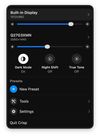
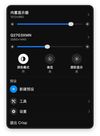
Open-source macOS menu bar app enabling HiDPI scaling on external monitors, DDC brightness with software dimming, icon-based display presets, virtual displays, drag-to-arrange multi-monitor layouts, ICC profile switching, auto-brightness sync, and quick access toggles for display modes.


Cost / License
- Free
- Open Source (MIT)
Platforms
- Mac

Features
Crisp - Monitor Control News & Activities
Highlights All activities
Recent activities
 Ryder-Selikow added Crisp - Monitor Control as alternative to Candela
- Ben liked Crisp - Monitor Control
- Didrik-Galteland added Lightweight as a feature to Crisp - Monitor Control
- Didrik-Galteland added Privacy focused as a feature to Crisp - Monitor Control
- Didrik-Galteland updated Crisp - Monitor Control
- Didrik-Galteland thinks Display Management is a important feature of Crisp - Monitor Control
- brnntn liked Crisp - Monitor Control
- Mauricio B. Holguin updated Crisp - Monitor Control
- Didrik-Galteland added Crisp - Monitor Control
- Didrik-Galteland liked Crisp - Monitor Control
Crisp - Monitor Control information
Developed by
 didriksg
 Licensing
Open Source (MIT) and Free product.Written in
Alternatives
6 alternatives listedBadge
Get an embeddable badge for Crisp - Monitor ControlSupported Languages

AlternativeTo Categories
System & Hardware, OS & UtilitiesGitHub repository
- 1,900 Stars
- 79 Forks
- 9 Open Issues
- Updated


No comments or reviews, maybe you want to be first?