Candela icon
Candela icon

Candela

A macOS menu bar app that protects your displays from OLED burn-in and wear: panel health history, a checkup for defects, and the everyday brightness, volume, and scaling controls macOS leaves out.
Candela screenshot 1

Cost / License

  • Free
  • Open Source (MIT)

Platforms

  • Mac
2likes
0comments
0articles

Features

  1.  Support for Multiple Monitors
  2.  Display Management
  3.  Sits in the menu bar

Candela News & Activities

Highlights All activities

Recent activities

Candela information

AlternativeTo Category

System & Hardware

GitHub repository

  •  2 Stars
  •  0 Forks
  •  0 Open Issues
  •   Updated  
View on GitHub
Candela was added to AlternativeTo by Ryder-Selikow on and this page was last updated .
No comments or reviews, maybe you want to be first?

Official Links

What is Candela?

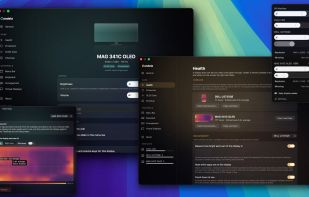
Candela protects your displays, and fills in the controls macOS leaves out for external monitors. Other display apps adjust settings in the moment; Candela cares about what happens to your panel over the years you own it, and does the settings too.

Health: hours, wear, and an exposure heat map of what the screen has actually displayed, so you can see where burn-in risk is accumulating instead of guessing. All panel data stays on the machine, and there is a metadata-only mode.

Protection: adaptive, real-time burn-in defense. Candela watches what the screen is showing and eases down bright regions that sit unchanged, while live content stays at full brightness. Alongside it: auto-hide for the menu bar and Dock, dimming when you step away or lock the Mac, and your settings guarded from macOS forgetting them after sleep or replug.

Checkup: a guided diagnostic for any display, new or years in. It looks for defects and wear and verifies the monitor actually does what it claims, ending in a report you keep. Every result is graded by how it was known; nothing is stamped certified.

Controls: everything that makes an external monitor feel built in. Brightness, contrast, and volume over DDC/CI, from the menu bar, your keyboard's media keys, or one slider that moves every display at once. Software dimming below the hardware floor, an HDR toggle, every resolution the panel can show including HiDPI sizes macOS hides, plus arrangement, mirroring, rotation, and virtual displays.

Native Swift and SwiftUI, MIT licensed, notarized, auto-updates via Sparkle. Requires macOS 14 or later on Apple Silicon.