Apps with 'DDC CI' feature

All apps in Apps with 'DDC CI' feature category. Use the filters below to narrow down your search. 
Copy a direct link to this comment to your clipboard
  1. Monitorian icon
     18 likes

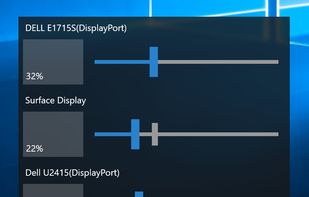
    Monitorian is a Windows desktop tool to adjust the brightness of multiple monitors with ease.

    Cost / License

    • Free
    • Open Source (MIT)

    Application type

    Since

    • Since 2019 (updated Nov 2026)

    GitHub

    • GitHub stars: 4.8k

    Platforms

    • Windows
    • JP flagJapan
    Monitorian screenshot 1
    34 alternatives
    3.8
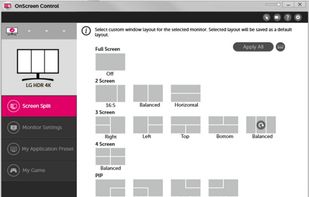
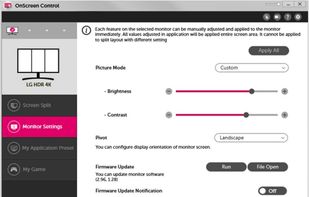
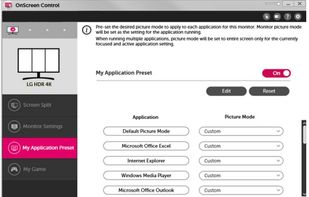
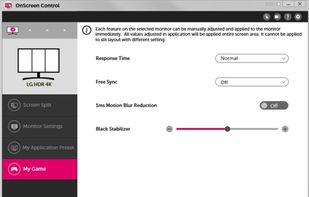
  2. OnScreen Control is an application used to manage a single monitor or a group of monitor with useful features such as Monitor Control, My Display Presets and Screen Split. OnScreen Control displays all connected LG monitor information.

    Cost / License

    • Free
    • Proprietary

    Since

    • Since 2017

    Platforms

    • Windows
    • Mac
    • KR flagSouth Korea
    LG OnScreen Control screenshot 1
    LG OnScreen Control screenshot 2
    LG OnScreen Control screenshot 3
    +1
    LG OnScreen Control screenshot 4
    7 alternatives
  3. DDCcontrol icon
     2 likes

    DDCcontrol is software for controlling monitor parameters such as brightness, contrast, and RGB color levels. It includes a command-line tool and a GUI tool.

    Cost / License

    Since

    • Since 2023 (updated Oct 2026)

    GitHub

    • GitHub stars: 731

    Platforms

    • Linux
    • Debian
    • Ubuntu
    • openSUSE
    • Fedora
    26 alternatives
  4.  2 likes

    Most monitors, other than laptop displays, have a Virtual Control Panel (VCP), which implements features defined in the Montor Control Command Set (MCCS). Typically, ddcutil communicates with the monitor's VCP over an I2C bus, as per the Display Data Channel/Command...


    Cost / License

    Since

    • Since 2021 (updated Nov 2026)

    GitHub

    • GitHub stars: 1.4k

    Platforms

    • Linux
    19 alternatives
  5. Lumino icon
     2 likes

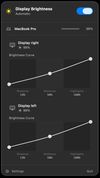
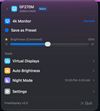
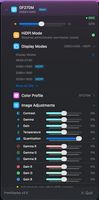
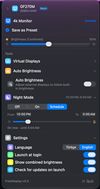
    Lumino is a Mac utility that automatically controls the brightness of connected external displays based on ambient light. It uses the built-in light sensor of supported Macs and works with DDC/CI when available, with fallback options for displays that don’t fully support...

    Cost / License

    • Pay once
    • Proprietary

    Since

    • Since 2026

    Platforms

    • Mac
    • DE flagGermany
    • European Union flagEU
    Lumino screenshot 1
    8 alternatives
  6.  1 like

    Windows implementation of the ddcutil Linux program for querying and changing monitor settings, such as brightness and color levels.

    Cost / License

    • Free
    • Open Source (MIT)

    Since

    • Since 2022 (updated Sep 2023)

    GitHub

    • GitHub stars: 251

    Platforms

    • Windows
    21 alternatives
  7. Brisync icon
     3 likes

    Synchronize your external monitor brightness with built-in display. Application reads current brightness of your built-in display and passes it to external monitors via DDC interface. You can adjust brightness by menu in system status bar.


    Cost / License

    • Free
    • Open Source (MIT)

    Since

    • Since 2017 (updated Feb 2026)

    GitHub

    • GitHub stars: 252

    Platforms

    • Mac
    65 alternatives
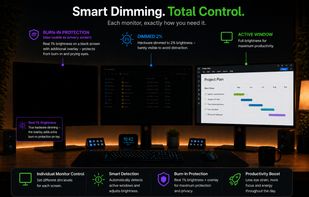
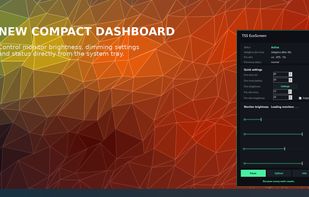
  8. Adaptive per-monitor brightness manager for Windows that automatically dims inactive displays, with two-stage dimming, burn-in protection, break reminders, and energy usage statistics.

    Cost / License

    • Pay once or Subscription
    • Proprietary

    Since

    • Since 2026

    Platforms

    • Windows
    • DE flagGermany
    • European Union flagEU
    TSS EcoScreen screenshot 1
    TSS EcoScreen screenshot 2
    8 alternatives
  9. Candela icon
     2 likes

    A macOS menu bar app that protects your displays from OLED burn-in and wear: panel health history, a checkup for defects, and the everyday brightness, volume, and scaling controls macOS leaves out.

    Cost / License

    • Free
    • Open Source (MIT)

    Since

    • New

    GitHub

    • GitHub stars: 50

    Platforms

    • Mac
    Candela screenshot 1
    Candela screenshot 2
    Candela screenshot 3
    16 alternatives
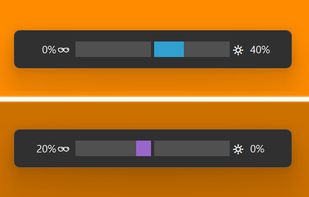
  10. darkbright-helper is a hotkey dimmer for Windows monitors that does not stop at 0%: it lowers the real backlight over DDC/CI, then keeps dimming with a black overlay below the hardware minimum.

    Cost / License

    Application type

    Since

    • Since 2026 (updated Nov 2026)

    GitHub

    • GitHub stars: 1

    Platforms

    • Windows
    • DE flagGermany
    • European Union flagEU
    OSD in two different modes: Hardware screen dimming (upper) and black overlay at 0% hardware brightness (lower).
    10 alternatives
  11. Multi Monitor Viewer provides convenient and fast viewing of the contents of all monitors connected to the computer in one window in real time. You don't need to have visual access to additional monitors to understand what is currently displayed there.

    Cost / License

    • Pay once
    • Proprietary

    Since

    • Since 2025

    Platforms

    • Windows
    • Global
    Main window
    Main window
    Main window
  12. DisplaySwitcher is a desktop application for Linux, macOS, and Windows that combines monitor input switching with text and file transfers between computers.

    Cost / License

    • Subscription
    • Proprietary

    Since

    • New

    Platforms

    • Windows
    • Mac
    • Linux
    • US flagUnited States
    DisplaySwitcher screenshot 1
    26 alternatives
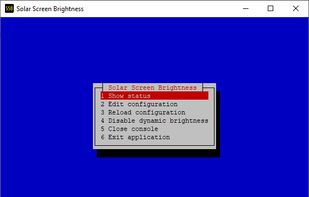
  13. Python monitor control using the VESA Monitor Control Command Set (MCCS) over the Display Data Channel Command Interface Standard (DDC-CI).

    Cost / License

    • Free
    • Open Source (MIT)

    Since

    • Since 2025 (updated Oct 2026)

    GitHub

    • GitHub stars: 244

    Platforms

    • Windows
    • Linux
    • Python
    24 alternatives