





darkbright-helper
1 like
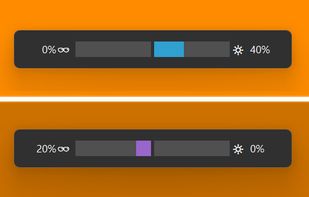
darkbright-helper is a hotkey dimmer for Windows monitors that does not stop at 0%: it lowers the real backlight over DDC/CI, then keeps dimming with a black overlay below the hardware minimum.

Cost / License
- Free
- Open Source (Apache-2.0)
Application type
 EU
EUPlatforms
- Windows

Features
darkbright-helper News & Activities
Highlights All activities
Recent activities
 Mark added darkbright-helper as alternative to DispCtrl
 Shin-Chan added darkbright-helper as alternative to LiteBright
- Ud3g updated darkbright-helper
- Ud3g liked darkbright-helper
- Ud3g added darkbright-helper
 Ud3g added darkbright-helper as alternative to Twinkle Tray, Monitorian, Monitor Bright, PangoBright and 1 more


darkbright-helper information
Developed by
 Ud3g
Ud3g Licensing
Open Source (Apache-2.0) and Free product.Written in
Alternatives
9 alternatives listedBadge
Get an embeddable badge for darkbright-helperSupported Languages


No comments or reviews, maybe you want to be first?