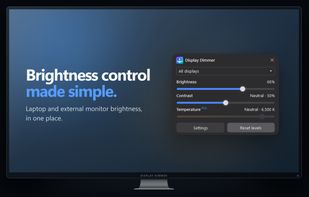
Display Dimmer is a free Windows 10 and 11 application for controlling screen brightness and contrast across single-monitor and multi-monitor setups. It provides individual controls for each display or lets you adjust all screens together, without navigating your monitor's physical buttons.
The app supports DDC/CI hardware brightness control on compatible external monitors and native hardware brightness control on supported laptop screens. When hardware control is unavailable or unreliable, software gamma dimming provides an alternative, including the ability to dim displays below their normal minimum brightness.
Key features include:
• Multi-monitor control: Adjust brightness and contrast individually, across all displays, or through custom linked display groups.
• Hardware and software dimming: Use DDC/CI where supported, with software dimming available as a fallback.
• Brightness schedules: Automatically adjust display settings at specific times, including overnight.
• App-based rules: Apply different brightness settings when particular applications or fullscreen programs are running.
• Automatic triggers: Dim displays after inactivity, while Windows is locked, when running on battery power, or when battery charge falls below a chosen percentage. Restore brightness when the trigger ends.
• Global hotkeys: Control brightness, contrast, presets, and other display actions using keyboard shortcuts.
• Blue light filtering: Adjust screen color temperature for warmer or cooler displays.
• Saved presets: Save and recall combinations of brightness, contrast, and color temperature.
• Local automation: Integrate display controls with PowerShell, AutoHotkey, Task Scheduler, Stream Deck, and other tools through command-line controls.
• System tray integration: Access brightness controls quickly, with optional Windows startup and customizable light and dark themes.
Display Dimmer's free version includes per-display brightness and contrast control, one schedule, one app rule, two hotkeys, automatic idle dimming for all displays, and a daily 30-minute color-temperature preview.
An optional one-time Pro upgrade unlocks unlimited color-temperature use, saved presets, additional schedules and app rules, more hotkeys, per-display automation, advanced triggers, linked display groups, and command-line integration.
Display Dimmer is developed by Vantari Works. It requires no account, stores display preferences locally, and does not require a subscription.







 Vantari-Works added Display Dimmer as alternative to Solace, Monitorian, MonitorControl, Dimmer and 33 more
 VantariWorks


No comments or reviews, maybe you want to be first?