





FreeDisplay
Like
Free, open-source menu bar app for external monitor brightness, resolution, HiDPI and display arrangement on macOS.
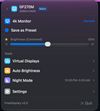

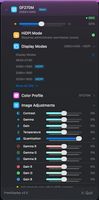

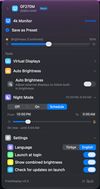

Cost / License
- Free
- Open Source (MIT)
Platforms
- Mac

Features
FreeDisplay News & Activities
Highlights All activities
Recent activities
- hknttl added FreeDisplay
 hknttl added FreeDisplay as alternative to BetterDisplay, DisplayBuddy, MonitorControl, Crisp - Monitor Control and 2 more

FreeDisplay information
Developed by
Hakan Tugrul OtalLicensing
Open Source (MIT) and Free product.Written in
Alternatives
6 alternatives listedBadge
Get an embeddable badge for FreeDisplaySupported Languages

AlternativeTo Category
System & HardwareGitHub repository
- 1 Stars
- 0 Forks
- 0 Open Issues
- Updated


No comments or reviews, maybe you want to be first?