





FileBricks
9 likes
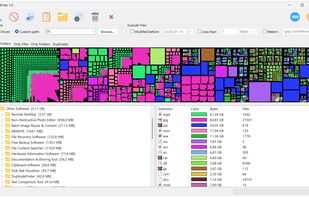
A visual disk space analyzer for Windows. It displays files, folders, and duplicate items as proportional colored blocks, helping users find large files, compare folder sizes, review file types, and locate duplicate files.

Cost / License
- Free
- Proprietary
Application type
 EU
EUPlatforms
- Windows

Features
Highlights All activities
FileBricks News & Activities
Recent News
No news, maybe you know any news worth sharing?
Share a News Tip
Recent activities
 Lekano-production added FileBricks as alternative to CleanMyWin
 Fopull added FileBricks as alternative to Storage Sifter
- Oklonsica liked FileBricks
- darksystems A comment was removed from FileBricks
 DevPlus31 added FileBricks as alternative to LumaDisk
- miau liked FileBricks
 Sparks973 added FileBricks as alternative to Zenovix Storage Manager
- dimashahbari liked FileBricks
- mia bia liked FileBricks
 yutakakn added FileBricks as alternative to YuDisk


Developed by
 TkoSoft
 Licensing
Proprietary and Free product.Alternatives
9 alternatives listedBadge
Get an embeddable badge for FileBricksSupported Languages


No comments or reviews, maybe you want to be first?