Apps tagged with 'Disk Usage Analysis'

All apps in Apps tagged with 'Disk Usage Analysis' category. Use the filters below to narrow down your search. 
Copy a direct link to this comment to your clipboard
  1. BleachBit icon
     938 likes

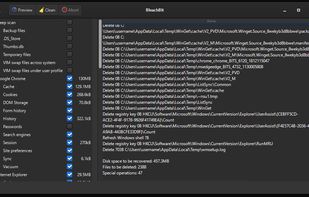
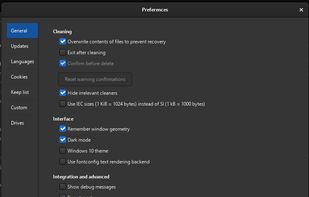
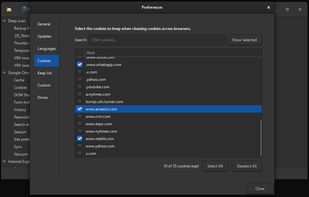
    BleachBit frees disk space and maintains privacy by quickly removing unnecessary files such as cache, cookies, browser history, temporary files, and system logs. It can also shred files and clean free disk space to prevent data recovery.

    Cost / License

    Application type

    Since

    • Since 2009

    Platforms

    • Windows
    • Linux
    • Flathub
    • Flatpak
    • AppImage
    • US flagUnited States
    BleachBit screenshot 1
    BleachBit screenshot 1
    BleachBit screenshot 2
    183 alternatives
    4.4
    Very Good70 ratings
  2. WizTree icon
     294 likes

    Ultra-fast disk space analyzer for Windows, showing largest files and folders according to space usage by utilizing the NTFS file system's Master File Table for unmatched speed.

    Cost / License

    • Free Personal
    • Proprietary

    Application type

    Since

    • Since 2012

    Platforms

    • Windows
    • Mac
    • AU flagAustralia
    WizTree screenshot 1
    WizTree screenshot 1
    WizTree screenshot 2
    +1
    WizTree screenshot 3
    128 alternatives
    4.2
    Very Good33 ratings
  3. Kudu icon
     36 likes

    Kudu clears out junk, tightens your privacy, and keeps your apps up to date across 25+ tools for Windows, macOS, and Linux. Free and open source. No ads, no bundled software, no nagging.

    Cost / License

    • Freemium (Subscription)
    • Open Source (MIT)

    Application type

    Since

    • Since 2026

    Platforms

    • Windows
    • Mac
    • Linux
    • Online
    • US flagUnited States
    Kudu screenshot 1
    Kudu screenshot 1
    Kudu screenshot 2
    +4
    Kudu screenshot 3
    107 alternatives
  4. Filelight icon
     96 likes

    Displays disk usage visually with interactive segmented rings, scans local and remote disks, allows direct file management, and integrates with KDE file managers.

    Cost / License

    Application type

    Since

    • Since 2010

    Platforms

    • Windows
    • Linux
    • BSD
    • KDE Plasma
    • Flathub
    • Snapcraft
    • DE flagGermany
    • European Union flagEU
    Filelight screenshot 1
    Filelight screenshot 1
    Filelight screenshot 2
    +2
    Filelight screenshot 3
    92 alternatives
    3.4
  5. Mole icon
     35 likes

    Mac and Windows cleanup toolkit: a free open-source CLI plus $19 native apps for Mac and Windows to clean, uninstall, map disk use, and watch live status, always previewing before delete.

    Cost / License

    • Freemium (Pay once)
    • Open Source (GPL-3.0)

    Application type

    Since

    • Since 2025

    Platforms

    • Windows
    • Mac
    • Homebrew
    • CN flagChina
    Mole screenshot 1
    Mole screenshot 1
    Mole screenshot 2
    +5
    Mole screenshot 3
    109 alternatives
  6. TreeSize icon
     308 likes

    Analyze disk space usage with in-depth insights and interactive visualizations across local and network drives, including mobile devices.

    Cost / License

    • Freemium (Subscription)
    • Proprietary

    Application type

    Since

    • Since 2009

    Platforms

    • Windows
    • PortableApps.com
    • DE flagGermany
    • European Union flagEU
    The main window is split into the file system tree on the left and the details view on the right.
    Details view offers valuable information about the disk usage like the folder size, the disk space wasted due to the file system structure, the last access date, the NTFS compression rate and the owner.
    The tree map is an hierarchical chart visualizing the size of all subfolders.
    +5
    Treesize Professional can scan Mobile Devices via MTP
    128 alternatives
    4.0
    Very Good11 ratings
  7. SpaceSniffer icon
     331 likes

    SpaceSniffer is a tool application that gives you an idea of how folders and files are structured on your disks. By using a Treemap visualization layout, you have immediate perception of where big folders and files are situated on your devices.

    Cost / License

    • Free
    • Proprietary

    Application type

    Since

    • Since 2009

    Platforms

    • Windows
    • IT flagItaly
    • European Union flagEU
    SpaceSniffer screenshot 1
    SpaceSniffer screenshot 1
    84 alternatives
    4.5
    Excellent27 ratings
  8. ncdu icon
     140 likes

    A disk usage analyzer with an ncurses interface, aimed to be run on a remote server where you don't have an entire graphical setup, but have to do with a simple SSH connection. ncdu aims to be fast, simple and easy to use, and should be able to run in any minimal POSIX-like...

    Cost / License

    • Free
    • Open Source

    Application type

    Since

    • Since 2011

    Platforms

    • Mac
    • Linux
    • BSD
    • Cygwin
    ncdu screenshot 1
    ncdu screenshot 1
    63 alternatives
    4.5
    Excellent10 ratings
  9. Diskaroo icon
     14 likes

    Diskaroo is a disk-space visualizer for macOS, Windows, and Linux. Treemap visualization shows the relative size of every file and folder; drill-in navigation with breadcrumbs lets you trace large items back to the source; smart filters can hide noise like node_modules or...

    Cost / License

    • Freemium (Pay once or Subscription)
    • Proprietary

    Application type

    Since

    • Since 2026

    Platforms

    • Windows
    • Mac
    • Linux
    • US flagUnited States
    Diskaroo
    Diskaroo
    24 alternatives
  10. MacOSCleaner icon
     12 likes

    MacOSCleaner is a free, native Mac cleaner and app uninstaller for Apple Silicon (macOS 26 or later). It finds caches, developer junk (Xcode, Docker, package managers), local AI tool caches, app leftovers and duplicate files, shows everything before you delete, and moves items...

    Cost / License

    • Free
    • Source Available

    Application type

    Since

    • Since 2026

    Platforms

    • Mac
    MacOSCleaner screenshot 1
    MacOSCleaner screenshot 1
    MacOSCleaner screenshot 2
    +7
    MacOSCleaner screenshot 3
    24 alternatives
  11. GrandPerspective is a small utility application for Mac that graphically shows the disk usage within a file system. It can help you to manage your disk, as you can easily spot which files and folders take up the most space.

    Cost / License

    • Free Personal
    • Open Source

    Application type

    Since

    • Since 2009

    Platforms

    • Mac
    • NL flagNetherlands
    • European Union flagEU
    GrandPerspective view after scanning a source. Showing dark mode compatibility (macOS Mojave only)
    File view can be colored. This image shows coloring files by creation date
    File view can be colored. This image shows coloring files by file type
    +1
    much older version of GrandPerspective showing file view
    112 alternatives
  12. Peach Commander icon
     11 likes

    Peach Commander is a dual-pane file manager for macOS, written in Swift and AppKit and modelled on the orthodox file managers that DOS and Windows users know from Norton Commander and Total Commander. Two directory panels sit side by side, and almost everything is reachable from...

    Cost / License

    Application type

    Since

    • New

    Platforms

    • Mac
    • DE flagGermany
    • European Union flagEU
    Two panels side by side, with tabs, drive bar and button bar.
    The Git plugin shows the branch and the changed files of the current folder.
    Running processes mounted as a browsable TaskManager drive.
    +13
    Filesystem images such as SquashFS, ext and Btrfs open like archives.
    65 alternatives
  13. DiskUsage icon
     84 likes

    DiskUsage provides a way to find out which files and directories on the SD card of your Android phone are consuming the most space. It displays diagram with directories/subdirectories proportional to their size. Users are allowed to zoom in to look at specific directory content.

    Cost / License

    Application type

    Since

    • Since 2011

    Platforms

    • Android
    • Android Tablet
    DiskUsage screenshot 1
    103 alternatives
  14. DiskPoint icon
     13 likes

    Cross-platform disk cleaner with privacy-first, no tracking, zero cloud, no ads or subscriptions, and fast, local cleaning for Mac, Windows, and Linux.

    Cost / License

    • Free
    • Proprietary

    Application type

    Since

    • Since 2025

    Platforms

    • Mac
    • US flagUnited States
    DiskPoint screenshot 1
    DiskPoint screenshot 1
    79 alternatives
  15. DaisyDisk icon
     117 likes

    Visually analyzes disk space with an interactive sunburst map, identifies and previews large files, and enables efficient removal to reclaim storage space.

    Cost / License

    • Pay once
    • Proprietary

    Application type

    Since

    • Since 2009

    Platforms

    • Mac
    • UA flagUkraine
    DaisyDisk 4 showing HD level scan, including free space on the disk. Hidden volumes are revealed in DaisyDisk that you normally can't see in Apple's utilities.
    Dynamic functions like preview or show in finder make it easy to distinguish files.
    DaisyDisk screenshot 2
    +2
    DaisyDisk screenshot 3
    137 alternatives
  16. FileBricks icon
     9 likes

    A visual disk space analyzer for Windows. It displays files, folders, and duplicate items as proportional colored blocks, helping users find large files, compare folder sizes, review file types, and locate duplicate files.

    Cost / License

    • Free
    • Proprietary

    Application type

    Since

    • Since 2026

    Platforms

    • Windows
    • CY flagCyprus
    • European Union flagEU
    FileBricks screenshot 1
    9 alternatives
  17. Pachtop icon
     8 likes

    Pachtop is a lightweight, performant, and opensource system monitor that provides real-time monitoring of your system's performance, application monitoring, and detailed system information. Built with Rust and Tauri

    Cost / License

    • Free
    • Open Source (MIT)

    Application type

    Since

    • Since 2025

    Platforms

    • Windows
    • Mac
    • Linux
    • PH flagPhilippines
    Dashboard Real-time Metrics
The dashboard shows real-time metrics of your system. Metrics include CPU usage, RAM usage, Swap usage, Disk usage, and Network usage.
    Disk Usage Explorer
The Disks feature allows you to perform disk analysis on available disks.
    Processes Monitoring
The Processes feature allows you to monitor and compare resource usage of processes
    64 alternatives
  18. Quitty icon
     8 likes

    All-in-one macOS utility offering real-time system monitoring, automated cleaning, disk analysis, duplicate detection, and advanced tools for maintenance.

    Cost / License

    • Free
    • Open Source (MIT)

    Application type

    Since

    • Since 2026

    Platforms

    • Mac
    • IN flagIndia
    Quitty screenshot 1
    Quitty screenshot 1
    Quitty screenshot 2
    +4
    Quitty screenshot 3
    74 alternatives