





Mole
33 likes
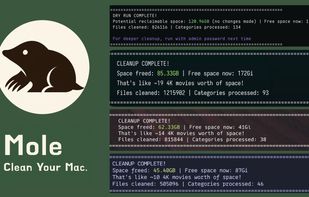
Open source Mac command line utility integrating disk cleanup, deep app uninstallation with artifact removal, disk analysis, optimization tasks, and a live terminal dashboard for real-time CPU, GPU, memory, disk, and network monitoring with interactive options.

Cost / License
- Freemium (Pay once)
- Open Source (GPL-3.0)
Application typeApplication types
Platforms
- Mac
- Homebrew
- Windows


Features
Highlights All activities
Mole News & Activities
Recent News
- Fla published news article about Mole
- Fla published news article about Mole
- Fla published news article about Mole


Recent activities
- ALTERRA liked Mole
- Tw93-5324 updated Mole
 Mauricio B. Holguin added Mole as alternative to Moppy - PC Cleaner
 Paul added Mole as alternative to RemoveMacAI
 user-3153 added Mole as alternative to MacWashing


The macOS setup for everyone (with freeware only)
THIS LIST HAS BEEN DELETED DUE TO A BUG, SO IT MISSES SOME HONORABLE MENTIONS !
This is the apps for macOS that I would recommend to anyone who just got a Mac !
Some are the default that Apple offers but I tried to offers you free alternative to escape Apple Wall Garden if you need or want to
The same list for
Windows 10 & Windows 11 :
Linux kernel (GUI apps only) :
Official Links
Install from the command line
brew install --cask mole-appbrew install mole
Developed by
 tw93
tw93 Licensing
Open Source (GPL-3.0) and Freemium product.Pricing
One time purchase (perpetual license) that costs $19 + free version with limited functionality.Alternatives
95 alternatives listedNews
6 news article related to MoleBadge
Get an embeddable badge for MoleSupported Languages
AlternativeTo Categories
OS & Utilities, System & HardwareGitHub repository
- 70,481 Stars
- 2,500 Forks
- 0 Open Issues
- Updated


Comments and Reviews
12/31/25
First release was from end of september 2025 I don't see how this Mac utility can have 23k stars without suspicious activity
1/31
32k stars now, for context BleachBit has 4.3k
Hey, thanks for looking closely
I'm Tw93, the author. Fair question. The star history is public here, you can see the curve over time rather than a sudden jump overnight: https://www.star-history.com/?repos=tw93%2Fmole&type=date&legend=top-left
A few notes that may help:
Happy to answer anything else about how it grew or how the app/CLI relate. If something still looks off on the listing, tell me and I'll fix it
Very great and lightweight interface to see what's going on on your mac Helped me a lot, and better than CleanMyMac