RemoveMacAI icon
RemoveMacAI icon

RemoveMacAI

Debloat macOS: turn off Apple Intelligence, analytics, ads and pop-ups. A native app and CLI, and every change can be undone.
RemoveMacAI screenshot 1

Cost / License

  • Free
  • Open Source (MIT)

Application type

Platforms

  • Mac
1like
0articles
Save

Features

Properties

  1.  Privacy focused
  2.  No AI

Features

  1.  Works Offline
  2.  Ad-free
  3.  Block Trackers
  4.  No registration required
  5.  Dark Mode
  6.  No Tracking
  7.  System Tweaker
  8.  Disable AI Features

RemoveMacAI News & Activities

Highlights All activities

Recent activities

RemoveMacAI information

AlternativeTo Category

OS & Utilities

GitHub repository

  •  3,865 Stars
  •  104 Forks
  •  4 Open Issues
  •   Updated  
View on GitHub
RemoveMacAI was added to AlternativeTo by Paul on and this page was last updated .

No comments or reviews, maybe you want to be first?

Official Links

What is RemoveMacAI?

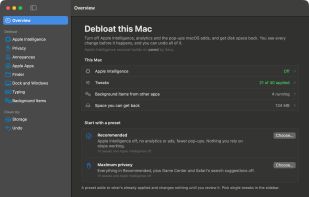
Debloat macOS. Turn off Apple Intelligence and delete its models, stop the analytics and ads, quiet the pop-ups, switch off other apps' background updaters and get disk space back. You see every change before it happens, and every change can be undone.

What you can turn off or change:

  • Apple Intelligence: Siri, Writing Tools, Genmoji, Image Playground, ChatGPT, summaries in Mail, Messages, Safari, Notes and notifications, inline predictions, Spatial Photos, Photos Clean Up, Xcode predictive completion. The models are deleted and blocked from downloading again. Keep any feature you use.
  • Privacy: Mac Analytics, personalized ads, Improve Siri and Dictation, Improve Search, Spotlight internet results, Look Up suggestions, Safari search suggestions, Game Center
  • Annoyances: Clicking the wallpaper hiding every window, desktop widgets, the play key opening Music, all Music launches (including AirPods; opt-in), iPhone Mirroring
  • Apple apps: Apple Music in the Music app, the Book Store, unused Apple apps in the Dock
  • Finder: File extensions, hidden files, the path and status bars, folders first, searching the current folder, the extension warning, .DS_Store files on network drives, emptying the Trash after 30 days, saving to your Mac instead of iCloud, the Library folder
  • Dock and windows: Recent apps, the auto-hide delay, bouncing icons, minimizing into the app icon, window animations, gaps between tiled windows, screenshot shadows
  • Typing: Autocorrect, smart quotes and dashes, the double-space period, automatic capitals, the accent menu on held keys
  • Background items: Updaters and helpers other apps install, such as Google's updater, shown with what they run and switched off one by one
  • Storage: Old macOS installers, aerial wallpaper videos, iPhone and iPad update files, Xcode build data and device support, unavailable simulators, app caches, Time Machine local snapshots, and Apple's optional apps (GarageBand and its sound library, iMovie, Keynote, Numbers, Pages)

Two presets get you started. Recommended turns Apple Intelligence, analytics and ads off and removes the pop-ups, and leaves alone anything you rely on. Maximum privacy adds Game Center and Safari's search suggestions. Both add to what is already applied, and nothing changes until you review it.