


Netdata
69 likes
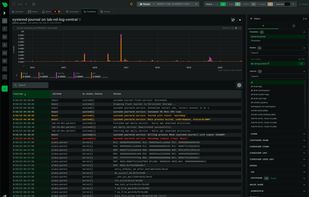
Netdata collects metrics per second and presents them in beautiful low-latency dashboards. It is designed to run on all of your physical and virtual servers, cloud deployments, Kubernetes clusters, and edge/IoT devices, to monitor your systems, containers, and applications.

Cost / License
- Freemium (Subscription)
- Proprietary (GPL-3.0)
Application typeApplication types
Platforms
- Mac
- Linux
- Online
- BSD
- Self-Hosted
- C (programming language)
- Python
- GNU Bourne Again SHell


Features

Netdata News & Activities
Highlights All activities
Recent News
No news, maybe you know any news worth sharing?
Share a News Tip
Recent activities
- Croco Loki updated Netdata
- Croco Loki updated Netdata
- Croco Loki liked Netdata
 xcalibur added Netdata as alternative to LAN Orangutan
- bulldogs liked Netdata
 ipnetworkmonitor added Netdata as alternative to IPNetwork Monitor





Featured in Lists


xenmaster's devops systems
This list is inspired by the Kamran Ahmed's "2020 Developer Roadmap," now at roadmap.sh
Without further ado, my take on the most important technologies to learn for dev-ops in 2020!


OpenSource
A list with 66 apps by matheusrv without a description.


Monitoring tools that integrate with Alerta
A list with 28 apps by satterly without a description.
What is Netdata?
Netdata Videos
Netdata information
Developed by
 Netdata Inc.
 Licensing
Proprietary (GPL-3.0) and Freemium product.Pricing
Subscription ranging between $3 and $900 per month + free version with limited functionality.Written in
Rating
Average rating of 4.2Alternatives
67 alternatives listedBadge
Get an embeddable badge for NetdataSupported Languages

AlternativeTo Categories
Network & Admin, Development, OS & Utilities, System & HardwareGitHub repository
- 80,286 Stars
- 6,597 Forks
- 389 Open Issues
- Updated


Comments and Reviews
It is complete, open source, and can do everything that NewRelic can, and it is also completely customizable. It has plugins for a lot of scenarios, tools and usages. And it's very easy to create your own plugin, if you need. 5 stars!
Netdata has recently enshittified. If you want to use the top or logs functions and have more than 5 nodes you will be forced into their cloud. Your local setup still requires it.
Generous free tier, allows you to optionally connect to their web app so that you can monitor multiple servers in one place without worrying about setting up a web server/TLS/etc.
More than I ever needed from a Monitoring solution! From Anomaly detection to out-of-the box dashboards and alerts.
Super easy setup, autoconfigures many data points, including less common ones such as ZFS. Works great with lxc containers, too.
Does what it says and very efficiently.