Apps with 'Menu Bar' feature Page 7 of 8

All apps in Apps with 'Menu Bar' feature category. Use the filters below to narrow down your search. 
Copy a direct link to this comment to your clipboard
  1. LinkFlick icon
     Like

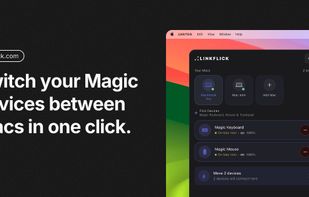
    LinkFlick is a macOS menu bar app that moves your Magic Keyboard, Magic Mouse and Magic Trackpad between Macs over Bluetooth — with one click, a hotkey, Siri or Shortcuts. No more unpairing and re-pairing in System Settings.

    Cost / License

    • Paid
    • Proprietary

    Application type

    Platforms

    • Mac
    • UA flagUkraine
    One click, and your keyboard, mouse, and trackpad follow you to whichever Mac you're using.
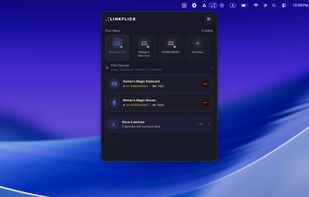
    Your Macs and connected Magic devices — battery levels included, nothing to guess at.
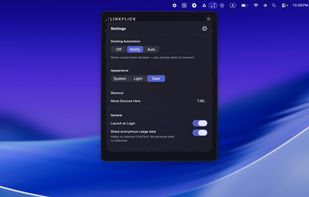
    Pick your hotkey, toggle docking automation, switch appearance — all in one panel.
    9 alternatives
  2. ReCopied icon
     Like

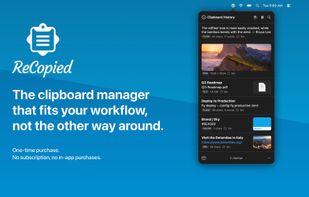
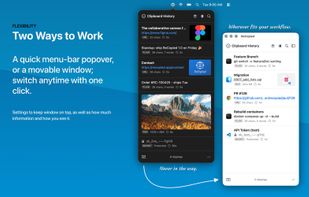
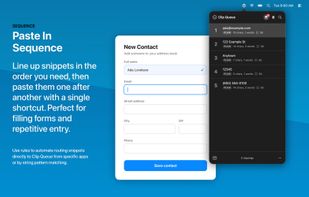
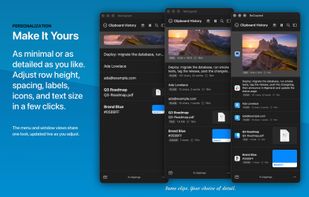
    ReCopied is a fast, private, native macOS clipboard manager with searchable history, Clip Lists, a paste-in-sequence queue, and text formatters — a one-time purchase, no subscription.

    Cost / License

    • Paid
    • Proprietary

    Application type

    Platforms

    • Mac
    • US flagUnited States
    ReCopied screenshot 1
    ReCopied screenshot 1
    ReCopied screenshot 2
    +7
    ReCopied screenshot 3
    2 alternatives
  3. NetPulse icon
     Like

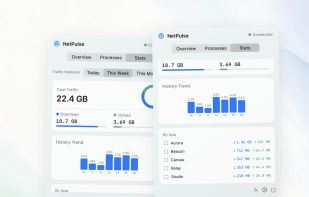
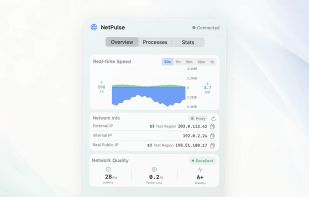
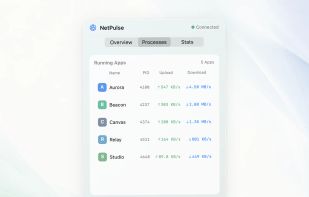
    A native macOS menu bar monitor for live speed, HTTPS response time, request failure rate, IP details, per-app traffic, and local usage history.
    Cost / License

    • Paid
    • Proprietary

    Platforms

    • Mac
    NetPulse Overview showing live upload and download speed, HTTPS response time, request failure rate, IP details, and latency stability.
    NetPulse Processes view showing which Mac apps are currently using bandwidth.
    NetPulse Statistics view with whole-Mac totals, daily trends, and per-app Top 10 usage.
  4. Beamhook icon
     Like

    Hook your Mac's media keys to one app you choose — so Safari, YouTube and Apple Music can't hijack play/pause. Menu-bar app, macOS 14+.

    Cost / License

    Platforms

    • Mac
    • FI flagFinland
    • European Union flagEU
    Beamhook screenshot 1
    1 alternatives
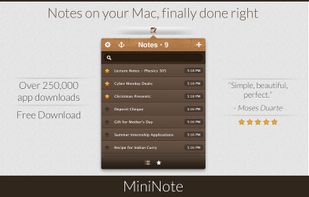
  5. The app lives in your Mac's menubar and is always available at the click of a button. Use it to write down your thoughts and important pieces of information and be happy in the knowledge that your notes will be easily accessible when needed.

    Cost / License

    • Freemium
    • Proprietary

    Application type

    Platforms

    • Mac
    • GB flagUnited Kingdom
    FIPLAB MiniNote screenshot 1
    FIPLAB MiniNote screenshot 1
    FIPLAB MiniNote screenshot 2
    +1
    FIPLAB MiniNote screenshot 3
    10 alternatives
  6. Ejector icon
     Like

    Ejector adds an Eject icon to the Mac OS X menu bar. From it you can eject any disks, e.g. an iPod, a CD, a DVD, an USB Key and even a .dmg or a hard disk (including external one). You can then safely disconnect them from your mac.

    Cost / License

    • Free
    • Proprietary

    Platforms

    • Mac
    2 alternatives
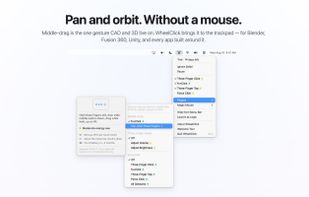
  7. Middle click for the Mac trackpad: three-finger click or tap, free forever, plus fn+click, Force Click, middle-drag for CAD, autoscroll and per-app rules as a one-time purchase, from the maintainer of MiddleClick.
    Cost / License

    • Freemium
    • Proprietary

    Application type

    Platforms

    • Mac
    • Homebrew
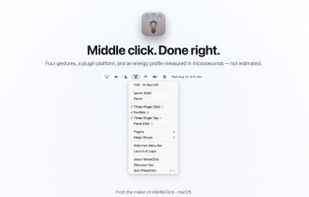
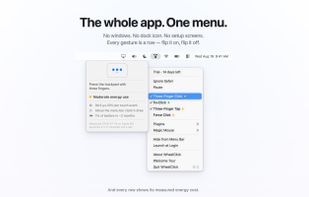
    The whole app is a menu bar menu: four middle-click gestures, each with a measured energy dot.
    Every row opens a card that explains the gesture and shows what it costs, measured on real hardware.
    The Middle-Drag plugin holds a middle-button drag system-wide, so Blender, Fusion, Unity and any app that pans or orbits with the middle button just work.
    +4
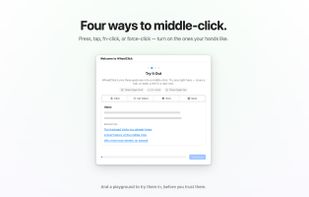
    The welcome tour's playground: try three-finger click, fn+click and three-finger tap on mock tabs before trusting them.
    7 alternatives
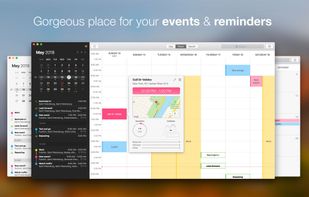
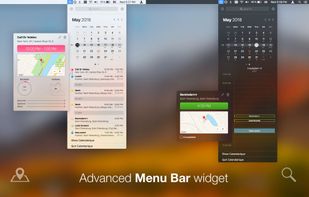
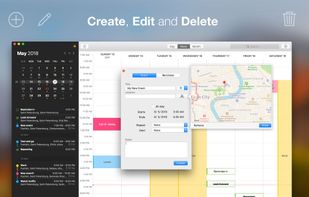
  8. Calendar for Desktop, Notification Center and Menu Bar.

    Cost / License

    • Paid
    • Proprietary

    Platforms

    • Mac
    • iPhone
    • iPad
    Calendarique screenshot 1
    Calendarique screenshot 1
    Calendarique screenshot 2
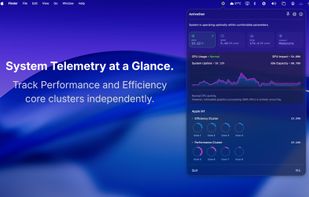
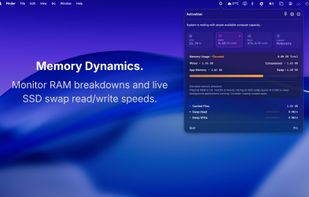
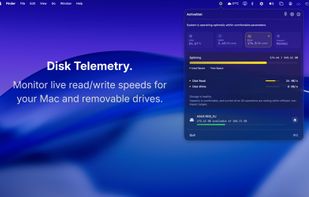
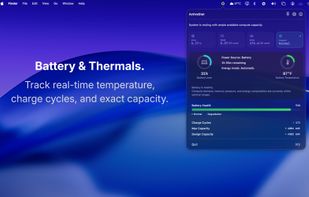
  9. Performance monitoring, refined. ActiveStat provides high-fidelity telemetry of CPU, RAM, Disk and Energy impact within a compact, privacy-first interface.

    Cost / License

    • Paid
    • Proprietary

    Application type

    Platforms

    • Mac
    • IN flagIndia
    CPU usage at a glance
    Memory usage information
    Disk usage and mounted external volumes
    +2
    Battery health
    10 alternatives
  10. ai-usage icon
     Like

    I made ai-usage because I kept hitting the Claude Code 5-hour limit in the middle of a task. With a couple of laptops, a build server and some bots on shared logins, I never knew who was using what.

    Cost / License

    • Free
    • Open Source (MIT)

    Platforms

    • Mac
    • Linux
    • Homebrew
    Mac menu bar app: what's left of each Claude, Codex and Grok subscription and when it resets (demo data)
    Terminal report with the attention list and forecasts to the reset (demo data)
    Team window: each machine's share of each subscription over 7 days (demo data)
    8 alternatives
  11. Mimer icon
     Like

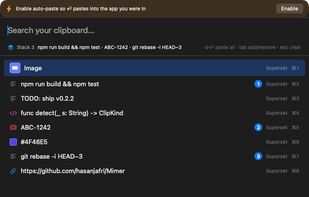
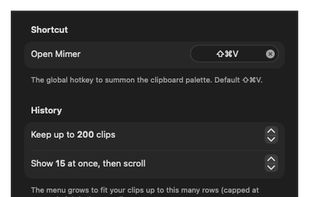
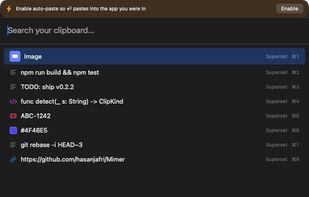
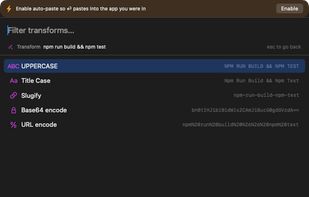
    Mimer is a free, open-source (MIT) clipboard manager that lives in the macOS menu bar. Press Shift-Cmd-V to open a command palette over your clipboard history: search as you type (with type:, app:, is:fav and /regex/ filters), then paste, favorite, or transform any clip.
    Cost / License

    • Free
    • Open Source (MIT)

    Application type

    Platforms

    • Mac
    Mimer screenshot 1
    Mimer screenshot 1
    Mimer screenshot 2
    +1
    Mimer screenshot 3
    6 alternatives
  12. Finbar icon
     Like

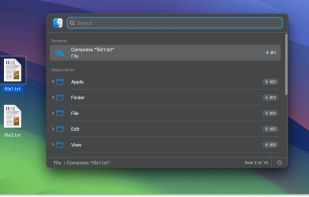
    Finbar reimagines the Mac's built-in menu bar search with great features such as fuzzy filtering and tracking of recently selected menu items — without sacrificing an ounce of speed. With Finbar, users can unlock the menu bar's true potential as a native, ubiquitous...

    Cost / License

    • Paid
    • Proprietary

    Application type

    Platforms

    • Mac
    • IL flagIsrael
    Finbar remembers every menu item you’ve selected, gradually accumulating a list of your favorite menu items. This list stays relevant across launches, and even when menu items have a dynamic, varying title.
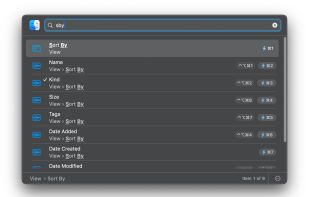
    Fuzzy Search: Find the menu item you were looking for faster and with minimal typing, all while eschewing tiresome memorization of its title.
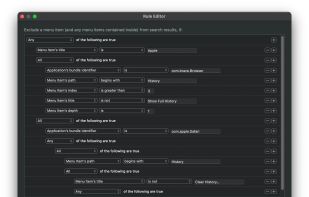
    Powerful Rule Editor: Create incredibly intricate rules using the Mac's tried and true rule editing interface, and never see an irrelevant menu item again.
    4 alternatives
  13. NotchDodo icon
     Like

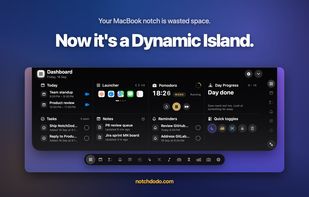
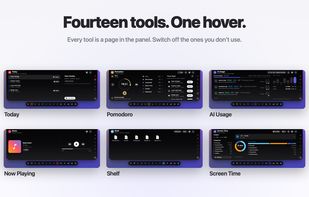
    NotchDodo is a macOS utility that turns the MacBook notch into an interactive dashboard. Hovering the notch opens a panel with 14 tools, and it tucks away again when the pointer leaves.

    Cost / License

    • Paid
    • Proprietary

    Application type

    Platforms

    • Mac
    • IN flagIndia
    The Dashboard: calendar, launcher, Pomodoro, day progress, tasks, notes, reminders and quick toggles in one panel under the notch.
    Fourteen tools in one panel, including Today, Pomodoro, AI Usage, Now Playing, Shelf and Screen Time. Tools you don't use can be switched off.
    AI Usage tracks Claude Code and Codex sessions, tokens, estimated cost and the 5-hour window, read from local logs.
    +1
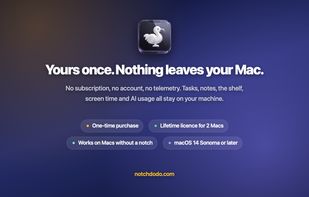
    One-time purchase for 2 Macs with no account or subscription. Works on Macs without a notch. Requires macOS 14 Sonoma or later.
    6 alternatives
  14. LUMEL icon
     Like

    LUMEL is a two-way Mac brightness app: boost a supported XDR display past the macOS cap toward ~1600 nits for sunlight, or dim below the system minimum for dark rooms — all from the menu bar. Public EDR rendering, sandboxed, no data collected. Free tier never expires; $2.99 one-time Pro.

    Cost / License

    • Freemium
    • Proprietary

    Application type

    Platforms

    • Mac
    • DE flagGermany
    • European Union flagEU
    LUMEL screenshot 1
    LUMEL screenshot 1
    LUMEL screenshot 2
    +7
    LUMEL screenshot 3
    8 alternatives
  15. MacMetra icon
     Like

    A macOS system monitor that lives entirely in the menu bar, showing CPU load, thermal state and memory at a glance, with a one-click dashboard.

    Cost / License

    • Paid
    • Proprietary

    Platforms

    • Mac
    • RO flagRomania
    • European Union flagEU
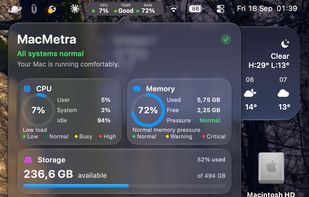
    The dashboard, one click from the menu bar: CPU load split into user, system and idle, memory with the pressure the system reports, startup disk space, thermal state and power.
    The menu bar item: CPU load, thermal state and memory in one compact readout. You choose which of the three appear and in what order.
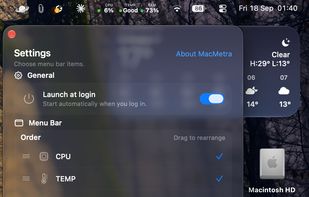
    Settings: choose which readings appear in the menu bar and in what order, and turn on launch at login.
    6 alternatives
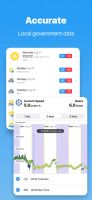
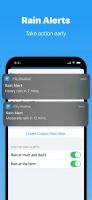
  16. WillyWeather is a feature rich weather app that includes NOAA radar and satellite, detailed wind, rain, tide, swell and UV forecasts, as well as moon phases, and sunrise and sunset times.

    Cost / License

    • Freemium
    • Proprietary

    Application type

    Platforms

    • Android
    • iPhone
    • iPad
    • Apple Watch
    • AU flagAustralia
    WillyWeather screenshot 1
    WillyWeather screenshot 2
    WillyWeather screenshot 3
    70 alternatives
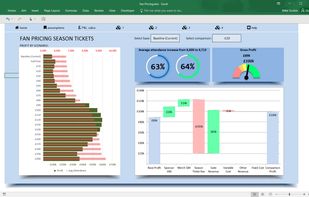
  17. Create infographic style charts and navigation menu bars. Repair Excel files before they become corrupt. Copy and link Airt Magic charts in PowerPoint. Charts include waterfalls, gantt charts, speedometer type gauge charts and progress rings.
    Cost / License

    • Paid
    • Proprietary

    Platforms

    • Windows
    Airt Magic screenshot 1
  18. HelloMac icon
     1 like

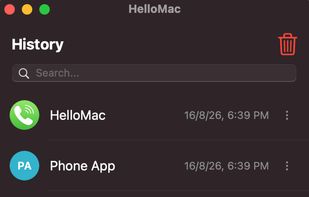
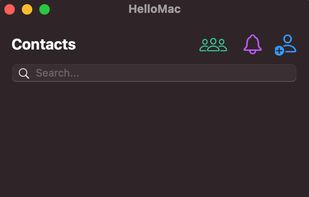
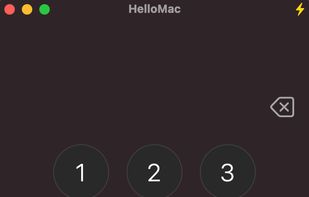
    HelloMac is a blazing-fast, elegant, and lightweight application designed to bring a complete telephony hub to macOS. Make calls directly from your Mac via your iPhone. Features include a classic keypad with speed dial, seamless iCloud contacts sync, smart call reminders, and a...

    Cost / License

    Application type

    Platforms

    • Mac
    • GR flagGreece
    • European Union flagEU
    HelloMac screenshot 1
    HelloMac screenshot 1
    HelloMac screenshot 2
    +7
    HelloMac screenshot 3
    3 alternatives
  19. Liwu icon
     Like

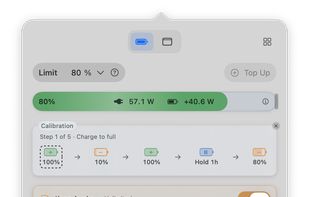
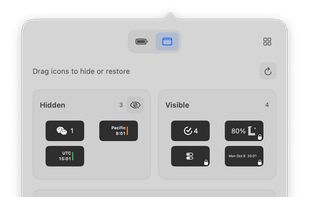
    Liwu is a menu bar app with small tools for Apple silicon MacBooks. Set a charging target from 80% to 100%, or as low as 20% on Macs where Liwu confirms low-target support, and save named presets for the targets you switch between.
    Cost / License

    • Freemium
    • Proprietary

    Application type

    Platforms

    • Mac
    Liwu screenshot 1
    Liwu screenshot 1
    Liwu screenshot 2
    +3
    Liwu screenshot 3
    5 alternatives
  20. This is a popup that shows Spotify current playback information, made and tested specially for macOS. It also allows you to add tracks to your library and playlists.

    Cost / License

    • Free
    • Open Source (MIT)

    Platforms

    • Mac
    18 alternatives