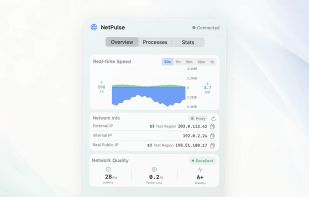
NetPulse is a native macOS network monitor for the menu bar, with an optional draggable floating panel for keeping live speed visible on the desktop. It shows live upload and download rates, recent speed history, and network quality in one focused dashboard. Based on the current outbound IP region, it selects three independent HTTPS targets and reports response time, request failure rate, and latency stability. It does not measure ICMP or underlying packet loss.
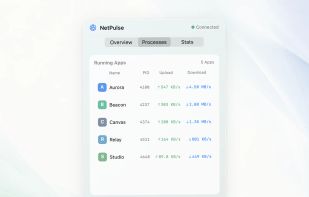
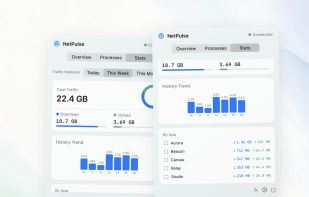
Use the Processes view to see which apps are currently using bandwidth. The Statistics view keeps whole-Mac totals, daily trends, and a locally stored per-app Top 10 for today, this week, and this month. NetPulse can also compare your VPN or proxy exit IP, local interface IP, and automatically queried Real Public IP, with connection and location details.
Speed and traffic statistics stay on your Mac. Per-app traffic is optional and requires one-time approval for an observe-only macOS Network Extension. The extension allows every connection and only aggregates byte counts; NetPulse does not read, modify, block, store, or upload network content, destinations, browsing history, messages, or files. IP and location lookups contact lookup services only when needed.
NetPulse supports light and dark modes and launch at login, runs on Apple Silicon and Intel Macs, and is available in English, Simplified Chinese, Japanese, German, French, and Spanish. It requires macOS 13.5 or later and is available as a one-time Mac App Store purchase.









No comments or reviews, maybe you want to be first?