LUMEL gives you control over your Mac's XDR display that macOS keeps locked away.
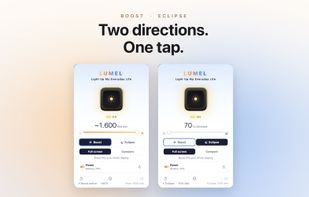
Two directions, one tap from the menu bar.
BOOST IT UP: BRIGHTER THAN STANDARD
Your XDR display is rated far brighter than the standard limit macOS exposes for everyday content. LUMEL safely lifts that ceiling so your screen stays readable in direct sunlight, on a bright balcony, or next to a sunny window. Boost is meant for bursts when you need it, not for running pinned at maximum all day.
ECLIPSE: DARKER THAN THE MINIMUM
macOS won't let the brightness slider go below a fixed floor. In a pitch-dark room that floor can still feel too bright. Eclipse mode dims gently below it, so reading in bed or watching in a dark room is easy on your eyes.
FREE, WITH ONE SIMPLE UPGRADE
LUMEL is free to download. In the free version you can preview boost with Compare mode (it boosts the left half of your screen) and use Eclipse night-dimming without limits, for as long as you like. LUMEL Pro unlocks full-screen boost across every display — a single one-time purchase, no subscription and no account.
DESIGNED FOR THE WAY YOU WORK
• One-tap toggle from the menu bar, with a live brightness slider
• Global keyboard shortcut to flip boost on or off from any app
• Per-display control when you run more than one screen, with preferences that survive reconnects
• Side-by-side compare mode that boosts only the left half of the screen, so you can see the difference before you commit
• A menu-bar icon that visibly lights up while boost is active
BATTERY-AWARE BY DEFAULT
Boost draws extra power, so LUMEL looks after your battery. Set a threshold between 10% and 50%, and boost switches off automatically below it. Low Power Mode disables boost too. Eclipse mode is exempt, since dimming uses less power, not more.
PRIVATE BY DESIGN, NOT BY PROMISE
LUMEL collects nothing. No analytics, no telemetry, no accounts, no ads. The app is sandboxed and has no network entitlement of its own. The optional Pro purchase is handled entirely by the App Store, not by LUMEL, so the app still sends none of your data anywhere. Your preferences live on your device and nowhere else.
HARDWARE REQUIREMENTS
LUMEL needs a display that reports extended dynamic range headroom. That includes the 14-inch and 16-inch MacBook Pro (Apple silicon), the Pro Display XDR, and the Studio Display. On other displays the app opens but the controls stay inactive until a compatible display is connected.
Brighten beyond stock. Dim below the minimum. Keep your data to yourself.





 EU
EU


 onekapisch added LUMEL as alternative to Vivid, Dimmer, Brightintosh, BetterDisplay and 4 more
 Kapish Bhardwaj


No comments or reviews, maybe you want to be first?