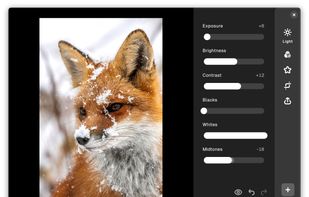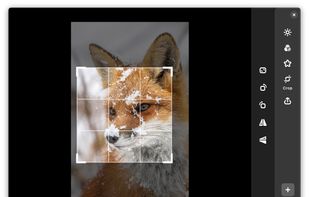
Offline image editor offering brightness, contrast adjustments, vignette, border effects, and more; exports as JPEG or PNG with metadata options.


Offline image editor offering brightness, contrast adjustments, vignette, border effects, and more; exports as JPEG or PNG with metadata options.


Twinkle Tray enables brightness control on external displays in Windows 10 & 11. Even th Windows is capable of adjusting the backlight on most monitors, it doesn't support external monitors natively.

A whole new way of using macos! NotchNook is a new Mac app that transforms your MacBook's notch into a dynamic, functional feature akin to the iPhone's Dynamic Island.


Screen dimming software that allows you to control the brightness of your screens as well as external monitors.

BrightIntosh is lightweight, works system-wide, has optional launch-at-login functionality and includes a global hotkey to toggle the extra brightness.


Whether you're a morning lark or night owl, SunsetScreen allows you to set the time of the sunset and sunrise, so you can have full control over your sleep cycle.


Control the audio and/or brightness by sliding your fingers alongside the edges of your screen. Each edge can be configured separately. Use the 'Control Brightness with Dimmer' feature to go below zero when controlling the brightness.


Velis Auto Brightness is a pretty powerfully adjustable auto-brightness app for your android device.


The app lets you control the brightness of all your screens (both laptop and desktop) by a single click on a tray icon. Its look goes nicely with the system icons and it supports both light and dark mode.


Vivid is a software that enables users to amplify the brightness of their MacBook Pro and Pro Display XDR, system-wide, utilizing standard Apple APIs.


A Photo Tool (Libre) is image editing app with lots of tools. You have great options to adjust the photos just the way you want them to look.


Brightness Controller allows you to software control Brightness, R, G and B of your Primary and Secondary Display in Linux.


Free Monitor Manager lets you easily change your monitor's brightness, contrast and colors.


With BIMP you can apply a set of manipulations to an entire group of images! It provides an easy to use interface and a lot of batch functions.


ExternalDisplayBrightness is a small utility which allows you to change the brightness of external displays connected to your Mac using keyboard shortcuts, just as you would change the brightness of the built-in display on a Macbook.

¦ Change a dark image taken at night, dusk, backlight, etc. into a bright image like daytime.