


Stash for Mac
Like
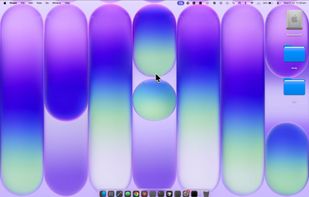
A tactile control layer for your Mac. Sliders, dials, and your Dock overflow - hidden at the edges of your screen, revealed only when you reach for them.

Cost / License
- Pay once
- Proprietary
Application type
Platforms
- Mac


Features
Stash for Mac News & Activities
Highlights All activities
Recent activities
 Paul added Stash for Mac as alternative to vaho
 Paul added Stash for Mac as alternative to MediaMate, Alcove, NotchNook, The Boring Notch and 13 more
- Paul added Stash for Mac


Stash for Mac information
Developed by
Littlengine LabsLicensing
Proprietary and Commercial product.Pricing
One time purchase (perpetual license) that costs $7.Alternatives
18 alternatives listedBadge
Get an embeddable badge for Stash for MacSupported Languages


No comments or reviews, maybe you want to be first?