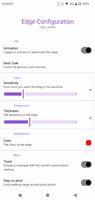
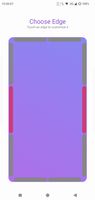
Control the audio and/or brightness by sliding your fingers alongside the edges of your screen. Each edge can be configured separately. Use the 'Control Brightness with Dimmer' feature to go below zero when controlling the brightness.


+2

Control the audio and/or brightness by sliding your fingers alongside the edges of your screen. Each edge can be configured separately. Use the 'Control Brightness with Dimmer' feature to go below zero when controlling the brightness.


A tactile control layer for your Mac. Sliders, dials, and your Dock overflow - hidden at the edges of your screen, revealed only when you reach for them.