





vaho
4 likes
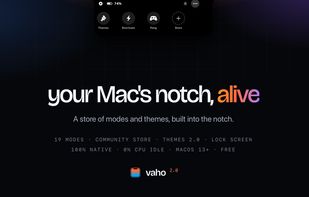
Media, alerts and files in the one spot of your screen that's always in sight — plus a store of community modes and themes, whole-desktop themes and lock-screen widgets. Native, free to start.

Cost / License
- Freemium (Pay once)
- Proprietary
Application type
Platforms
- Mac


Features
Highlights All activities
vaho News & Activities
Recent activities
 Paul added vaho as alternative to Oriel for Mac
 Aviral Garg added vaho as alternative to Casement for Mac
 Hiob-Wolff added vaho as alternative to MusicNotch
- tylerlikesps4 liked vaho
- Daniel Gomez commented on vaho
Honest question, not a knock — how does vaho differ from Notchy in practice? From the outside they look like they cover similar ground and I can't tell which one fits which use case. Is there something vaho does that Notchy doesn't, or is it more about the approach?
- dhruvi-306 liked vaho
- Anastasia liked vaho


Developed by
Jorge MartinezLicensing
Proprietary and Freemium product.Pricing
One time purchase (perpetual license) that costs $6 + free version with limited functionality.Alternatives
40 alternatives listedBadge
Get an embeddable badge for vahoSupported Languages


Comments and Reviews
Honest question, not a knock — how does vaho differ from Notchy in practice? From the outside they look like they cover similar ground and I can't tell which one fits which use case. Is there something vaho does that Notchy doesn't, or is it more about the approach?