Oriel turns the notch into a living island: your music, on Apple Music or Spotify, with lyrics and moving covers, live activities from Claude to your texts, your week, widgets, even your lock screen.
The big player
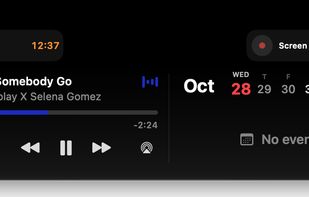
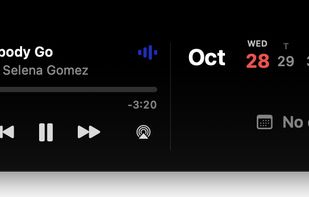
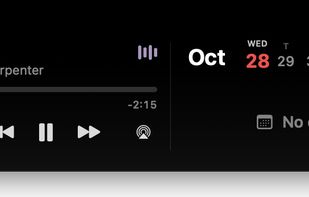
A big player in the notch, for Apple Music and Spotify alike: big cover, volume, output, and the song's lyrics, line by line as they're sung. Up Next too, where a click plays any song in it.
Covers that move
With Apple Music, its animated album art, in the island, the big player and full screen. Full screen shows every word of the lyrics, in time, for both apps.
Even when it's locked
Your song, its controls and its moving cover on the Mac's lock screen, like on iPhone. Texts that come while it's locked wait there for you.
What's this song?
Music Recognition shows up in the island while it listens, then the song it found, one click from Apple Music, Spotify or YouTube.
Apple Music & Spotify Both, all the way
Oriel isn't made for one app. Apple Music and Spotify each get the island, the big player, lyrics, Up Next and their own save button: a star for Apple Music, a plus for Spotify. Sign in to Spotify and it goes further:
- Save in one click. The plus turns into a check: it's in your Liked Songs.
- See where it's saved. Every playlist the song is already in, ticked, and any other one a click away, with search.
- See where it's playing. "Playing on iPhone", right in the island, with Spotify Connect.
- Move it. Send what's playing to your phone, speaker or another computer, without opening Spotify.
- Your real queue. Up Next from Spotify itself; a click plays any song in it.
Everything that's happening, live
Like the iPhone: what's going on now sits beside the notch, and opens into a card with its buttons.
Texts, with the photos
Texts and emails drop out of the notch with the photos they carry and who's in the group. Reply right there, like on iPhone. Read it on your iPhone and it's gone from your Mac too; muted chats stay quiet. Calls ring in the island too, with who's calling, Answer and Decline.
A Pomodoro in the notch
Focus, a break, focus again, a long break every fourth round. Slide the minutes on a ruler; the time counts down beside the notch.
Add events by typing
"Lunch with Rita tomorrow 1pm" becomes an event. Your week sits beside your music, reminders tick off from the island, and alerts come with a Join button.
Drop files in the notch
Drag files onto the notch to keep them for later, then drag them out or AirDrop them. Clipboard history, a quick note and a mirror for calls are a click away.
Your limits, at a glance
How much of Claude, Codex, Cursor, Gemini and Copilot you have left, and when it resets, all on one page.






 EU
EU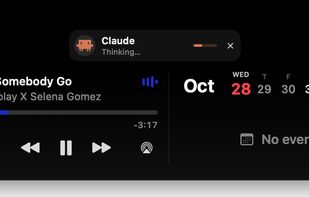




 Paul added Oriel for Mac as alternative to NotchNook, The Boring Notch, Nusa, WinIsland and 31 more
 Tiago Taveira


No comments or reviews, maybe you want to be first?