Windows - Privacy, Security, Open Source

This is a list that prefers open-source and lightweight Windows applications. A few partially open-source or proprietary applications may be added if there are no great alternatives.

Read the descriptions, as I wrote most of them, which gives advice on similar apps or other things to take into account.

Comment at the bottom if you believe anything should be updated or have any questions..

Sam Lander
Sam LanderList by Sam Lander, last updated 
Copy a direct link to this comment to your clipboard
  1. Browsers

  2. This may be the best solution for fingerprinting, other than Tor. Open-source and based on Firefox.

    The benefit of this over arkenfox.js is that you will potentially have more people to blend in with. Mullvad works right out of the box, and hardly anyone uses Arkenfox.js out of the box, as it breaks a lot of things without tweaking it.

    While Mullvad browser is a much better option for privacy than Firefox, you may want to take advantage of Firefox's convenient apps that will end up fingerprinting you easier, such as Firefox containers. Brave has something similar with profiles.

    Firefox: Mozilla Firefox icon Mozilla Firefox Arkenfox: https://github.com/arkenfox/user.js

    One other alternative is the fastest browser I have used, that uses a separate engine than most, but doesn't have many functions, K-Meleon: K-Meleon icon K-Meleon

    Cost / License

    • Free
    • Open Source

    Application types

    Platforms

    • Mac
    • Windows
    • Linux
    • Flathub
    • Flatpak
    • Mozilla Firefox
    Mullvad Browser screenshot 1
    Mullvad Browser screenshot 1
    Mullvad Browser screenshot 2
    +1
    Mullvad Browser screenshot 3
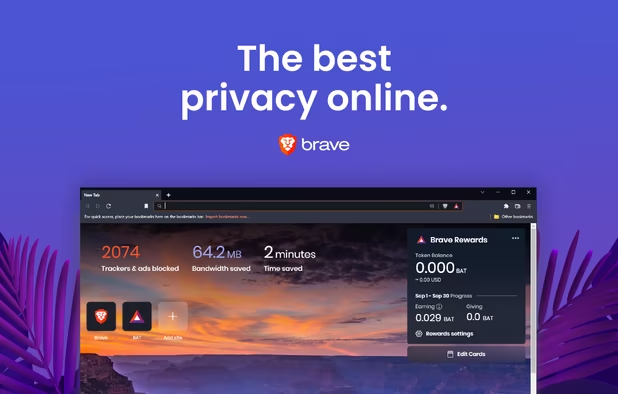
  3. Brave icon
     Like

    A good chromium option. I like to use this and Mullvad/Firefox in case one or the other doesn't play well with something.

    Brave doesn't require a bunch of extensions like uBlock Origin. It has basic capabilities out of the box. And while it doesn't have containers, its profiles might even have more containerization than Firefox Containers.

    Alternatively, for more security and less privacy, use Edge. Edge: Microsoft Edge icon Microsoft Edge Why it is more secure: https://735trv.github.io/madaidans-insecurities/firefox-chromium.html

    Cost / License

    • Free
    • Open Source

    Application types

    Platforms

    • Mac
    • Windows
    • Linux
    • Android
    • iPhone
    • Android Tablet
    • iPad
    • Snapcraft
    • Flathub
    • Homebrew
    • Chocolatey
    Brave screenshot 1
    Brave screenshot 1
    Brave screenshot 2
    +4
    Brave screenshot 3
  4. Security

  5. Bitwarden icon
     Like

    Password manager that is cross-platform. Although data is in your hands more with something like Keypass, with Bitwarden, you don't have to really worry about passwords not syncing correctly and losing data.

    Alternatively, KeePass: KeePass icon KeePass KeePassXC: KeePassXC icon KeePassXC ProtonPass: Proton Pass icon Proton Pass Buttercup: Buttercup icon Buttercup

    Cost / License

    • Freemium
    • Open Source

    Platforms

    • Mac
    • Windows
    • Linux
    • Online
    • Android
    • iPhone
    • Android Tablet
    • iPad
    • Self-Hosted
    • Apple Watch
    • Snapcraft
    • Microsoft Edge
    • Vivaldi
    • Google Chrome
    • Flathub
    • Microsoft SQL Server
    • Tor Browser
    • Safari
    • F-Droid
    • Software as a Service (SaaS)
    • Flatpak
    • Cloudron
    • Opera
    • Chocolatey
    • Mono
    • Brave
    • Mozilla Firefox
    • Docker
    Bitwarden screenshot 1
    Bitwarden screenshot 1
    Bitwarden screenshot 2
    +10
    Bitwarden screenshot 3
  6. Creates a sandboxed environment. But it's not fool-proof, so don't rely on it completely.

    Alternatively, this is better if you have Windows Pro/Enterprise, Windows Sandbox: Windows Sandbox icon Windows Sandbox

    Cost / License

    • Freemium
    • Open Source

    Application type

    Platforms

    • Windows
    Sandboxie runs your programs in an isolated space
    Sandboxie Control  in Windows XP
    Sandboxie Control in Vista
    +3
    View a tutorial in a sandboxed Web browser
  7. Simple Indicators of Compromise and Incident Response Scanner. It scans your system for various vulnerabilities and possible malware.

    Alternatively, Nuceli: nuclei icon nuclei

    Cost / License

    • Free Personal
    • Open Source

    Application type

    Platforms

    • Windows
    IMG01
    LOKI Free IOC Scanner screenshot 1
  8. Checks for changes to the registry. Low resource consumption. But this one is proprietary.

    Alternatively, MJ Registry Watcher: MJ Registry Watcher

    Cost / License

    • Free
    • Proprietary

    Platforms

    • Windows
    Tiny Watcher screenshot 1
    Tiny Watcher screenshot 1
  9. Collection of simple tools to help harden Windows by disabling features that present a higher security risk like Windows Scripting Host and Microsoft Office Macros. Changes from the software can easily be undone with a Restore button.

    Alternatively with more features, Hard_Configurator: Hard_Configurator icon Hard_Configurator

    Cost / License

    • Free
    • Open Source

    Platforms

    • Windows
    Expert Settings
    Hardentools screenshot 1
    Hardentools screenshot 2
  10. OpenHashTab is a shell extension for conveniently calculating and checking file hashes from file properties.

    Cost / License

    • Free
    • Open Source

    Application type

    Platforms

    • Windows
    OpenHashTab screenshot 1
    OpenHashTab screenshot 1
  11. VeraCrypt icon
     Like

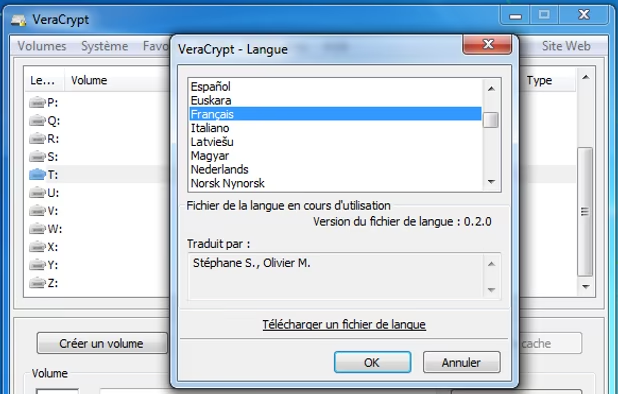
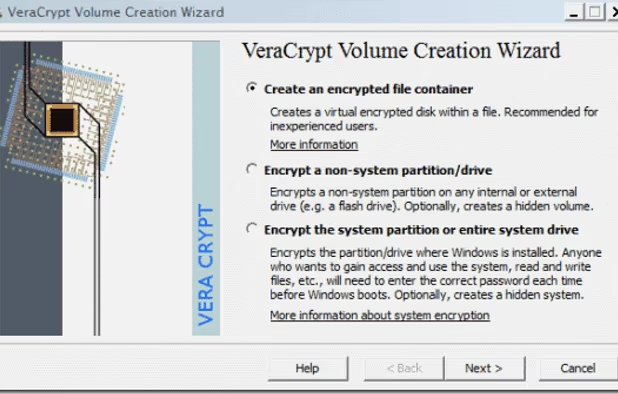
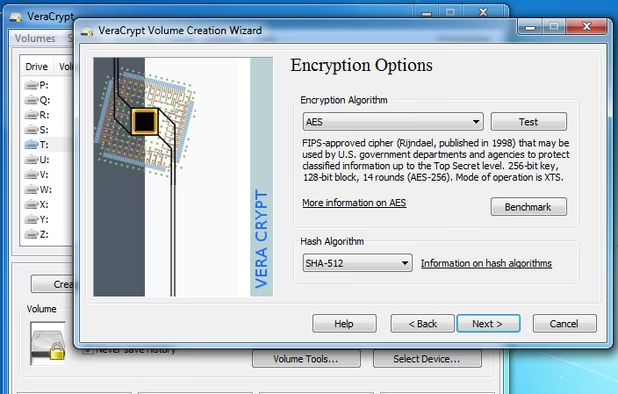
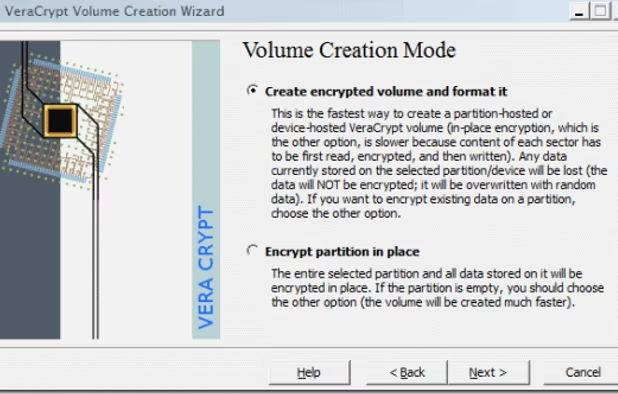
    The most reliable and secure encryption tool. It creates encrypted drives. You can think of it as creating a folder that can only be accessed when you input a password, otherwise it stays encrypted.

    What this means is that you can ensure more security. It doesn't matter what kind of cloud you use with this. I still prefer Nextcloud or KDrive or the like, but Google or Dropbox are fine, as they can't access the contents. It can be as safe as bank encryption.

    What you do is have what you want encrypted inside of it, and then you sync your encrypted folder to your cloud sync folder. Anytime you update it, it automatically updates the encrypted folder on the cloud. I use FreeFileSync for this. You can also sync to other offline devices, such as with Rclone or Syncthing.

    Alternatively, to be more compatible with various cloud services, Cryptomator: Cryptomator icon Cryptomator

    Alternatively, for fast file/folder encryption, 7Zip: 7-Zip icon 7-Zip File Lock PEA: File Lock PEA icon File Lock PEA Hat.sh: Hat.sh icon Hat.sh

    Cost / License

    • Free
    • Open Source

    Application type

    Platforms

    • Mac
    • Windows
    • Linux
    • BSD
    • PortableApps.com
    • Homebrew
    • Chocolatey
    Langage
    VeraCrypt screenshot 1
    Encrypted volume wizard. Step 1.
    +8
    Encrypted volume wizard. Step 3.
  12. C# Open-Source Winforms application for uploading files to VirusTotal Directly from your desktop.

    Cost / License

    • Free
    • Open Source

    Platforms

    • Windows
    VirusTotalUploader screenshot 1
    VirusTotalUploader screenshot 1
    VirusTotalUploader screenshot 2
    +1
    VirusTotalUploader screenshot 3
  13. Sniffnet icon
     Like

    Sniffnet is a network monitoring tool to help you easily keep track of your Internet traffic.

    Cost / License

    • Free
    • Open Source

    Application type

    Platforms

    • Mac
    • Windows
    • Linux
    Sniffnet screenshot 1
    Sniffnet screenshot 1
    Sniffnet screenshot 2
    +4
    Sniffnet screenshot 3
  14. Privacy

  15. Use this rather than proprietary software if you buy a VPN, unless the VPN supports Wireguard.

    Alternatively, and even better (as long as your VPN provider offers it), WireGuard: WireGuard icon WireGuard

    But it is safer to set up your own VPN with a VPS: https://gist.github.com/joepie91/5a9909939e6ce7d09e29

    List of some good VPN: https://offshore.cat/vpn

    Cost / License

    • Freemium
    • Open Source

    Application types

    Platforms

    • Mac
    • Windows
    • Linux
    • Android
    • iPhone
    • Android Tablet
    • iPad
    • Self-Hosted
    • Cloudron
    OpenVPN Connect screenshot 1
    OpenVPN Connect screenshot 2
    OpenVPN Connect screenshot 3
  16. Pi-hole icon
     Like

    I added this separately from DnsCrypt, but really its just an alternative. Pi-Hole can utilize DnsCrypt along with anonymized relays.

    You don't have to set it up on a docker or router or server if you don't want. You can set it up directly on Windows (basically) with WSL: https://github.com/DesktopECHO/Pi-Hole-for-WSL1

    Alternatively, Privaxy: Privaxy icon Privaxy Unbound: Unbound icon Unbound Wirehole: WireHole

    Cost / License

    • Free
    • Open Source

    Application type

    Platforms

    • Linux
    • Self-Hosted
    • CentOS
    • Fedora
    • Ubuntu
    • Debian
    • Raspberry Pi OS
    • Raspberry Pi
    The Web interface shows how many ads were blocked, a query log, and more.
    Domains can be whitelisted and blacklisted using either the web interface or the command line.
    The settings page lets you control and configure your Pi-hole.
    +2
    Pi-hole screenshot 3
  17. DNS management for Windows. A combination of this and Simplewall uses much less resources than Portmaster.

    However, it's not maintained as frequently as it should be. You are better off creating the proxy yourself through the terminal. It's really not difficult if you follow the instructions on their website. DNS Crypt: DNSCrypt Protocol icon DNSCrypt Protocol Then, add anonymized relays: https://github.com/DNSCrypt/dnscrypt-proxy/wiki/Anonymized-DNS Then, add blocklists for a system-wide blocklist (basically don't need uBlock anymore...): https://github.com/DNSCrypt/dnscrypt-proxy/wiki/Combining-Blocklists

    Alternatively, Encrypted DNS Server: Encrypted DNS Server icon Encrypted DNS Server SecureDNS: SecureDNS icon SecureDNS

    There is a very simple GUI alternative, but it is not open-source, so you have to put some trust into the coders. But it makes it very simple to just search and add the relays. However, at this point it doesn't support blocklists easily like DNSCrypt. YogaDNS: YogaDNS icon YogaDNS Can combine that with Zen ad blocker (really just an easy GUI for the blocklists), Zen Ad blocker: Zen Ad-Blocker icon Zen Ad-Blocker

    Cost / License

    • Free
    • Open Source

    Platforms

    • Windows
    Main Menu
    Resolvers - DNSCrypt Mode
    Advanced Settings
    +1
    Settings
  18. Fawkes icon
     Like

    Block AI photo facial recognition.

    Cost / License

    • Free
    • Open Source

    Platforms

    • Mac
    • Windows
    Fawkes screenshot 1
    Fawkes screenshot 1
    Fawkes screenshot 2
  19. Technitium MAC Address Changer allows you to change (spoof) Media Access Control (MAC) Address of your Network Interface Card (NIC) instantly.

    Cost / License

    • Free
    • Proprietary

    Platforms

    • Windows
    Technitium MAC Address Changer screenshot 1
  20. Chat/Social

  21. An open-source email client where you can your different emails to so that you no longer have to log into their websites.

    Alternatively, Claws Mail is a much more lightweight alternative than Thunderbird. Usually uses around 20-40mb of memory, as opposed to Thunderbird using 180-600mb, depending on whether you enable indexing and saving locally. A tad bit more difficult to set up though, Claws Mail: Claws Mail icon Claws Mail

    Alternatively, use Betterbird which is a soft fork with improvements, meaning it gets all the Thunderbird updates and adds more on top of it, Betterbird: Betterbird icon Betterbird

    Cost / License

    • Free
    • Open Source

    Application types

    Platforms

    • Mac
    • Windows
    • Linux
    • Android
    • BSD
    • AppImageHub
    • Snapcraft
    • Flathub
    • PortableApps.com
    • F-Droid
    • Haiku
    • Homebrew
    • Chocolatey
    Thunderbird screenshot 1
    Thunderbird screenshot 1
    Thunderbird screenshot 2
    +8
    Thunderbird screenshot 3
  22. Element icon
     Like

    A secure, open-source chat app that does not require that you input a phone number.

    For even more security (but not plug and play), Briar: Briar icon Briar Ricochet Refresh: Ricochet Refresh icon Ricochet Refresh

    Cost / License

    • Free Personal
    • Open Source

    Platforms

    • Mac
    • Windows
    • Linux
    • Online
    • Android
    • iPhone
    • Android Tablet
    • iPad
    • Self-Hosted
    • Matrix.org
    • Flathub
    • F-Droid
    • Cloudron
    Video calls for desktop and mobile
    Collaboration widgets
    Collaboration and screen sharing
    +1
    Connect with other apps
  23. Telegram icon
     Like

    Not completely open-source. But I include it here because it is the best chat app for large groups and bots.

    Alternatively, more open-source but less features and less security than Briar, Signal: Signal icon Signal

    Cost / License

    • Freemium
    • Proprietary

    Platforms

    • Mac
    • Windows
    • Linux
    • Online
    • Android
    • iPhone
    • Android Tablet
    • HUAWEI AppGallery
    • iPad
    • Apple Watch
    • Android Auto
    • Linux Mobile
    • Android Wear
    • PortableApps.com
    • FreeBSD
    • Apple Car Play
    Telegram Desktop
    Telegram iOS #1
    Telegram iOS #2
    +17
    Telegram iOS #3
  24. Network

  25. Nmap icon
     Like

    Free, open-source utility for network security auditing and exploration with capabilities for OS detection, service identification, and large network scans.

    Cost / License

    • Free
    • Open Source

    Platforms

    • Mac
    • Windows
    • Linux
    • BSD
    Main Window
    Profile Editor
  26. Nextcloud icon
     Like

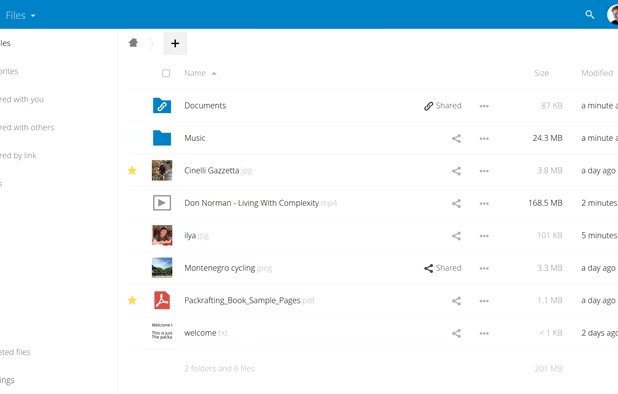
    Open-source alternative to cloud, like Dropbox.

    If you want an easy, proprietary alternative, look at the Infomaniak Suite based in Switzerland. Kdrive is more privacy-friendly than Dropbox, and free to use, Kdrive: kDrive icon kDrive

    Alternatively, Crypt.ee: Cryptee icon Cryptee

    Cost / License

    • Free
    • Open Source

    Platforms

    • Mac
    • Windows
    • Linux
    • Online
    • Android
    • iPhone
    • Android Tablet
    • iPad
    • Self-Hosted
    • Snapcraft
    • F-Droid
    • Raspberry Pi
    • Cloudron
    • Docker Hub
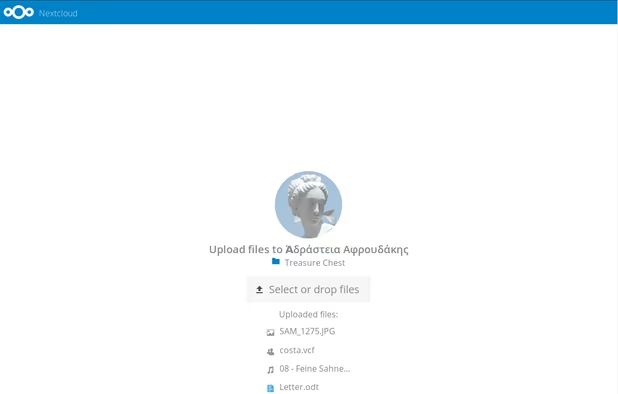
    Simple and powerful file sync & share
    Simple upload even for people who don’t have Nextcloud
    Great Android & iOS apps to sync your files.
    +3
    Very easy theming
  27. pfSense icon
     Like

    This one is for your router, but you can add plugins to it like Suricata. Open-Source

    Alternatively, OPNSense: OPNsense icon OPNsense

    Cost / License

    • Freemium
    • Open Source

    Application types

    Platforms

    • BSD
    Dashboard page
    pfSense screenshot 1
    pfSense screenshot 2
    +2
    pfSense screenshot 3
  28. Suricata icon
     Like

    Network security. Open-source

    More difficult to set up, and probably better off setting up on another device for personal use, but it is a very well known intrusion protection system.

    Alternatively Snort: snort icon snort

    Cost / License

    • Free
    • Open Source

    Application type

    Platforms

    • Mac
    • Windows
    • Linux
    • BSD
    • FreeBSD
  29. Ossec icon
     Like

    OSSEC is an Open Source Host-based Intrusion Detection System. It performs log analysis, file integrity checking, policy monitoring, rootkit detection, real-time alerting and active response.

    Cost / License

    • Free
    • Open Source

    Platforms

    • Mac
    • Windows
    • Linux
  30. Documents

  31. Private and encrypted notes that are cross-platform.

    Alternatively, Cryptpad: CryptPad icon CryptPad

    Cost / License

    • Freemium
    • Open Source

    Platforms

    • Mac
    • Windows
    • Linux
    • Online
    • Android
    • iPhone
    • Chrome OS
    • Android Tablet
    • iPad
    • Self-Hosted
    • F-Droid
    Standard Notes screenshot 1
    Free version.
    Cross-platform sync and end-to-end privacy
    +4
    Extensions and Themes
  32. Zim icon
     Like

    A great markdown editor that saves everything as .txt in subfolders. The only thing that can compete is Obsidian, which is proprietary.

    You can use this in a veracrypt vault (and also firewalling it) to store sensitive information.

    Make sure to change to share=false in notebook.zim if you are using it in an encrypted folder.

    Alternatively, Obsidian: Obsidian icon Obsidian

    Alternatively, more like Evernote: Joplin: Joplin icon Joplin

    Cost / License

    • Free
    • Open Source

    Platforms

    • Mac
    • Windows
    • Linux
    • BSD
    • Flathub
    • Flatpak
    Zim screenshot 1
    Graphviz graph using Diagram plugin
    Formatting options available
    +1
    Hiding all toolbars and statusbar for maximum screen space
  33. Blazing fast PDF and portable eReader built on muPDF. Including the ability to save "highlights" and notes like on Kindle.

    Cost / License

    • Free
    • Open Source

    Application type

    Platforms

    • Windows
    Minimal eReader screenshot 1
    Minimal eReader screenshot 1
    Minimal eReader screenshot 2
    +1
    Minimal eReader screenshot 3
  34. An alternative to Microsoft 365 and LibreOffice. Has more compatibility with Microsoft Office products, and uses less resources than LibreOffice.

    Alternatively, LibreOffice: LibreOffice icon LibreOffice

    Cost / License

    • Free Personal
    • Open Source

    Platforms

    • Mac
    • Windows
    • Linux
    • Online
    • Android
    • iPhone
    • Android Tablet
    • HUAWEI AppGallery
    • iPad
    • Self-Hosted
    • AppImageHub
    • Snapcraft
    • Flathub
    • Samsung Galaxy Store
    • Software as a Service (SaaS)
    • Flatpak
    • Cloudron
    ONLYOFFICE screenshot 1
    ONLYOFFICE screenshot 1
    ONLYOFFICE screenshot 2
    +7
    ONLYOFFICE screenshot 3
  35. ExifTool icon
     Like

    ExifTool is a platform-independent Perl library plus a command-line application for reading, writing and editing meta information in a wide variety of files.

    Cost / License

    • Free
    • Open Source

    Application type

    Platforms

    • Mac
    • Windows
    • Linux
    ExifTool screenshot 1
  36. SKTimeStamp is a very simple shell extension which adds a new tab to the Explorer properties dialog. On that new tab, you can change the file/folder date and time.

    Cost / License

    • Free
    • Open Source

    Platforms

    • Windows
    • Windows Explorer
    Property display when only one file is selected.
    Property display when multiple files are selected.
  37. System Tools

  38. 7-Zip icon
     Like

    File archiver/unzipper. It also can encrypt folders with aes-256.

    Alternatively, Pea Zip: PeaZip icon PeaZip

    Cost / License

    • Free
    • Open Source

    Platforms

    • Mac
    • Windows
    • Linux
    • BSD
    • PortableApps.com
    • ReactOS
    Main Window
    Add to Archive
    Options
  39. Autoruns icon
     Like

    Autoruns shows you what programs are configured to run during system bootup or login, and shows you the entries in the order Windows processes them. These programs include ones in your startup folder, Run, RunOnce, and other Registry keys.

    Cost / License

    • Free
    • Proprietary

    Platforms

    • Windows
    • PortableApps.com
    Autoruns screenshot 1
  40. Group Policy Editor if you have Windows Home.

    Cost / License

    • Free
    • Open Source

    Platforms

    • Windows
    Policy Plus screenshot 1
Page 1 of 2

Write a comment if you disagree with an app, or if something no longer works. Sometimes "discontinued" apps are just apps that are simple and don't need much upkeep.

No comments so far, maybe you want to be first?
Gu