Apps with 'Support for MarkDown' feature Page 14 of 50

All apps in Apps with 'Support for MarkDown' feature category. Use the filters below to narrow down your search. 
Copy a direct link to this comment to your clipboard
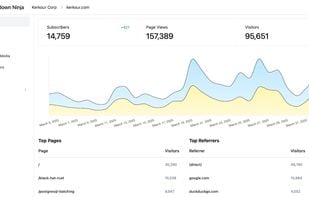
  1. Markdown Ninja is the easiest way to publish Markdown-based websites and newsletters. The days of hacking a static site generator, a broken theme, a complex CI/CD pipeline and a cloud platform with unlimited billing to publish a website are long gone!
    Markdown Ninja screenshot 1

    53 alternatives
  2. Glee icon
     4 likes

    Glee publishes Markdown files into Ghost blog posts. With glee, you can create and update Ghost blogs. Since glee operates on plain markdown files, your blog posts are now git-friendly, allowing for easy collaboration.

    • FreeOpen Source
    • Ghost
    • Mac
    • Linux
    • Self-Hosted
    Glee screenshot 1
    32 alternatives
  3. Scipress icon
     5 likes

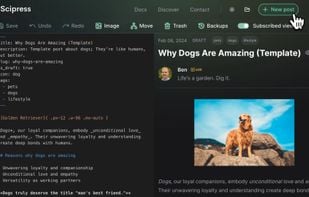
    Scipress gives technical authors the tools they need to create stunning and engaging technical content with the option to monetize via paywalls.

    Scipress screenshot 1
    10 alternatives
  4. Haroopad icon
     69 likes

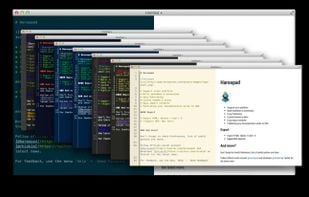
    Haroopad is a markdown enabled document processor for creating web-friendly documents. You can author various formats of documents such as blog article, slide, presentation, report, and e-mail as if experts did.

    • Discontinued
    • Text Editor
    • FreeOpen Source
    • Mac
    • Windows
    • Linux
    Haroopad screenshot 1
    104 alternatives
    2.5
    Poor6 reviews
  5. NocoBase icon
     9 likes

    NocoBase is a scalability-first, open-source no-code development platform. No programming required, build your own collaboration platform, management system with NocoBase in hours.

    NocoBase screenshot 1
    11 alternatives
  6. OpenCloud icon
     3 likes

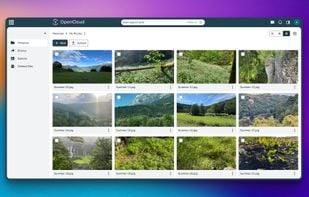
    Excellent file management and collaboration for public authorities, providers and business - or anyone who values ease of use and digital sovereignty.

    • Cloud Storage Service
    • Free PersonalOpen Source
    • Mac
    • Windows
    • Linux
    • Self-Hosted
    • Software as a Service (SaaS)
    • YunoHost
    • Android
    • Android Tablet
    • iPhone
    • iPad
    OpenCloud screenshot 1
    12 alternatives
  7. NotesHub icon
     7 likes

    With NotesHub your notes truly belong to you and not tight to any particular vendor. All of your data is stored in Git repositories, so you can clone them and manage outside the app.

    • Note-taking Tool
    • FreemiumProprietary
    • Mac
    • Windows
    • Linux
    • Online
    • Android
    • iPhone
    • iPad
    • Kindle Fire
    Main Features
    16 alternatives
  8. Curvenote icon
     6 likes

    Curvenote is a collaborative writing tool designed for open-science and reproducibility. Create & edit technical content in real-time, including equations, references, figures, and interactive plots from Jupyter, then export to any journal template.

    • LaTeX Editor
    • FreemiumOpen Source
    • Online
    • Software as a Service (SaaS)
    Curvenote screenshot 1
    18 alternatives
  9. Hunch icon
     4 likes

    Hunch is a new kind of workspace for AI-first work, empowering users to create custom AI workflows without any programming. It's as simple as connecting blocks, each representing a specific task. The workspace lets you harness any AI model to be more productive and creative.

    • FreeProprietary
    • Online
    Hunch canvas: AI workspace for productivity
    27 alternatives
  10. Yank Note icon
     2 likes

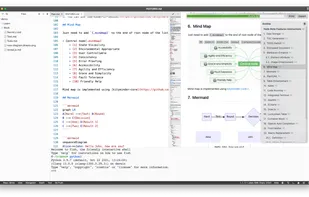
    A highly extensible, AI-powered Markdown editor. Version control, AI Copilot, mind map, documents encryption, code snippet running, integrated terminal, chart embedding, HTML applets, Reveal.js, plug-in, and macro replacement.

    Yank Note screenshot 1
    12 alternatives
  11. LocalChat icon
     4 likes

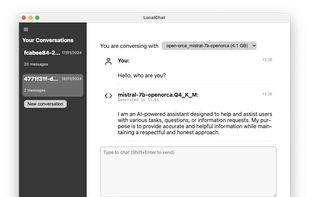
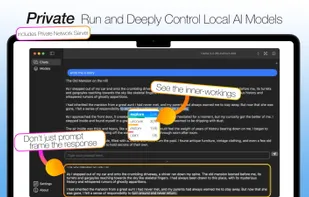
    Chat with generative language models locally on your computer with zero setup. LocalChat is a simple, easy to set up local AI chat built on top of llama.cpp. It requires no technical knowledge and enables users to experience ChatGPT-like behavior on their own machines — fully...

    A first impression of the app interface, with a single model loaded, showing one output the model generated.
    5 alternatives
  12. MarkdownPad icon
     63 likes

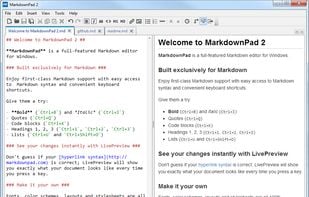
    MarkdownPad is a full-featured Markdown editor for Windows. Features: LivePreview : Instantly see how your documents look in HTML as you create them. Easy formatting with keyboard shortcuts. Markdown formatting can be applied (and removed) with handy keyboard shortcuts and toolb.

    MarkdownPad screenshot 1
    94 alternatives
  13. Tintero icon
     3 likes

    Organize your ideas, create memorable characters, build immersive worlds, and write captivating stories. Tintero is your ideal companion to take your creative projects to the next level, from planning to book generation.

    Scene management
    21 alternatives