OpenHabitTracker icon

OpenHabitTracker

Free, open source habit tracker with no ads, for Web, Windows, Android, iOS, macOS, Linux and self-hosted. Take notes, plan tasks, and track habits.
Habits

Cost / License

Application type

Platforms

  • Mac
  • Windows
  • Linux
  • Online
  • Android
  • iPhone
  • Android Tablet
  • iPad
  • Self-Hosted
  • Snapcraft
  • Flathub
  • Flatpak
  • Docker
6likes
0articles
Save

Features

Properties

Features

Highlights All activities

OpenHabitTracker News & Activities

Recent activities

OpenHabitTracker information

  • Developed by

    SI flagJinjinov
  • Licensing

    Open Source (GPL-3.0) and Free product.
  • Written in

  • Alternatives

    60 alternatives listed
  • Badge

    Get an embeddable badge for OpenHabitTracker
  • Supported Languages

    • English
    • German
    • Spanish
    • Slovene
    • French
    • Portuguese
    • Italian
    • Japanese
    • Chinese
    • Korean
    • Dutch
    • Danish
    • Norwegian
    • Swedish
    • Finnish
    • Polish
    • Czech
    • Slovak
    • Croatian
    • Serbian

AlternativeTo Categories

Office & Productivity, Sport & Health

Apple AppStore

  •   Updated 
  •   3.5 avg rating

GitHub repository

  •  300 Stars
  •  24 Forks
  •  4 Open Issues
  •   Updated  
View on GitHub
OpenHabitTracker was added to AlternativeTo by Jinjinov on and this page was last updated .

No comments or reviews, maybe you want to be first?

Official Links

Install from the command line

  • flatpak install flathub net.openhabittracker.OpenHabitTracker

Be careful what you paste into a terminal. Check what a command installs before running it.

What is OpenHabitTracker?

The app has no ads, no trackers, no account, no subscriptions and no in-app purchases. All your data stays on your device, and optionally syncs only to a server you run yourself.

Key features:

  • Markdown notes, rendered in the list so reading one costs no clicks
  • Tasks with a planned date and time, a duration, a checklist and a timer
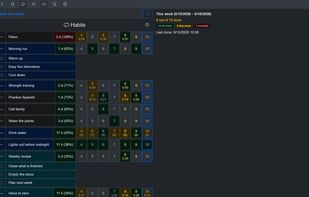
  • Habits measured by how overdue they are rather than by an unbroken streak: a habit with a 10 day interval that is 2 days overdue reads 120%
  • Categories and priorities across notes, tasks and habits
  • Notifications: a daily summary of the tasks that are due and the habits that are overdue, and a reminder before a task's planned time
  • Import and export JSON, YAML, TSV and Markdown, plus import from a Google Keep Takeout ZIP
  • 26 themes with dark and light mode
  • Full keyboard navigation and screen reader support

Search, filter and sort:

  • Control what the list shows with search, date, category, priority, status and sort
  • Planned dates and done dates filtered separately, each before, on, after or not on a date you pick
  • Date filters take a fixed date or a number of days from today, worked out when the query runs, so a saved filter never goes stale
  • Filter habits by how overdue they are, with a lower bound, an upper bound, or both
  • Turn the done-date filter around to see what you have not done in a period
  • Eleven sort keys, chosen separately for notes, tasks and habits
  • Search reads note text and checklist items, not only titles

Statistics and charts:

  • Weekly statistics beside each list: habits on track, due soon and overdue, tasks done and overdue with the time spent, notes created and updated
  • Charts for every habit, whether it is counted in repetitions, time or quantity:
  • Progress toward the target for today, this week, this month, this quarter and this year
  • History by day, week, month, quarter or year
  • A continuous calendar with no breaks between months
  • The ten longest streaks
  • How much gets done on each weekday, month by month

Customization:

  • Almost everything on screen can be turned on or off: which page and which sidebar open at start, what each row shows, which calendars appear, how the filters are drawn, and how tightly the lists are packed
  • Some of them add or remove whole blocks from a habit, so the same habit is either a short form or a full statistics page
  • A background color to tell your notes, tasks and habits apart at a glance
  • Settings are saved, synced, and included in JSON and YAML backups

OpenHabitTracker Videos

Show 1 more video


