Apps with 'Backup and Restore' feature Page 2 of 11

All apps in Apps with 'Backup and Restore' feature category. Use the filters below to narrow down your search. 
Copy a direct link to this comment to your clipboard
  1. Seedvault icon
     14 likes

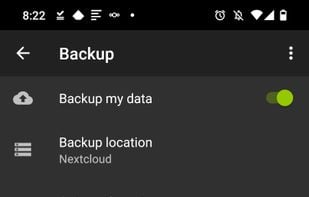
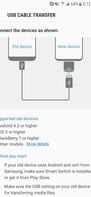
    SeedVault is only pre-built into Custom Android ROMS (CalyxOS & LineageOS 17.1+), uses the same internal APIs as adb backup and the Android to Android device transfer systems, therefore no root access is used.

    • FreeOpen Source
    • Android
    Free LineageOS built in App. Which is powered by Seedvault.
    9 alternatives
  2. KeyPass icon
     5 likes

    KeyPass is an exceptional open-source and offline password manager that puts you in charge of your digital security. With KeyPass, you can confidently store and manage your passwords and sensitive information offline, ensuring maximum privacy and control over your data.

    KeyPass screenshot 1
    KeyPass screenshot 2
    KeyPass screenshot 3
    69 alternatives
  3. Toucan icon
     38 likes

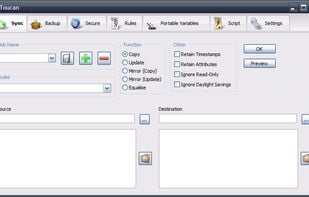
    Toucan is a small portableapp utility allowing you to synchronise, backup and secure your data with more options than the built in suite utilities. It is split up into 7 tabs, allowing you to easily find the function that you want.

    Toucan Main Window
    61 alternatives
  4. EasyUEFI icon
     9 likes

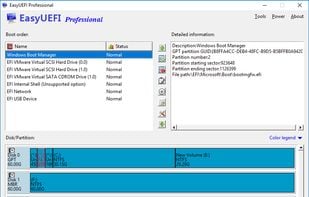
    EasyUEFI owns comprehensive EFI/UEFI boot option management functions, such as create, delete, edit, clean up, backup and restore EFI/UEFI boot options, specifies an one-time boot entry for the next restart, or change EFI/UEFI boot order, all these operations done under Windows...

    EasyUEFI screenshot 1
    17 alternatives
  5. FlexiBackup icon
     4 likes

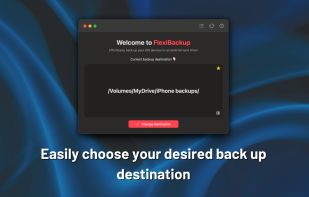
    FlexiBackup is a macOS app that lets you easily choose and manage backup locations for all your iPhones and iPads, freeing up your Mac’s storage and reducing reliance on iCloud.

    • PaidProprietary
    • Mac
    FlexiBackup screenshot 1
    41 alternatives
  6. YAM Launcher icon
     5 likes

    Minimalist Android launcher with text-only interface, customizable app shortcuts, weather via Open-Meteo, optional contacts search, Material You themes, and no visual distractions.

    YAM Launcher screenshot 1
    57 alternatives
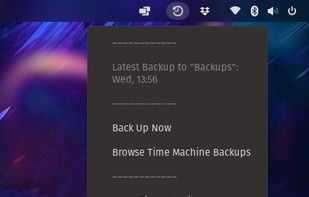
  7. Use Time Machine to automatically back up your personal data, including apps, music, photos and documents. Having a backup allows you to recover files that you later delete or can't access.

    • FreeOpen Source
    • Linux
    Time Machine for Linux screenshot 1
    56 alternatives
  8. MailStore icon
     34 likes

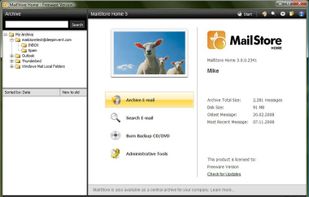
    MailStore Home - A 100% free single-private-user desktop solution

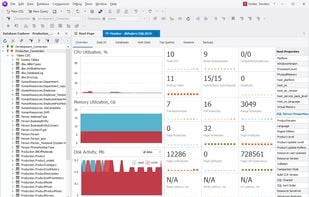
    MailStore Home enables you to backup all your email messages from multiple applications and accounts into one secure and persistent archive. Lightning-fast search, one-click backup, powerful export - all informati.

    Start Screen
    36 alternatives
  9. Duplicacy icon
     16 likes

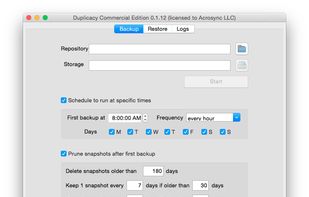
    Duplicacy is a new generation local and cloud backup tool that supports cross-computer deduplication. It is free for personal use and source code is available to commercial users.

    • PaidOpen Source
    • Mac
    • Windows
    • Linux
    Duplicacy screenshot 1
    78 alternatives
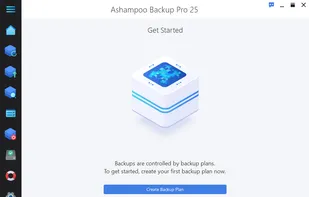
  10. Ashampoo Backup Pro offers you all possible storage options: Back up single files or entire partitions to local drives or online storage providers. Backup software couldn't get any easier. Just plug in a storage device and you're good to go!

    Ashampoo Backup Pro screenshot 1
    20 alternatives
  11. Veeam Agent icon
     22 likes

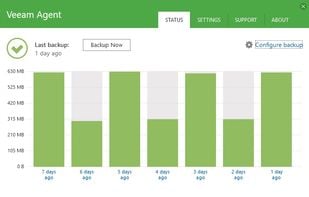
    Veeam Agent for Microsoft Windows and Veeam Agent for Linux work with Veeam Availability Suite to deliver Availability for ALL workloads — virtual, physical and cloud — from a single management console, extending Veeam’s leadership position from being the best for VMware vSphere...

    • FreemiumProprietary
    • Windows
    • Linux
    Status page
    46 alternatives
  12. Dark Note icon
     2 likes

    Dark Note offers a wide range of features for taking notes, creating checklists, and keeping track of your budget. Its simple and elegant user interface makes it easy to use and navigate, allowing you to quickly and easily create and manage your notes + checklists.

    Dark Note screenshot 1
    Dark Note screenshot 2
    Dark Note screenshot 3
    55 alternatives