Apps tagged with 'markdown-export'

All apps in Apps tagged with 'markdown-export' category. Use the filters below to narrow down your search. 
Copy a direct link to this comment to your clipboard
  1. Zettlr icon
     249 likes

    Comprehensive writing tool for notes, citations, and drafting with privacy-first features and multi-language support, perfect for diverse writing tasks.

    Cost / License

    Platforms

    • Mac
    • Windows
    • Linux
    • Flathub
    • PortableApps.com
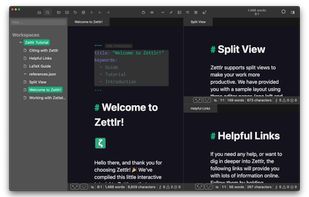
    Zettlr Main Window (dark mode)
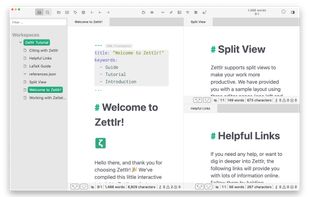
    Zettlr Main Window (light mode)
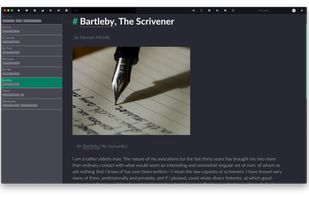
    The Berlin Theme (dark mode)
    +5
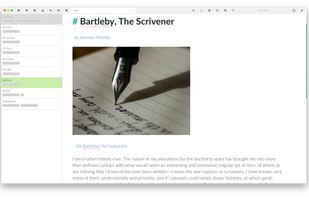
    The Berlin Theme (light mode)
    186 alternatives
    4.3
    Very Good27 reviews
  2. Zim icon
     511 likes

    Zim brings the concept of a wiki to your desktop. Store information, link pages and edit with WYSISYG markup or directly typing some lightweight markup syntax and see it previewed as-you-type. Creating a new page is easy by either clicking on the "Create new note"...

    Cost / License

    Platforms

    • Mac
    • Windows
    • Linux
    • BSD
    • Flathub
    • Flatpak
    Zim screenshot 1
    Graphviz graph using Diagram plugin
    Formatting options available
    +1
    Hiding all toolbars and statusbar for maximum screen space
    325 alternatives
    3.8
    Good25 reviews
  3. Orkana icon
     12 likes

    Privacy-first time tracking with offline data storage, automatic activity monitoring, real-time insights, goal setting, Pomodoro sessions, and app blocking.

    Cost / License

    • Freemium
    • Proprietary

    Application type

    Platforms

    • Mac
    • Windows
    Orkana screenshot 1
    Orkana screenshot 1
    Orkana screenshot 2
    +3
    Orkana screenshot 3
    51 alternatives
  4. The Assistant by Kagi combines the top large language models (LLMs) with optional results from Kagi Search, making it the perfect companion for creative, research, and programming tasks.

    Cost / License

    • Freemium
    • Proprietary

    Application type

    Platforms

    • Online
    Kagi Assistant screenshot 1
    Kagi Assistant screenshot 1
    Kagi Assistant screenshot 2
    +2
    Kagi Assistant screenshot 3
    55 alternatives
  5. Norka icon
     4 likes

    Imagine a hassle-free text-writing experience. Don't worry about saving files, complex markup, or accidentally deleted notes.

    Cost / License

    • Free
    • Open Source (MIT)

    Application type

    Platforms

    • Linux
    • Flatpak
    • Flathub
    • Snapcraft
    • elementary OS
    Norka screenshot 1
    Norka screenshot 1
    Norka screenshot 2
    66 alternatives
  6. Writeopia icon
     3 likes

    Writeopia is a modern text editor that integrates AI while prioritizing offline functionality and user privacy. Unlike cloud-based AI assistants, Writeopia allows you to choose your own AI model and interact with it locally, ensuring that your data stays on your device.

    Cost / License

    Application type

    Platforms

    • Mac
    • Linux
    • Windows
    Writeopia screenshot 1
    29 alternatives
  7. 2Read icon
     1 like

    Experience a new level of reading with AI tools offering Kindle highlight sync, daily reflections, and Bookshots for quick insights and learning.

    Cost / License

    • Freemium
    • Proprietary

    Platforms

    • Android
    • iPhone
    Make the most of your Kindle
    Export and organize your Kindle highlights
    Get context-aware definitions for selected words or phrases
    +5
    Get additional context, examples, and simpler explanations for highlights.
    4 alternatives
  8. PanWriter icon
     2 likes

    PanWriter is a distraction-free markdown editor.

    Cost / License

    Platforms

    • Mac
    • Windows
    • Linux
    PanWriter screenshot 1
    PanWriter screenshot 1
    PanWriter screenshot 2
    1 alternatives
  9. Transform notes, forms, documents and more into digital text with unparalleled accuracy. HandwritingOCR's AI-powered OCR cuts editing time and speeds up your workflow.

    Cost / License

    • Paid
    • Proprietary

    Platforms

    • Online
    Home page of HandwritingOCR.com
    1 alternatives
  10. Quotebacks icon
     3 likes

    Quotebacks makes it easy to reference content and create dialogue with other sites by turning snippets of text into elegant, self-contained blockquote components.

    Cost / License

    • Free
    • Open Source

    Application type

    Platforms

    • Online
    • Self-Hosted
    • Google Chrome
    • Firefox
    Quotebacks screenshot 1
    Quotebacks screenshot 1
    8 alternatives
  11. INK icon
     2 likes

    INK is the first Al content optimization platform built specifically for writers & content specialists. You don’t need to be an SEO expert or sacrifice quality to rank in search. With INK, feel confident you've streamlined your content workflow and created on-brand...

    Cost / License

    • Paid
    • Proprietary

    Application types

    Platforms

    • Mac
    • Windows
    • Wordpress
    INK screenshot 1
    INK screenshot 1
    INK screenshot 2
    +6
    INK screenshot 3
    42 alternatives
  12. Entering tables in LaTeX documents can be burdensome because of the necessary formatting directives. For this purpose we created this online generator which (hopefully) will allow you to generate LaTeX code you can just copy & paste into your document's source.

    Cost / License

    • Free
    • Proprietary

    Platforms

    • Online
    Table Generator screenshot 1
    9 alternatives
  13. Manuscripts icon
     3 likes

    Manuscripts helps you get started on the right track. The app understands the format you need when submitting to your target journal.

    Cost / License

    • Free
    • Proprietary

    Platforms

    • Mac
    Get started with your project with one of the thousands of included manuscript templates.
    Import your manuscript from amongst a dozen supported formats: MS Word, RTF, OpenOffice,(Multi)Markdown, LaTeX, and many more.
    Keep a high level view of your manuscript clear with the manuscript outline.
    +5
    Import your reference library from key tools (Mendeley, Zotero, Papers 3, Bookends and EndNote) with a total of two clicks.
  14. Everyday, more and more websites are disappearing from the internet. Heap helps you create full-page offline screenshots and archives for webpages. Just a single click creates various formats including Image, PDF, Markdown, HTML, and WebArchive.

    Cost / License

    • Freemium
    • Proprietary

    Platforms

    • Mac
    HEAP: Website Full Page Image screenshot 1
    HEAP: Website Full Page Image screenshot 1
    HEAP: Website Full Page Image screenshot 2
    +5
    HEAP: Website Full Page Image screenshot 3
    2 alternatives
  15. zerdo icon
     Like

    A PDF-first Markdown compiler for authors who care about final output.

    Zerdo is a desktop Markdown to PDF tool for Windows. It converts long Markdown documents into predictable, emoji-safe, publish-ready PDFs — without Pandoc, LaTeX, or cloud uploads.

    Cost / License

    • Freemium
    • Proprietary

    Platforms

    • Windows
  16. A lightweight markdown-based webserver for online documentation with built-in themes. Easy to install and maintain.

    Cost / License

    • Paid
    • Proprietary

    Platforms

    • Windows
    Modern theme.
    Classic theme.
    Default theme.
    15 alternatives
  17. Our Markdown engine supports the standard syntax and it has been extended to include very useful extra markups items (MultiMarkdown): tables, footnotes, lists, images, links, highlight, strikethrough, superscript, MathML and more.

    Cost / License

    • Paid
    • Proprietary

    Platforms

    • iPhone
    • iPad
    Markdown Markury screenshot 1
    Markdown Markury screenshot 1
    Markdown Markury screenshot 2
    +7
    Markdown Markury screenshot 3
  18. A free online markdown to PDF tool designed for students, developers, writers, and anyone who needs a quick & secure way to convert Markdown documents online.

    Cost / License

    • Free
    • Proprietary (MIT)

    Platforms

    • Online
    MarkdownToPDF screenshot 1
  19. Export your Apple Notes to any format with one click. Preserve attachments, formatting, and folder structure, and safely export your Apple Notes data to Markdown, PDF, and other formats for long-term keeping.

    Cost / License

    • Paid
    • Proprietary

    Platforms

    • Mac
    1 alternatives
  20. Transform your ideas into professionally formatted eBooks with eBook Design Studio, the comprehensive solution for authors, bloggers, and digital publishers.

    Cost / License

    • Free
    • Proprietary

    Application type

    Platforms

    • Mac
    eBook Creator screenshot 1
    eBook Creator screenshot 1
    eBook Creator screenshot 2
    +1
    eBook Creator screenshot 3
    7 alternatives