

Moji (Markdown Reader)
2 likes
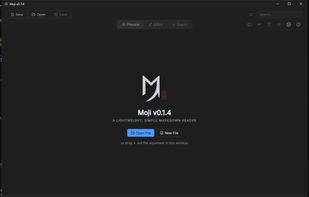
A lightweight, clean desktop app for opening, reading, editing, and exporting Markdown files.
Cost / License
- Free
- Open Source (MIT)
Platforms
- Windows
- Mac
- Linux
Features
- Support for MarkDown
- Markdown preview
Moji (Markdown Reader) News & Activities
Highlights All activities
Recent activities
- niksavc liked Moji (Markdown Reader)
- alexishida added Moji (Markdown Reader)
- alexishida liked Moji (Markdown Reader)
alexishida added Moji (Markdown Reader) as alternative to Markdown and Markitdown Online
Moji (Markdown Reader) information
No comments or reviews, maybe you want to be first?
What is Moji (Markdown Reader)?
MARKDOWN FEATURES
DOCUMENT MANAGEMENT
- Open .md/.markdown via dialog, drag-drop, CLI, or single-instance
- Multi-tab workspace with dirty markers, close buttons, duplicate detection
- Unsaved change confirmation with clear action icons
- Tab menu: close others, right, saved, or all tabs
PREVIEW
- Sanitized Markdown rendering with heading anchors, outline nav
- Tables, task lists, footnotes, definition lists, sub/superscript
- Emoji shortcodes, LaTeX math (KaTeX: $...$ and $$...$$)
- Linkify, typographer, syntax-highlighted code with copy buttons
DIAGRAMS
- Mermaid: flowcharts, sequence, Gantt, class, ER, state, journey
- Click any SVG/image ? modal with zoom, drag, minimap, PNG export
- Malformed blocks stay readable code
NAVIGATION
- Collapsible outline tree in Preview/Editor modes
- Scroll-spy in Preview; click headings to scroll or move cursor
SEARCH & REPLACE
- Top-bar search with highlights, occurrence count, next/prev navigation
- Replace single or all matches in active document
EDITOR (CodeMirror 6)
- Line numbers, history, word wrapping, localized untitled names
- Markdown formatting shortcuts, Save/Save As
EXPORT
- HTML, PDF, or PNG with A4/Letter/Legal, portrait/landscape
- Long code lines wrap in PDF/PNG; diagrams embed as SVG
SETTINGS & INFO
- Settings: language, typography, shortcut reference
- About: app name, version, author, repo, name origin
- Markdown guide: bundled localized docs from status bar
PERSISTENCE
- Welcome screen shows recent files with reopen/remove
- Remembers: window size/position, recent files, last folder, language, typography, preview theme
UPDATES
- Windows/Linux auto-update checks GitHub Releases with progress bar
- Restarts only after protecting unsaved docs
THEMES
- Dark/light toggle for Markdown; app chrome stays dark
- Exports always use light theme
I18N
- English, Portuguese (BR), Spanish, Japanese, Chinese, Russian
- Follows OS initially; user choice persisted
SECURITY
- Sandboxed renderer, context isolation, nodeIntegration: false
- DOMPurify sanitization, external links open in OS browser
SHORTCUTS
- File, search, replace, tab, preview, export, fullscreen, font-size
- Complete list in Settings panel


