Apps tagged with 'markdown-to-html'

All apps in Apps tagged with 'markdown-to-html' category. Use the filters below to narrow down your search. 
Copy a direct link to this comment to your clipboard
  1. Zettlr icon
     250 likes

    Comprehensive writing tool for notes, citations, and drafting with privacy-first features and multi-language support, perfect for diverse writing tasks.

    Cost / License

    Platforms

    • Mac
    • Windows
    • Linux
    • Flathub
    • PortableApps.com
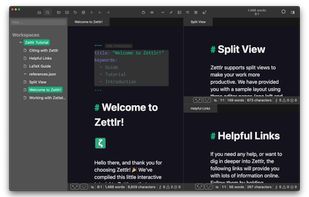
    Zettlr Main Window (dark mode)
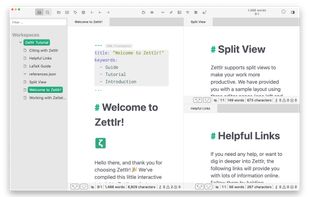
    Zettlr Main Window (light mode)
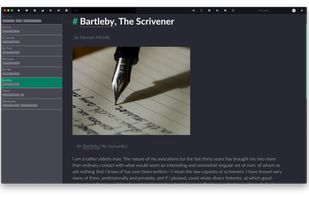
    The Berlin Theme (dark mode)
    +5
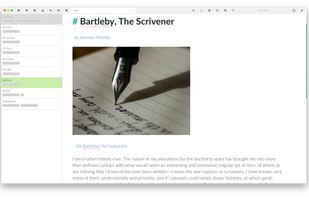
    The Berlin Theme (light mode)
    187 alternatives
    4.3
    Very Good27 reviews
  2. CodePen icon
     119 likes

    A communal platform for front-end development offering real-time previews, project building, and showcases, enhancing skills through challenges.

    Cost / License

    • Freemium
    • Proprietary

    Platforms

    • Online
    Auto Updating Previews:
As you code, the preview updates automatically. Unless you don't want it to.
    Build Entire Projects:
Projects is the most powerful feature of CodePen. It's a full blown IDE right in the browser, with automatic preprocessing, drag and drop uploading, live previews, website deployment, and much more.
    Support For the Way You Code:
The CodePen Editor is highly customizable. There is autocomplete and Emmet for speed and accuracy. Plus you can set up smart defaults for starting new work.
    +4
    Keep Your Pens Private:
Nobody can see your private stuff until you want them to, because they are at secret unguessable, non-searchable, non-indexable URLs.
    67 alternatives
  3. Tenno icon
     6 likes

    A live editable Markdown editor that lets you add cells like Excel. You can think of Tenno as a mix of Word and Excel with a touch of Obsidian, Markdown and JavaScript.

    Cost / License

    • Free
    • Proprietary

    Application type

    Platforms

    • Online
    Tenno screenshot 1
    52 alternatives
  4. PanWriter icon
     2 likes

    PanWriter is a distraction-free markdown editor.

    Cost / License

    Platforms

    • Mac
    • Windows
    • Linux
    PanWriter screenshot 1
    PanWriter screenshot 1
    PanWriter screenshot 2
    1 alternatives
  5. PenPage icon
     1 like

    Privacy-first note-taking app with local storage, WYSIWYG markdown editing, and optional Google Drive sync.

    Cost / License

    • Free
    • Proprietary

    Platforms

    • Online
    PenPage screenshot 1
    PenPage screenshot 1
  6. BookPad icon
     1 like

    A Markdown editor on Windows 10 with a lot of extra syntax support. The output is beautiful. You can find it in Windows Store.

    Cost / License

    • Paid
    • Proprietary

    Platforms

    • Windows
    BookPad screenshot 1
    BookPad screenshot 1
    BookPad screenshot 2
    +6
    BookPad screenshot 3
  7. Online Converters are an easy way to convert HTML, XHTML, MHTML, EPUB, XML or Markdown documents to PDF, XPS, DOCX, JPG, PNG, BMP, TIFF, GIFF, Markdown and other formats. Just select the file, choose the format to save, and you're done. It's fast and completely free.

    Cost / License

    • Free
    • Proprietary

    Platforms

    • Online
    Aspose Converters screenshot 1
    Aspose Converters screenshot 1
    Aspose Converters screenshot 2
    +5
    Aspose Converters screenshot 3
    2 alternatives
  8. Markdown to Word is a free online tool that converts Markdown files to professional Word documents with real-time preview—no login required. Simply upload your .md file or paste your Markdown content, and our tool will instantly render a preview and generate a perfectly...

    Cost / License

    • Free
    • Proprietary

    Platforms

    • Online
    Markdown to Word
    1 alternatives
  9. Preambula icon
     Like

    Simple and lightweight FrontMatter processor to display Markdown files as Web pages. You can write your Markdown notes in any editor, i.e. Obsidian, or even in nano via SSH connection, and the result will be displayed immediately on the Web site without any building or...

    Cost / License

    • Free
    • Open Source (MIT)

    Application type

    Platforms

    • Self-Hosted
    4 alternatives
  10. Publish markdown beautifully to Google Docs, Word, Slack, and more. Paste AI-generated markdown, style with 62 templates, and copy perfectly formatted output to any destination.

    Cost / License

    • Freemium
    • Proprietary

    Platforms

    • Online
    • Software as a Service (SaaS)
    The Unmarkdown landing page. Paste markdown, pick a destination, done.
    Split view: write or paste markdown on the left, see the formatted result on the right. What you see is what your Google Doc gets.
    62 templates. Pick one, and your markdown goes from raw text to something you'd actually send to a client.
    22 alternatives
  11. Our Markdown engine supports the standard syntax and it has been extended to include very useful extra markups items (MultiMarkdown): tables, footnotes, lists, images, links, highlight, strikethrough, superscript, MathML and more.

    Cost / License

    • Paid
    • Proprietary

    Platforms

    • iPhone
    • iPad
    Markdown Markury screenshot 1
    Markdown Markury screenshot 1
    Markdown Markury screenshot 2
    +7
    Markdown Markury screenshot 3
  12. OkiDoki icon
     Like

    OkiDoki is an open source documentation generator designed for developers who want powerful documentation without complexity. Built by the community for the community, it’s free forever with no vendor lock-in. Here are the top 7 features that make it essential:

    Cost / License

    • Free
    • Open Source (MIT)

    Platforms

    • Self-Hosted
    • JavaScript
    OkiDoki screenshot 1
    OkiDoki screenshot 1
    Example site with documentation generated from markdown
    9 alternatives
  13. A free online markdown to PDF tool designed for students, developers, writers, and anyone who needs a quick & secure way to convert Markdown documents online.

    Cost / License

    • Free
    • Proprietary (MIT)

    Platforms

    • Online
    MarkdownToPDF screenshot 1
  14. SkunkHTML icon
     Like

    Easily set up a simple blog with plain Markdown and host it for free on GitHub. SkunkHTML allows you to automatically generate a website hosted on GitHub Pages using Markdown files as the source.

    Cost / License

    Application type

    Platforms

    • Self-Hosted
    • Markdown
    • GitHub Pages
    Example blog
    7 alternatives
  15. Text Tools is a focused collection of utilities that run directly in your browser. Each tool is crafted for a single job to remove duplicates, fix spacing, change case, split or join lines, encode or decode data and every tool is tuned for accuracy,.

    Cost / License

    • Free
    • Proprietary

    Platforms

    • Online
    Homepage
    1 alternatives