


Marked
20 likes
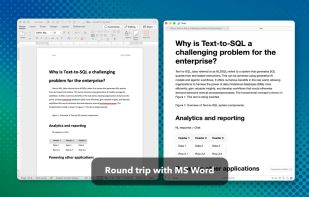
Native macOS tool for previewing Markdown and markup files, supporting local and iCloud documents, real-time updates, writing statistics, grammar and spelling checks, sentence complexity analysis, grade level, readability, export options, and easy workflow integration.

Cost / License
- Pay once or Subscription
- Proprietary
Platforms
- Mac
- Google Chrome
- Safari
- Setapp
- Mozilla Firefox


Features
Highlights All activities
Marked News & Activities
Recent News
- Paul published news article about Marked

Recent activities
 Danilo Venom added Marked as alternative to Quire Markdown
 kageroumado added Marked as alternative to Coluracetam
 Jan Tumpach added Marked as alternative to Markdown Buddy






Developed by
 Brett Terpstra
 Licensing
Proprietary and Commercial product.Pricing
One time purchase that costs $70, and / or subscription that costs $3 per month.Alternatives
80 alternatives listedBadge
Get an embeddable badge for MarkedSupported Languages


Mac apps
List of all Mac apps

No comments or reviews, maybe you want to be first?