Apps tagged with 'markdown-to-pdf'

All apps in Apps tagged with 'markdown-to-pdf' category. Use the filters below to narrow down your search. 
Copy a direct link to this comment to your clipboard
  1. Zettlr icon
     251 likes

    Comprehensive writing tool for notes, citations, and drafting with privacy-first features and multi-language support, perfect for diverse writing tasks.

    Cost / License

    Platforms

    • Mac
    • Windows
    • Linux
    • Flathub
    • PortableApps.com
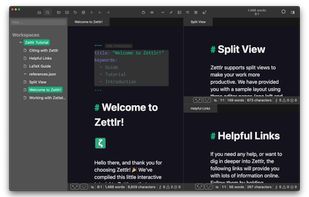
    Zettlr Main Window (dark mode)
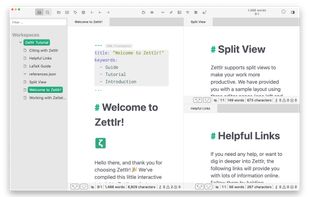
    Zettlr Main Window (light mode)
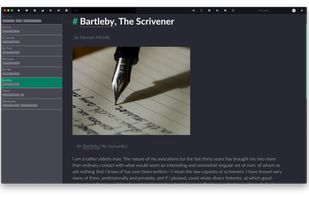
    The Berlin Theme (dark mode)
    +5
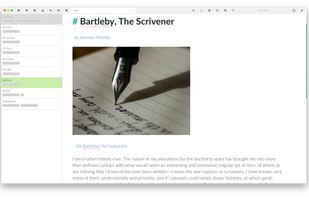
    The Berlin Theme (light mode)
    190 alternatives
    4.3
    Very Good27 reviews
  2. Markor icon
     93 likes

    Markor is a TextEditor for Android, versatile, flexible, and lightweight. Markor utilizes simple markup formats like Markdown and todo.txt for note-taking and list management. It is versatile at working with text; it can also be used for keeping bookmarks, copying to clipboard...

    Cost / License

    • Free
    • Open Source

    Platforms

    • Android
    • Android Tablet
    • F-Droid
    Markor screenshot 1
    Markor screenshot 1
    Markor screenshot 2
    160 alternatives
  3. mdxport icon
     1 like

    mdxport converts Markdown to beautifully typeset PDFs using Typst as the rendering engine. No LaTeX installation required.

    Cost / License

    • Free
    • Open Source (MIT)

    Platforms

    • Online
    • Mac
    • Windows
    • Linux
    mdxport screenshot 1
    4 alternatives
  4. ThiefMD icon
     4 likes

    ThiefMD is a Markdown and Fountain editor and file manager inspired by Ulysses. ThiefMD is based on open source code from Quilter and other projects.

    Cost / License

    Platforms

    • Linux
    ? Auto-save
? Live Previews
? Typewriter Scrolling
? Full Screen Editing
? Focus Mode
? Multiple Export Formats: PDF, ePub, docx, WriteFreely, Ghost, WordPress, and more
? Multiple Import Formats: ePub, docx, HTML, and more

If anything goes wrong, it’s probably because we implemented it wrong. We’re not liable for lost files or damage to your machine!
    Live Preview

See what your work looks like in real time. Is that your battery draining? Yes, and the Markdown it’s powering never looked so good.

A separate window allows for focusing on your writing or reading. From blogging to novel writing, ThiefMD helps your words look good ??

Once you like what you see, export with ease to ePub, DocX, PDF, and more.
    ThiefMD screenshot 2
    6 alternatives
  5. Designing a resume can be a hassle if you are forced to stick to a template at the beginning. With Resumey.Pro, you can write your content first in Markdown and then switch between beautiful designs like Instagram filters and download as PDF.

    Cost / License

    • Freemium
    • Proprietary

    Platforms

    • Online
    • Software as a Service (SaaS)
    Resumey.Pro screenshot 1
    Resumey.Pro screenshot 1
    51 alternatives
  6. PenPage icon
     1 like

    Privacy-first note-taking app with local storage, WYSIWYG markdown editing, and optional Google Drive sync.

    Cost / License

    • Free
    • Proprietary

    Platforms

    • Online
    PenPage screenshot 1
    PenPage screenshot 1
  7. Online Converters are an easy way to convert HTML, XHTML, MHTML, EPUB, XML or Markdown documents to PDF, XPS, DOCX, JPG, PNG, BMP, TIFF, GIFF, Markdown and other formats. Just select the file, choose the format to save, and you're done. It's fast and completely free.

    Cost / License

    • Free
    • Proprietary

    Platforms

    • Online
    Aspose Converters screenshot 1
    Aspose Converters screenshot 1
    Aspose Converters screenshot 2
    +5
    Aspose Converters screenshot 3
    2 alternatives
  8. Markdown to Word is a free online tool that converts Markdown files to professional Word documents with real-time preview—no login required. Simply upload your .md file or paste your Markdown content, and our tool will instantly render a preview and generate a perfectly...

    Cost / License

    • Free
    • Proprietary

    Platforms

    • Online
    Markdown to Word
    1 alternatives
  9. Publish markdown beautifully to Google Docs, Word, Slack, and more. Paste AI-generated markdown, style with 62 templates, and copy perfectly formatted output to any destination.

    Cost / License

    • Freemium
    • Proprietary

    Platforms

    • Online
    • Software as a Service (SaaS)
    The Unmarkdown landing page. Paste markdown, pick a destination, done.
    Split view: write or paste markdown on the left, see the formatted result on the right. What you see is what your Google Doc gets.
    62 templates. Pick one, and your markdown goes from raw text to something you'd actually send to a client.
    22 alternatives
  10. ReLaXed icon
     Like

    ReLaXed creates PDF documents interactively using HTML or Pug (a shorthand for HTML). It allows complex layouts to be defined with CSS and JavaScript, while writing the content in a friendly, minimal syntax close to Markdown or LaTeX.

    Cost / License

    • Free
    • Open Source

    Platforms

    • Mac
    • Windows
    • Linux
    • npm
    8 alternatives
  11. zerdo icon
     Like

    A PDF-first Markdown compiler for authors who care about final output.

    Zerdo is a desktop Markdown to PDF tool for Windows. It converts long Markdown documents into predictable, emoji-safe, publish-ready PDFs — without Pandoc, LaTeX, or cloud uploads.

    Cost / License

    • Freemium
    • Proprietary

    Platforms

    • Windows
  12. Our Markdown engine supports the standard syntax and it has been extended to include very useful extra markups items (MultiMarkdown): tables, footnotes, lists, images, links, highlight, strikethrough, superscript, MathML and more.

    Cost / License

    • Paid
    • Proprietary

    Platforms

    • iPhone
    • iPad
    Markdown Markury screenshot 1
    Markdown Markury screenshot 1
    Markdown Markury screenshot 2
    +7
    Markdown Markury screenshot 3
  13. A free online markdown to PDF tool designed for students, developers, writers, and anyone who needs a quick & secure way to convert Markdown documents online.

    Cost / License

    • Free
    • Proprietary (MIT)

    Platforms

    • Online
    MarkdownToPDF screenshot 1