Telescopo Markdown Studio icon

Telescopo Markdown Studio

A native macOS Markdown viewer and writing workspace with live preview, templates, diagrams, PDF export, iCloud Sync, AI-assisted review, and accessibility-focused reading controls.
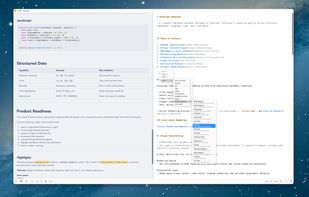
Telescopo Markdown Studio screenshot 1

Cost / License

  • Pay once
  • Proprietary

Platforms

  • Mac
0likes
0comments
0articles

Features

Properties

  1.  Lightweight
  2.  Support for Themes
  3.  Privacy focused
  4.  Local-First

Features

  1. LaTeX icon  Support for LaTeX
  2.  Built-in viewer
  3.  Full-Text Search
  4.  Dark Mode
  5.  WYSIWYG Support
  6.  No registration required
  7.  No Tracking
  8.  Ad-free
  9.  Support for MarkDown
  10.  Works Offline
  11.  Cloud Sync
  12.  Export to PDF
  13.  AI Summarization
  14.  Apple Silicon support
  15.  Sync with iCloud
  16.  Native application
  17.  AI-Powered
  18.  Mermaid support

Telescopo Markdown Studio News & Activities

Highlights All activities

Recent activities

Telescopo Markdown Studio information

  • Developed by

    US flagBad Command AI
  • Licensing

    Proprietary and Commercial product.
  • Pricing

    One time purchase (perpetual license) that costs $50.
  • Alternatives

    10 alternatives listed
  • Supported Languages

    • English
Telescopo Markdown Studio was added to AlternativeTo by Paul on and this page was last updated .
No comments or reviews, maybe you want to be first?

What is Telescopo Markdown Studio?

Telescopo Markdown Studio is a Mac-native Markdown app for reading, writing, previewing, organizing, and exporting Markdown documents.

It starts as a fast native Markdown viewer for opening local .md files, then expands into a full Markdown workspace with split-view editing, live preview, 200+ templates, Mermaid diagrams, LaTeX math, PDF export, iCloud Sync, Live Monitoring for externally updated files, Telescopo Navigator for long documents, and AI-assisted document review on supported Macs.

Telescopo is built for developers, writers, students, researchers, product teams, and anyone who works with Markdown documents on macOS. It focuses on local files, native Mac performance, readable long-form documents, and flexible viewing controls, including reading width, dynamic zoom, Light/Dark Appearance, Increase Contrast support, and custom font selection with dyslexia-friendly font options.

Official Links
