




Clearly Markdown
22 likes
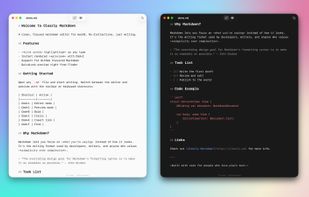
Clean, native Markdown editor for macOS with syntax highlighting, real-time GitHub Flavored Markdown and Mermaid diagram preview, KaTeX math support, synchronized side-by-side editing, QuickLook integration, PDF export, format shortcuts, and no subscriptions.

Cost / License
- Free
- Open Source
Application type
Platforms
- Mac

Features
Highlights All activities
Clearly Markdown News & Activities
Recent News
No news, maybe you know any news worth sharing?
Share a News Tip
Recent activities
 juergenkoller added Clearly Markdown as alternative to Inkra
 danieldeng2 added Clearly Markdown as alternative to MarbleMD
 rhino88 added Clearly Markdown as alternative to Markdown Writer
 f added Clearly Markdown as alternative to Deft
 DavidBoissevain added Clearly Markdown as alternative to Fyka Notes
 Gareth-Brown added Clearly Markdown as alternative to EtherPK
 spaquet added Clearly Markdown as alternative to Markify | Markdown Editor
 Gabor added Clearly Markdown as alternative to Zizeg
 ed-999 added Clearly Markdown as alternative to TypoZen
 Mysdes added Clearly Markdown as alternative to Frset


Developed by
 Josh Pigford
 Licensing
Open Source and Free product.Written in
Alternatives
85 alternatives listedBadge
Get an embeddable badge for Clearly MarkdownSupported Languages

AlternativeTo Category
Office & ProductivityGitHub repository
- 1,189 Stars
- 79 Forks
- 15 Open Issues
- Updated


No comments or reviews, maybe you want to be first?