

Deft
Deft is a desktop editor for Markdown notes and LaTeX documents. It comes bundled with a LaTeX engine, so you can write articles as easily as notes.
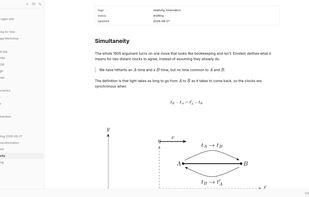
Features
Properties
- Privacy focused
- Distraction-free
- Lightweight
Features
- Syntax Highlighting
- Support for MarkDown
Support for LaTeX
- Dark Mode
- Live Preview
- Works Offline
- Ad-free
- WYSIWYG Support
- Full-Text Search
- No Tracking
- No registration required
- LaTeX Editor
Tags
Deft News & Activities
Recent activities
- reviewed Deft★★★★★
I haven't seen a editor which incorporates both markdown and LaTeX before. This one looks pretty useful
- carpetto liked Deft
- deft liked Deft
- deft thinks Support for LaTeX is a important feature of Deft
- deft added Deft
- Maoholguin updated Deft
- deft thinks LaTeX Editor is a important feature of Deft
Deft information
What is Deft?
Deft is a desktop editor for Markdown notes and LaTeX documents. It comes bundled with a LaTeX engine, so you can write articles as easily as notes.
Markup renders as you type. Headings, bold, lists, tables, footnotes and math show as formatted text instead of syntax, in Markdown and LaTeX alike. The raw source reveals when your cursor reaches it, or never, if you'd rather not see it.
There is no LaTeX to install. Deft ships the Tectonic engine inside the app, so a LaTeX project compiles to a PDF with nothing else set up. Errors are parsed into a panel, and clicking one jumps to the line that caused it. If you already have a LaTeX install, Deft can use that instead too.
Your files are ordinary files. Notes are .md, documents are .tex, and both sit in a folder you picked, readable by any other editor. No account, no telemetry, nothing that stops working if Deft does.
Features
- Live rendering for Markdown and LaTeX, with a mode where syntax never shows
- A LaTeX engine bundled in: compile to PDF with no setup
- Compile errors you can click to reach the line that broke
- Inline and display math with KaTeX, in notes and documents alike
- LaTeX projects with templates, multiple files, and a live table of contents
- Search, bookmarks, backlinks, and a task list gathered from your whole workspace
- Editable tables, highlighted code blocks, and paste from Word or Google Docs as Markdown
- Formatting from the right-click menu or the keyboard


Comments and Reviews
I haven't seen a editor which incorporates both markdown and LaTeX before. This one looks pretty useful
