EtherPK is a markdown based editor. Two of the most important features of EtherPK (and to be honest, the main drivers for me building it) are robust nested wikilinking (e.g. [[[[Nested]] Wikilinking]] ), and the ability to easily switch between standard prose (paragraphs and headings) like Obsidian and outliner blocks like Logseq or Roam Research. Given the choice of one or the other, I've preferred outliner blocks - this format lends it's self the ability to quickly capture and link ideas really well, and build a true 'Knowledge Graph'. But this isn't what I want all the time - if I'm writing for an audience (e.g. technical documentation or a blog post - EtherPK does static site publishing too), I want standard markdown - headings, paragraphs. EtherPK can have both in the same document, and while not as robust for linking concepts as blocks, EtherPK infers links between ideas from heading levels (H1, H2, H3 etc) in standard prose.
Robust Nested Wikilinking:
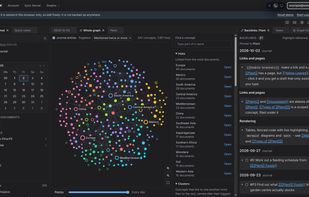
Create deep hierarchies of related concepts using nested wikilinking, which along with heading level and outliner blocks allow EtherPK to infer backlink relationships between your concepts.
Backlinks:
Easily view and navigate around backlinks to concepts in your graph. Link and discover related ideas and your history of work / thinking around a concept.
Document Tabs and Dockable Document Panes:
Organise the notes your are working on with orderable, dockable, pinnable panes.
A Great Writing Experience via CodeMirror:
The EtherPK editor is built on top of CodeMirror, with lots augmentations for assistance in editing documents like WYSIWYG formatting (like Typora), table generation and formating, task / TODO toggles, LaTeX rendering, Mermaid Diagrams, date functions, browser leveraged spell check and more.
But importantly, it's also feels fast light and feels nice to edit in.
Data Ownership and Portability:
EtherPK is based on standard (GFM - GitHub Flavoured Markdown). Your documents can be stored and edited locally on your device in a folder on your file system (via the File System API for Chromium based browsers) or in OPFS (Origin Private File System) for other browsers. In this case they are plain markdown files. You can back them up or version control them like you might source code.
Your documents can also be stored on EtherPK's sync servers, and be mirrored back continuously, or exported in a zip archive to your device to ensure you always have access to a local copy. Where EtherPK's sync server is used, data (including documents and attachments) is encrypted on your device before being transmitted (zero knowledge encryption) using keys under your control, ensuring total privacy - we cannot see or decrypt your data.
When installed via the Chrome browser on Android, EtherPK can be set as a share target for quick note capture on the go.










 App Software Ltd


No comments or reviews, maybe you want to be first?