Xed icon
Xed icon

Xed

 22 likes

A text editor forked from Pluma and Gedit. Xed is the default text editor of Linux Mint. It can be customized and is available in multiple languages.
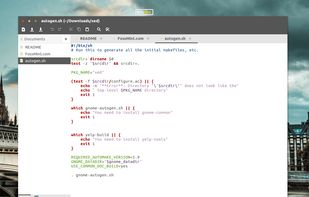
Xed screenshot 1

Cost / License

Application type

Since

  • Since 2017 (updated Nov 2026)

Releases

  • 3 releases last year3 last year

GitHub

  • GitHub stars: 566

Platforms

  • Linux
22likes
0articles
Save

Features

Properties

Features

Highlights All activities

Xed News & Activities

Recent News

No news, maybe you know any news worth sharing?

Share a News Tip

Recent activities

  • Cyan80 icon
    Alfredo-Avila added Xed as alternative to Cyan80
  • Zikky icon
    Paul added Xed as alternative to Zikky
  • VSCodroid icon
    Aerosol added Xed as alternative to VSCodroid
  • NEO Emacs icon
    Paul added Xed as alternative to NEO Emacs
  • Tungsten Text Editor icon
    TAKAYUKI TATSUOKI added Xed as alternative to Tungsten Text Editor
  • Caxton icon
    HWYEnigmaLLC added Xed as alternative to Caxton
  • dedtxt icon
    Chris Portka added Xed as alternative to dedtxt
  • PlainForge icon
    jadervasque added Xed as alternative to PlainForge
  • Neon Vision Editor icon
    Paul added Xed as alternative to Neon Vision Editor

  • Nextpad++ icon
    Paul added Xed as alternative to Nextpad++

Xed information

AlternativeTo Categories

Development, Office & Productivity, OS & Utilities

GitHub repository

  •  566 Stars
  •  123 Forks
  •  261 Open Issues
  •   Updated  
View on GitHub
Xed was added to AlternativeTo by AntumDeluge on and this page was last updated .

No comments or reviews, maybe you want to be first?

Featured in Lists

Editors

A list with 35 apps by namdx1987 without a description.
By Nam Pham35 appsUpdated

Official Links

What is Xed?

Xed is a text editor which supports most standard editor features, extending this basic functionality with other features not usually found in simple text editors. Xed is a graphical application which supports editing multiple text files in one window (known sometimes as tabs or MDI).

Xed fully supports international text through its use of the Unicode UTF-8 encoding in edited files. Its core feature set includes syntax highlighting of source code, auto indentation and printing and print preview support.

Xed is also extensible through its plugin system, which currently includes support for spell checking, comparing files, viewing CVS ChangeLogs, and adjusting indentation levels.