





Nextpad++
17 likes
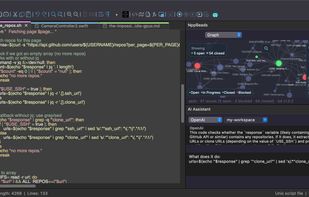
Fully native code editor for macOS with syntax highlighting for 80+ languages, plugin system, advanced search, split view, macro recording, and a Scintilla-powered engine. Free, open source, universal binary for Apple Silicon and Intel, with native integration.

Cost / License
- Free
- Open Source
Application typeApplication types
Platforms
- Mac


Features
Highlights All activities
Nextpad++ News & Activities
Recent News
- Mauricio B. Holguin published news article about Nextpad++
- Mauricio B. Holguin published news article about Nextpad++


Recent activities
 James Cupps added Nextpad++ as alternative to Slate Text Editor
 Stobz added Nextpad++ as alternative to NotepadXtreme
- stevexu added Nextpad++ as alternative to notePad++++
 Koner added Nextpad++ as alternative to Iskra Text Editor








Editors
A list with 35 apps by namdx1987 without a description.
Developed by
 Andrey Letov
 Licensing
Open Source and Free product.Written in
Rating
Average rating of 2.7Alternatives
68 alternatives listedBadge
Get an embeddable badge for Nextpad++Supported Languages

AlternativeTo Categories
Office & Productivity, System & Hardware, DevelopmentGitHub repository
- 1,366 Stars
- 104 Forks
- 56 Open Issues
- Updated


Comments and Reviews
Looks ugly like bad cross-platform generic app
Controversy aside, I’ve been using a nextpad ++ or whatever it’s called for a week now and I like it. It’s nice to have another option on macOS.
Be cautious. Owner attempted to steal the name(+logo)/TRADEMARK Notepad++ for his own benefit. Basically attempted to steal the identity of Notepad++ by presenting his project to look like it's the official (by Notepad++ developers) port. Even the domain he used for the project (notepad-plus-plus-mac.org) was the EXACT mirror of the Notepad++ domain (notepad-plus-plus.org) - its only differentiation being that '-mac' was added at the end. Oh yeah, he chose '.org' too.
Even their rebrand deliberately uses name parts of 2 different projects (and is 100% made of those name parts): Notepad++("pad++") and Notepad Next("pad" "Next") = Nextpad++.
Owner is disrespectful towards whole open-source community. Vibe coded (Unofficial) port.
Would HARD avoid, unless there are absolutely no other tools that could do the job. Perhaps there are, check Notepad++ :)
what the hell is wring with vibe coding. If done right its a awesome tool to hace, and also developers have been vibe coding with AI years and years before ai hit the mainstream browser as a chatbot for the public. You are being really judgemental over something thats petty really. Maybe the dude dont like notepad for whatever reason, so maybe he was mocking it as in a for of theraputic gratification. And to be honest Notepad ++ is ok but its not the greatest either. Also Scintilla sucks, ove got a personal syntax highlighter for c++ that supports over 350 semantic syntax tokens for C++, C, and DSL out of the box. One liner drop in, and thats it. Scintilla dint have that at all, their highlighting system with all due respect doesnt match that, i can easily and many other language to it if i was publishing it. I made it for myself cause i code inx++alor andcannit stand fighting a syntax highlighter that isnt doing its jib accoding to my visual preferences. bUT ANYWAY YOU BEING A LITTLE HARD on people.. iT AINT THAT SERIOUS TO COME ON HERE AND BADMOUTH AND SLANDER SOMEINE INSINUATING THAT HIS APP MIGHT BE MALWARE. Thats Not cool bro and alsi my caps key was stuck, so anyway Have a Nice day how bout that
If you're wondering why this app is maybe something you don't want on your computer, see Ars Technica's write up https://arstechnica.com/gadgets/2026/05/unofficial-vibe-coded-notepad-for-mac-draws-objections-from-original-author/
Be cautious of the security, it looks like it was largely just AI coded. If you open up random files in the Github you see AI comments like:
// Phase 2: title-bar close button moved to shared PanelFrame.
Copyright issue was resolved