LightNote is a fast, lightweight editor for Windows built around two ideas: a personal knowledge base ("second brain") and a cockpit for AI-assisted coding — all in a single app that stays under ~50 MB of RAM with CPU-only rendering.
Notes & PKM: Markdown editing with live conceal/reveal formatting, Obsidian-compatible wikilinks and backlinks, an interactive graph view of your notes, tags, note templates, daily notes, quick capture from the system tray, sticky notes on the desktop, and a spell checker with downloadable dictionaries. Audio recording (microphone and/or system audio) with AI transcription and summarization is built in.
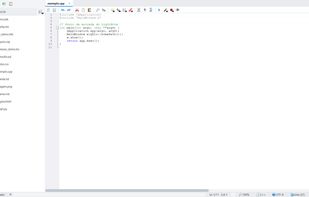
Code editing: Scintilla-based editor with syntax highlighting for ~30 languages, symbol outline, snippets, code execution, external formatters and linters, a memory-mapped viewer for multi-GB files, and an integrated terminal (ConPTY) with shell integration and command status indicators.
AI integration: open AI coding CLIs (Claude Code, etc.) in dedicated terminal tabs, review everything a session changed against automatic checkpoints, accept suggestions hunk by hunk, ask questions answered from your own notes (local RAG, no embeddings), and connect any OpenAI-compatible API provider. An MCP server exposes your workspace to AI agents.
Data & more: SQL client for SQLite, DuckDB, PostgreSQL, MySQL, SQL Server and Oracle via connection files; open Parquet/CSV/JSON/Excel as sortable tables; tasks with Kanban, table and Gantt views stored in Git-mergeable files; PDF viewer, zip-as-folder browsing, diff view, API tester, SSH/SFTP client, Git integration, and encrypted Markdown notes protected by a passphrase.
Everything lives in plain files inside normal folders, friendly to Git sync. Available in 10 languages. Free edition on GitHub; LightNote Core available on the Microsoft Store with auto-updates.







 NGLCZR added LightNote for Windows as alternative to Sublime Text, Visual Studio Code, Geany, Kate and 97 more


 NGLCZR


No comments or reviews, maybe you want to be first?