


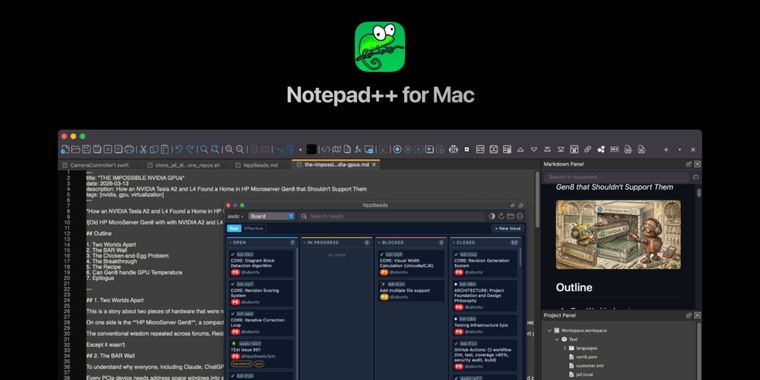

Notepad++ finally comes to Mac through a native fork with plugin support after 23 years
A new Notepad++ fork for Mac has been released, bringing the long-running Windows code editor to macOS as a native app built from the original codebase, making it accessible to apple users without emulation or compatibility layers after more than two decades as a Windows mainstay. The Mac release is an open-source, unofficial community port, available for free under the GNU General Public License. Users don't need Wine, Porting Kit, CrossOver, or Rosetta translation, as the app delivers a true standalone experience.
The app supports both Apple silicon and Intel Macs as a universal binary, with native ARM64 support for M1, M2, M3, M4, and M5 devices, so it doesn't require Rosetta translation. Its interface uses native Cocoa APIs for menus, dialogs, file pickers, keyboard shortcuts, and windowing, with maintainer Andrey Letov replacing the original Win32 front end using Objective-C++.
Core features remain close to the Windows version, including the Scintilla engine, tabbed editing, syntax highlighting for more than 80 languages, search and replace, macro recording, and plugin support. Plugin Admin is included, with a growing list of macOS-compatible plugins, and the app is available from the Notepad++ for Mac website with no ads or any kind of hidden costs.





- Code Editor
- Free
- Open Source
Other apps mentioned in this article

Related news
External links
- Notepad++ for Mac: Free Native macOS Code EditorNotepad++ for Mac • Official source
- Notepad++ Code Editor Comes to Mac After 20-Year WaitMacRumors
- Notepad++ is finally available on the Mac, 23 years laterHow-To Geek
- Beloved Windows text editor Notepad++ now on MacBoing Boing
Comments
Be cautious of the security, it looks like it was largely just AI coded. If you open up random files in the Github you see AI comments like:
// Phase 2: title-bar close button moved to shared PanelFrame.
Favorite text editor (on Win/anywhere for that matter) of all time!
“This is not an official Notepad++ release. It’s an unauthorized project misusing the Notepad++ trademark.” Per Don Ho author of Notepad++
Wanted to note the same, source: https://notepad-plus-plus.org/news/npp-trademark-infringement/
Probably even though it is saying "unofficial community port" I felt like it was at least approved by the official creators. Without this approval I think it is rather wrong to post about it (or at least the headline should read a lot different).
Just use CotEditor. I was a huge Notepad++ user on Windows but on macOS there wasn’t a good alternative that wasn’t overkill. CotEditor was that sweet spot of much better than plain-text, much less than a full IDE suite.
Maybe in another 23 years we will get it on Linux. But no matter Kate is seriously one of the best!
Kind of coincides with the exodus from NotePad++. Some people aren't happy with the Notepad++ political agenda. I just switched over to Kate because Kate gives me a workable panel explorer where I can rename files. NPP doesn't do that even with a plug-in.
I can still remember the pain from 10 years ago in 2015, when I used to code with my hand every keyword in Notepad++. It was my go-to notepad and code editor at that time.
Well, good thing you can relive it now on another platform 😛