
VSCodroid icon
VSCodroid icon

VSCodroid

 1 like

VS Code ported to Android — a full IDE on-the-go for developers.
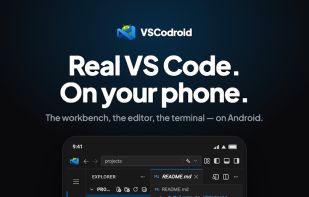
VSCodroid screenshot 1

Cost / License

  • Free
  • Open Source (MIT)

Platforms

  • Android
  • Android Tablet
1like
0articles
Save

Features

Features

Highlights All activities

VSCodroid News & Activities

Recent activities

VSCodroid information

AlternativeTo Category

Development

GitHub repository

  •  211 Stars
  •  47 Forks
  •  9 Open Issues
  •   Updated  
View on GitHub
VSCodroid was added to AlternativeTo by Aerosol on and this page was last updated .

No comments or reviews, maybe you want to be first?

Official Links

What is VSCodroid?

Features:

  • Real VS Code: Monaco Editor, Workbench UI, Command Palette, and all the features you know. Extension Support: Install themes, linters, language support, and more from Open VSX.
  • Interface In Your Language: The editor's interface follows the phone's language, in thirteen of them (Chinese Simplified and Traditional, Czech, French, German, Italian, Japanese, Korean, Polish, Portuguese (Brazil), Russian, Spanish, Turkish), with no language pack to install. The app's own screens are translated too, and so are VSCodroid's own commands, settings and walkthrough; an extension you install from Open VSX carries its own translations or none.
  • Integrated Terminal: Full bash terminal with real PTY support (tmux, bash line editing and the Node and Python REPLs all work).
  • Batteries Included: Node.js, Python 3, Git, npm, SSH, and essential tools bundled out of the box.
  • Offline-First: Code without an internet connection. Everything runs locally on your device.
  • Mobile-Optimized: Extra Key Row (Ctrl, Alt, Tab, Esc, F1-F12, symbols, cursor trackpad), touch-friendly UI, clipboard bridge.
  • SSH Out of the Box: Bundled OpenSSH client and ssh-keygen, preconfigured with sane defaults (ed25519, keepalive, accept-new).
  • Language Picker: Select your languages; Ruby and Java install on demand, via Play Asset Delivery on Play installs, or direct download on sideloaded installs.
  • Dev Server Preview: Preview a running dev server in an editor tab beside your code, or hand it to the device's browser. See Dev Server Preview in the user guide for the steps.
